Who is this article for?
An appointment type describes one of the services you offer: an initial assessment, a follow-up visit, a video session, a group workshop, and so on. Every appointment you book in Colib uses one of these types.
This article explains what an appointment type controls and why it is worth taking a few minutes to set yours up carefully: once they are configured, your schedule, your invoices, your booking page and your client communications follow automatically.
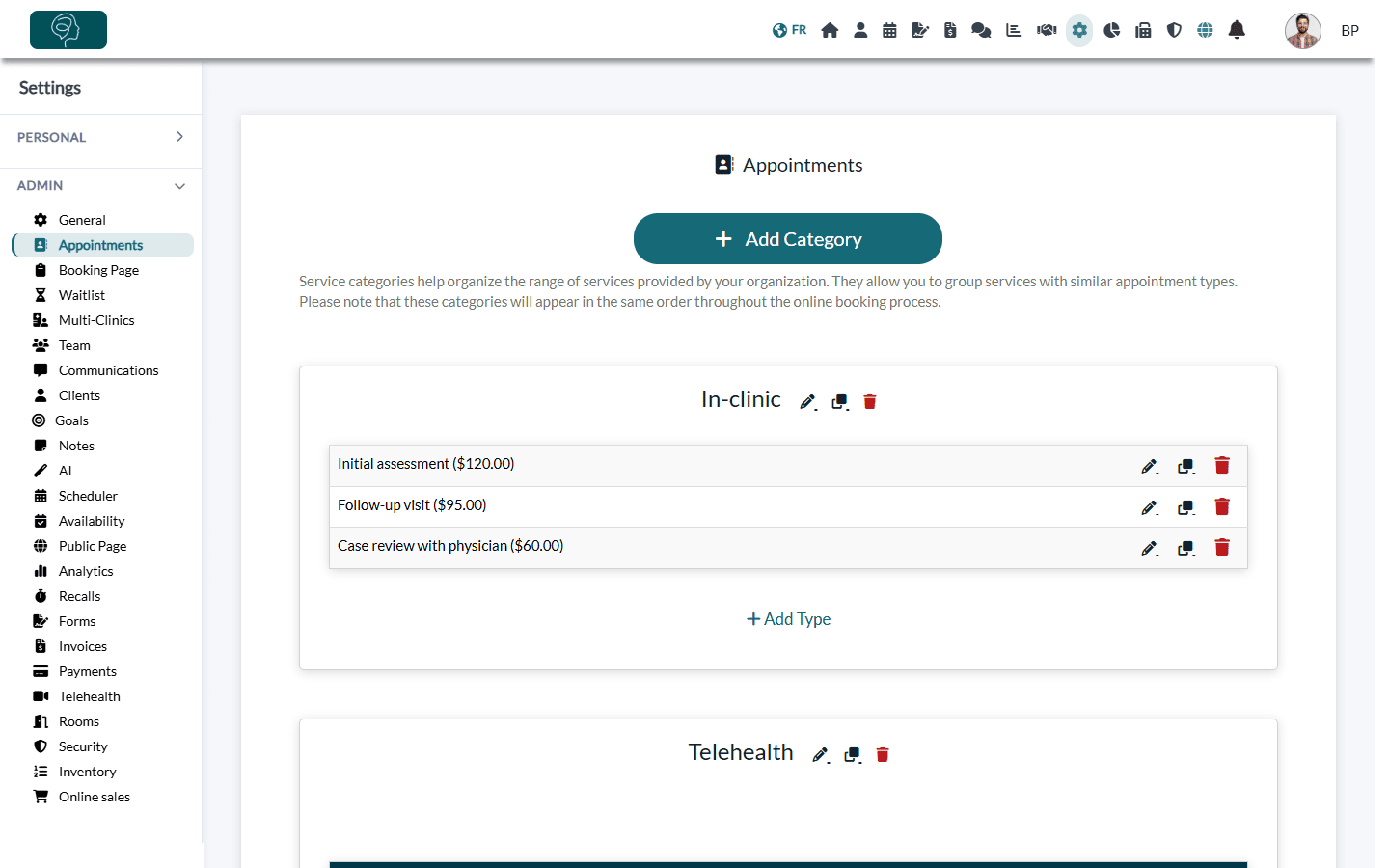
Where to find them: appointment types are managed in Settings > Appointments (www.colib.io/settings?show=appointments), grouped by category. Only the administrators of the practice can see this page and change it.
What an appointment type controls
When you open an appointment type (pencil icon on its row), its settings are organized in sections. Click a section title to open it. Here is what each one does for you.
| Section | What you set |
|---|---|
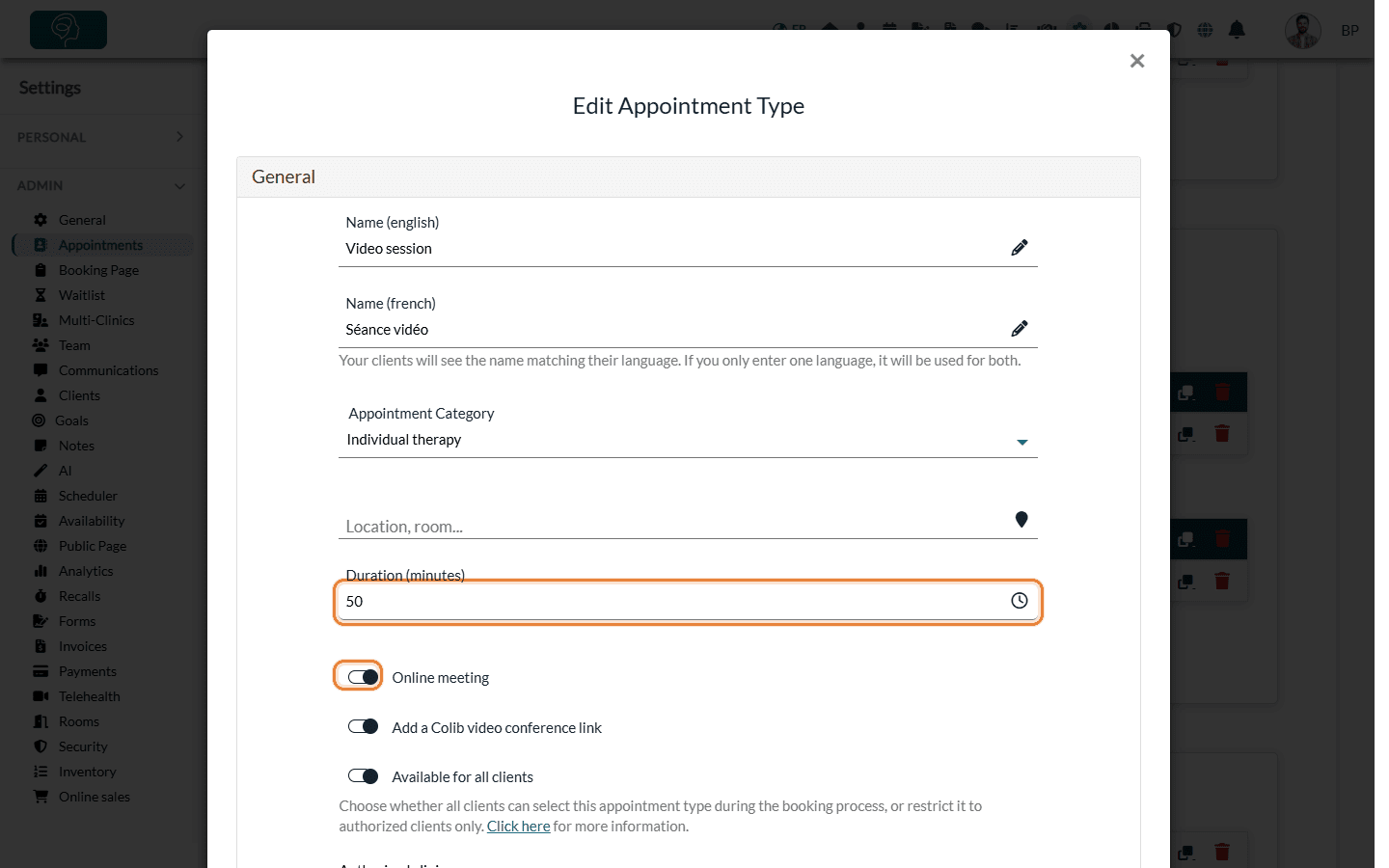
| General | The name in English and in French (each client sees the name in their language), the category, the location, the duration, whether it is an online meeting, which clients and practitioners can use it, and its color in your scheduler. With several clinics, you also choose the clinics where the type is offered; with rooms, whether a room is required. |
| Direct booking | Whether clients can choose this type on your booking page and in a waitlist request, how long in advance they can book (minimum hours, maximum days), and the time buffers before and after the appointment. |
| Group/class appointment | Turns the type into a group appointment, with a maximum number of participants. |
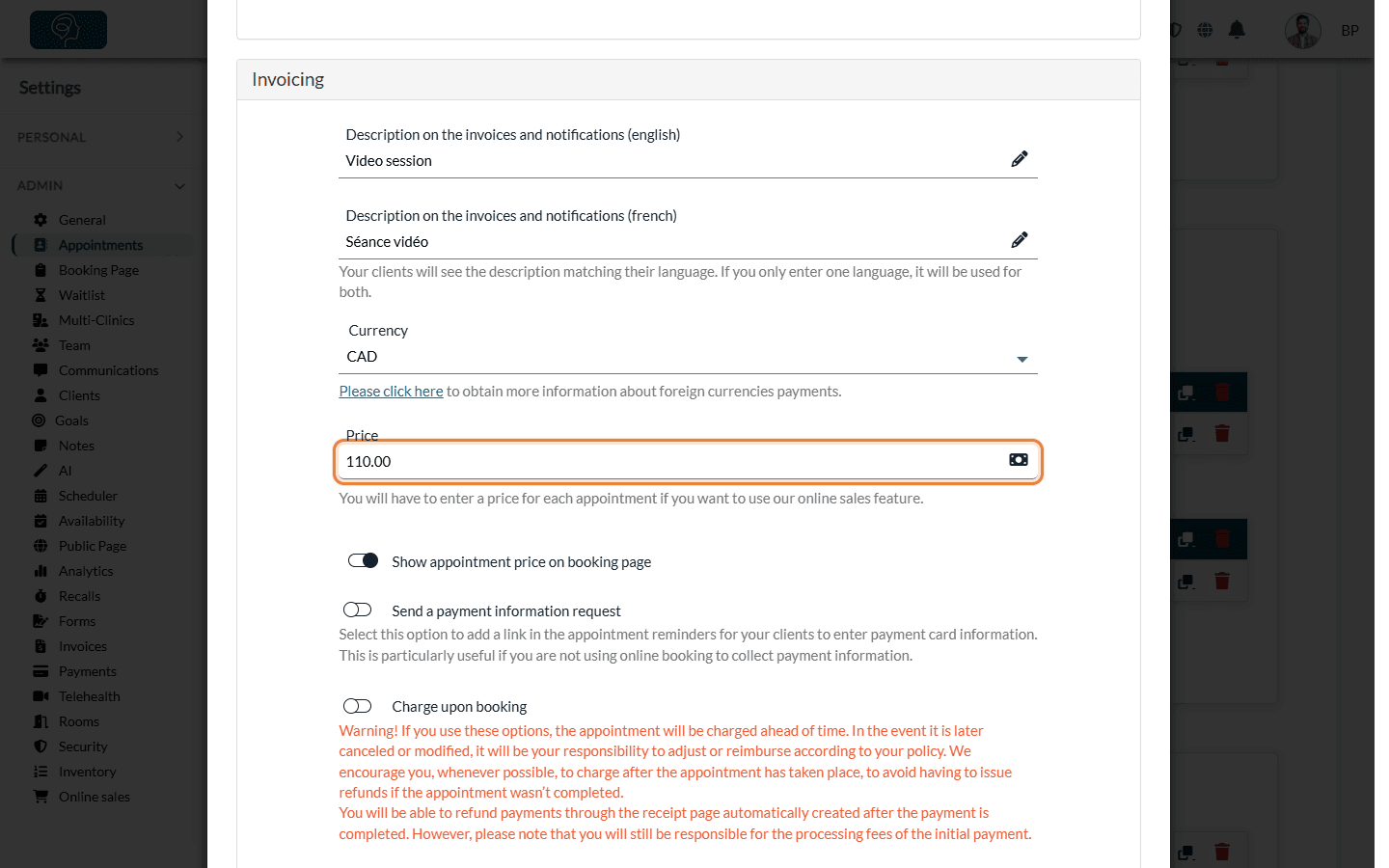
| Invoicing | The description printed on invoices and notifications (English and French), the currency, the price, the taxes, additional invoice rows, whether the price is shown on your booking page and, if you accept card payments, the payment options of online booking. |
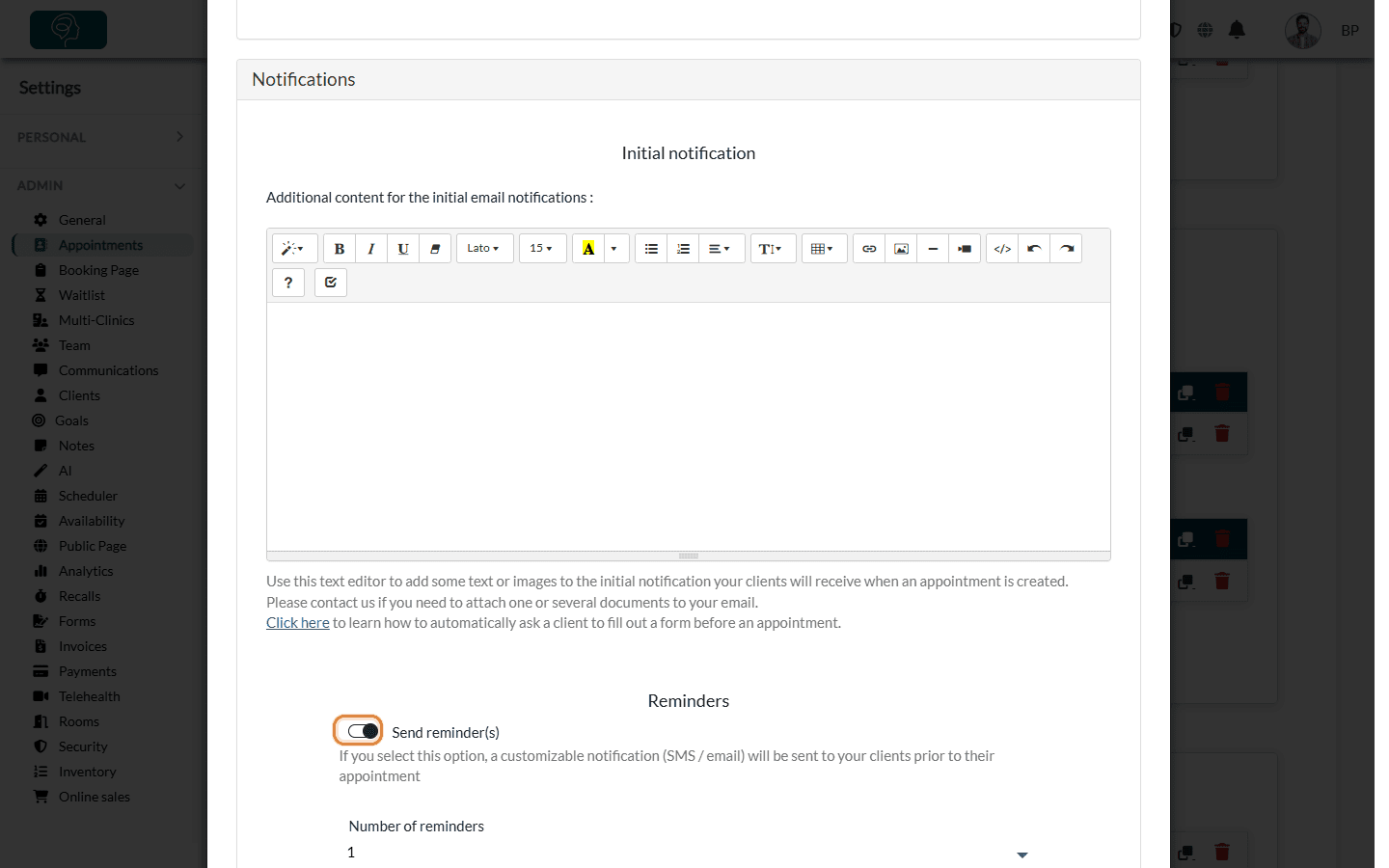
| Notifications | Extra content for the confirmation, the reminders (one or two, and how many hours before), the arrival confirmation request and the follow-up email sent after the appointment. |
| Forms automation | The forms sent automatically with the confirmation of this type of appointment. |
| Batch upload | The name this service had in your previous software, to match it when your data is imported. |
| AI-powered note generation settings | The template used to format your AI notes for this type of appointment. It overrides the general template chosen in Settings > Notes (www.colib.io/settings?show=notes). |
Some options only appear when they apply to your account (several clinics, rooms, card payments, colors...).
How they benefit your practice
- Faster, accurate invoicing — the price, taxes and invoice description come from the appointment type, so you do not retype them for every appointment.
- Communications tailored to each service — reminders, arrival confirmation, follow-up emails and forms are set per type: a first visit and a follow-up do not have to send the same messages.
- Telehealth without extra steps — for an online meeting, Colib can add a Colib video conference link to the appointment automatically, or you can enter the link of your own video conference provider. The link is included in the notifications sent to your client.
- A clear booking page — you decide which types clients can book online, for which practitioners, and with which booking window and buffers.
- A readable schedule — each type has its own duration and color in your scheduler.
Good to know
- Categories — every appointment type belongs to a category (and optionally a sub-category). Categories organize your list and the choices shown on your booking page. See How to organize appointment types with categories and sub-categories.
- Start from an existing type — duplicating a type copies all its settings, so creating a variant (for example, a longer session) takes seconds.
- Changes are not retroactive — a new reminder delay, for example, applies to the notifications scheduled after your change. The Refresh scheduled notifications button of the Notifications section rebuilds them for the upcoming appointments of this type.
- Go further — group/class appointments, types reserved for some clients, forms sent before an appointment, an AI note template per type.
Ready to set them up? Read How to view, edit, duplicate and delete appointment types.
Still have a question?
Write to us at support@colib.io, we will be happy to help.
Was this article helpful?
That’s Great!
Thank you for your feedback
Sorry! We couldn't be helpful
Thank you for your feedback
Feedback sent
We appreciate your effort and will try to fix the article