Who is this article for?
Each category and sub-category of appointment types can have a short description. It helps clients who book online pick the right option, especially when they do not know your services yet: what "Telehealth" means at your clinic, who a sub-category is for, where the appointments take place.
This article explains where descriptions appear and how to add one.
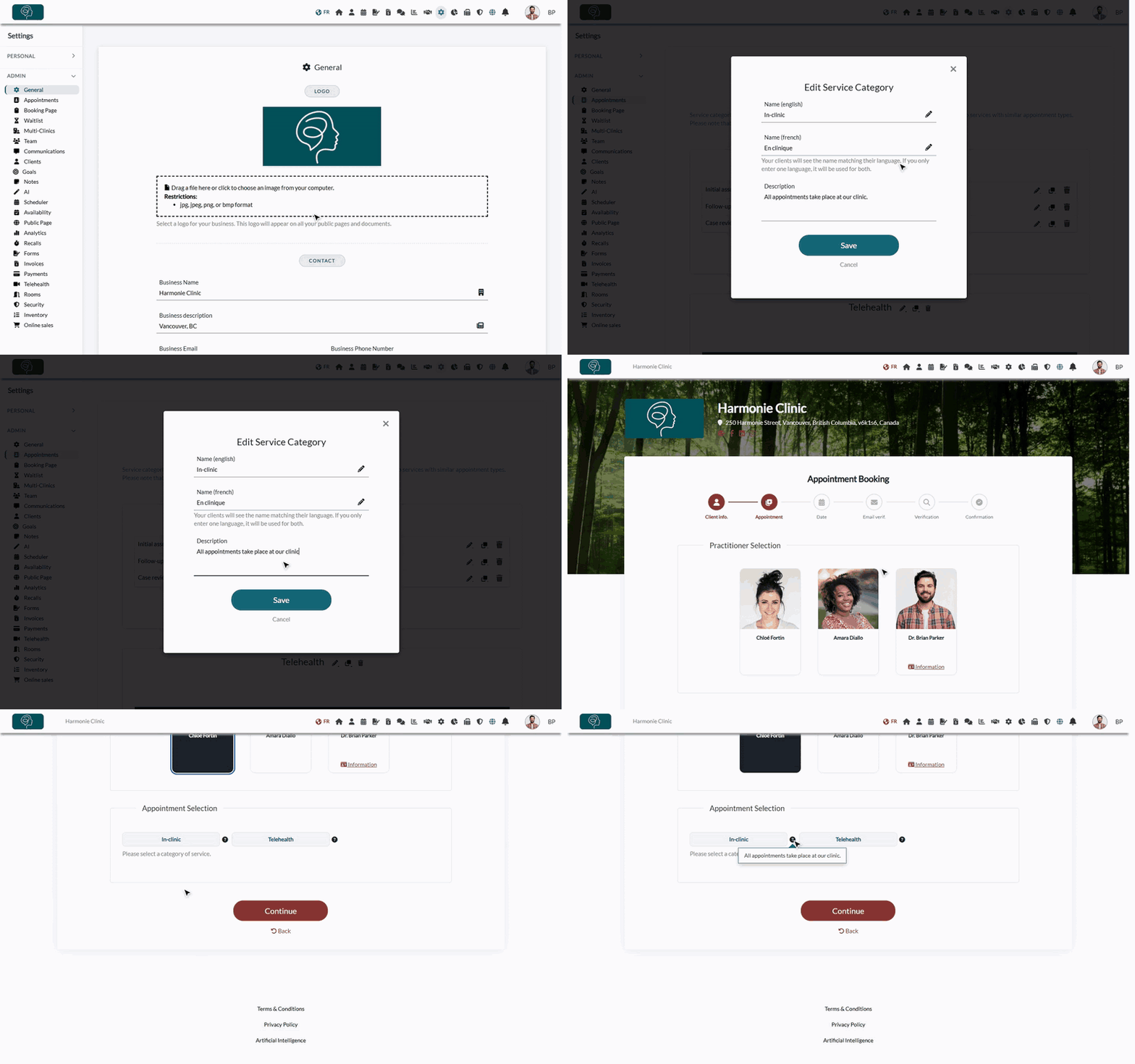
Where do descriptions appear?
Descriptions are shown on your online booking page, at the step where clients choose a category and a sub-category:
- a question mark icon appears next to each category or sub-category that has a description;
- when the client clicks it, the description opens in a small bubble, which closes when they click elsewhere;
- on a computer, the description also appears when the mouse rests on the name of the category.
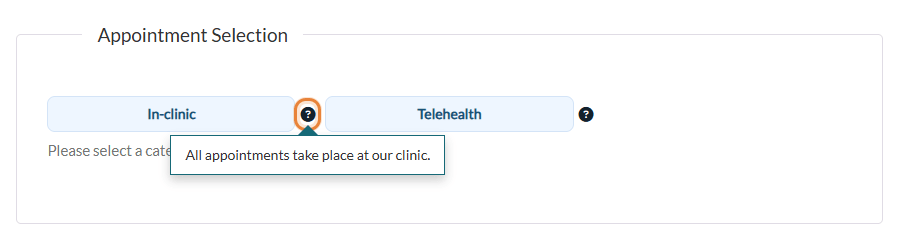
Categories without a description are shown without the question mark. The same descriptions also appear in your online shop, when a client chooses the service of a gift certificate.
1Add or edit a description
- Go to Settings > Appointments (www.colib.io/settings?show=appointments). Only the administrators of the practice can see this page.
- Click the pencil icon next to the name of the category or sub-category. For a new category, the field is in the window that opens when you click Add Category.
- Type your text in Description (up to 200 characters).
- Click Save. The description is visible on your booking page right away.
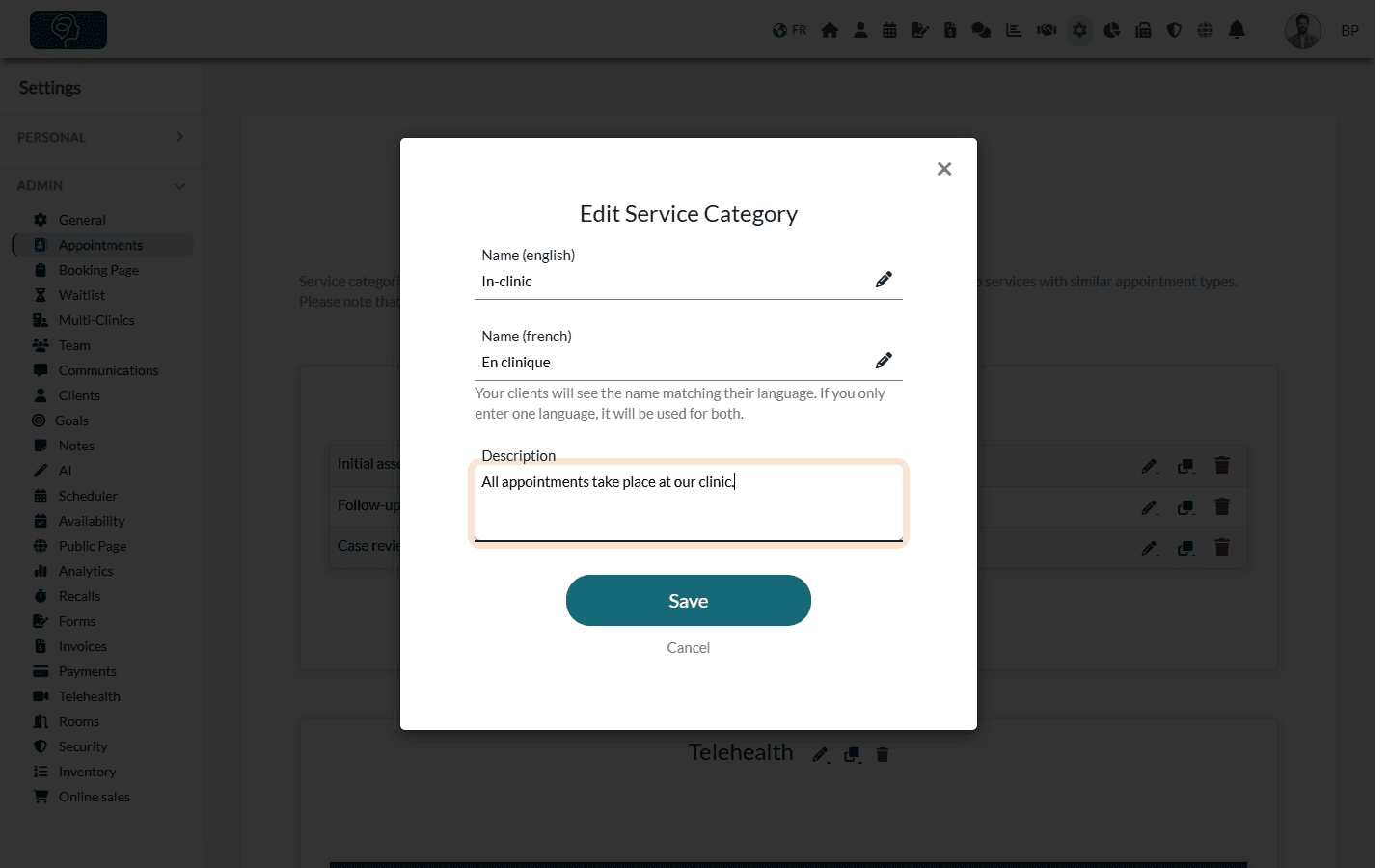
To remove a description, empty the field and save.
Examples
| Category | Description |
|---|---|
| In-clinic | All appointments take place at our clinic. |
| Telehealth | All appointments take place online, by video. |
| Couple therapy (sub-category) | Video sessions for couples. |
Good to know
- One description for both languages — unlike the category name, which you can enter in English and in French, the description is a single text shown as is to all your clients. If your clients book in both languages, write it in both, for example At the clinic / À la clinique.
- Keep it short — one sentence that answers "is this the right choice for me?" works best.
- Avoid straight double quotation marks (") — they are not displayed on the booking page. Curly quotation marks (“ ”) display normally.
- Hidden categories — a category only appears on the booking page if it contains at least one appointment type available for online booking, so its description is only shown in that case. See Which categories appear on your online booking page?
- Organize your categories — read How to organize appointment types with categories and sub-categories.
Still have a question?
Write to us at support@colib.io, we will be happy to help.
Was this article helpful?
That’s Great!
Thank you for your feedback
Sorry! We couldn't be helpful
Thank you for your feedback
Feedback sent
We appreciate your effort and will try to fix the article