Who is this article for?
When a client writes to you from the client portal, Colib lets you know in several places so you never miss a message. This article shows where to look, and when you receive an email reminder.
In Colib: a notification
A few minutes after a client sends a message, you receive a Colib notification New message from a client, for example Léa Gagnon sent you new messages via the client portal. It appears in the Notification Center (bell icon in the top bar). Click View message(s) to open Messaging (www.colib.io/messaging).
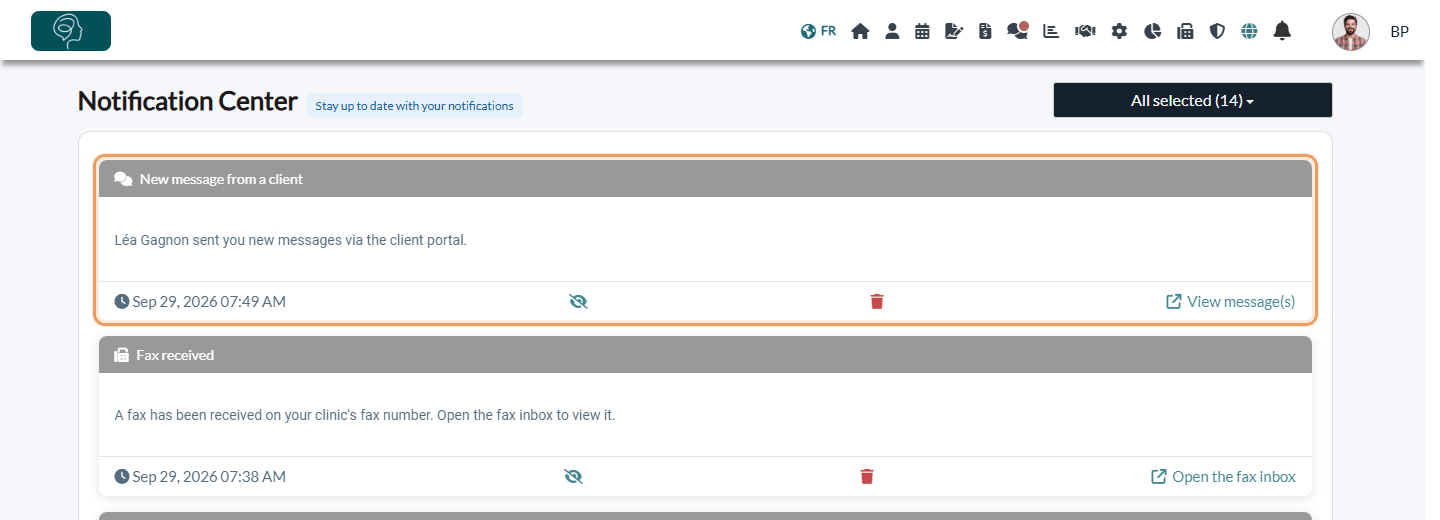
The notification goes to the practitioner the client wrote to. If the client sends several messages in a row, you receive a single notification.
In the top bar: a red dot on Messaging
As long as you have unread messages, a red dot appears on the Messaging icon (two speech bubbles) in the top bar.

On your home page
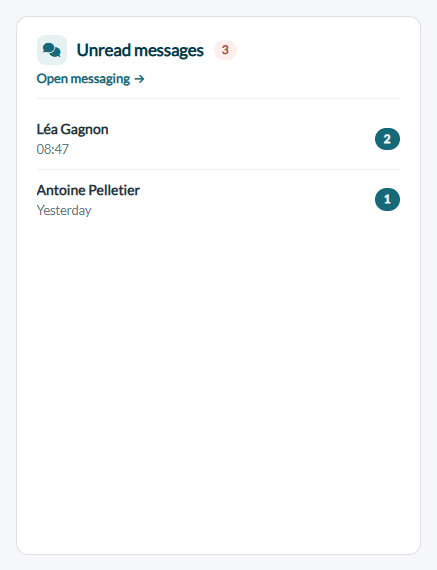
The Unread messages card of your home page (www.colib.io/establishmentadmin/home) shows the total number of unread messages and the clients who wrote to you. Click Open messaging to answer them.
In Messaging: unread badges
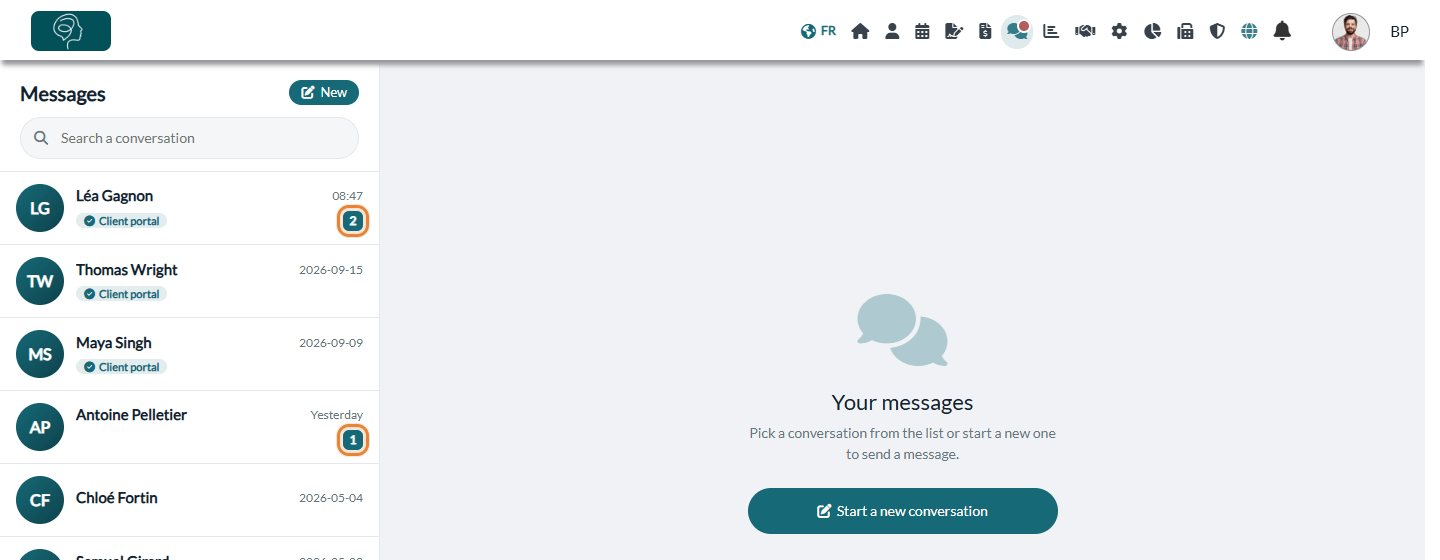
In the list of conversations, a badge shows the number of unread messages for each client. Open the conversation to read them: the badge disappears and the messages are marked as read.
By email: a reminder if you have not read the message
If a message is still unread a little while after the client sent it, you receive an email reminder at the address of your Colib account. Its subject is [Reminder] You have unread messages; it tells you how many clients are waiting for an answer and contains a link to your messaging. For your privacy, the email never contains the content of the messages.
Good to know
- One reminder per conversation — the reminder is sent once after the client's last message. If several clients wrote to you, they are grouped in the same email.
- Answering — to reply to a client, see How to send a private message to a client.
Still have a question?
Write to us at support@colib.io, we will be happy to help.
Was this article helpful?
That’s Great!
Thank you for your feedback
Sorry! We couldn't be helpful
Thank you for your feedback
Feedback sent
We appreciate your effort and will try to fix the article