Who is this article for?
Your clients can write to their practitioners from the client portal, and they are notified by email when you write to them. This article explains how it works on the client side, so you can guide your clients.
Before you start: private messaging must be turned on for your practice (How to activate the private secure messaging feature).
Who can a client write to?
- Only the practitioners assigned to them: the main practitioner of their client record and the additional practitioners.
- Only in practices where private messaging is turned on, and only if their client record is active.
- In a practice with several clinics, a practitioner whose clinics have all turned messaging off can no longer receive messages. The client then sees This practitioner can no longer receive messages. You can still view your previous exchanges.
To read and send messages, the client must have a client portal account with a confirmed email address.
How a client sends a message
- The client logs in to the client portal.
- They open the Messages section.
- They click New conversation, then choose the practice (Select a practice), the client profile if they manage several (for example, their own and their child's) (Select your client profile), and the practitioner (Select a practitioner).
- They type their message in Type a message, can attach files with the paperclip (Attach files, 30 MB maximum per file), and click Send.
To answer, the client simply opens the existing conversation in the same section.
What the practitioner sees
The message arrives in the conversation in Colib (www.colib.io/messaging), with its attachments. The practitioner is notified in Colib (notification, red dot on Messaging, home page) and receives an email reminder if the message stays unread: see How will I be notified when I receive a message from a client?.
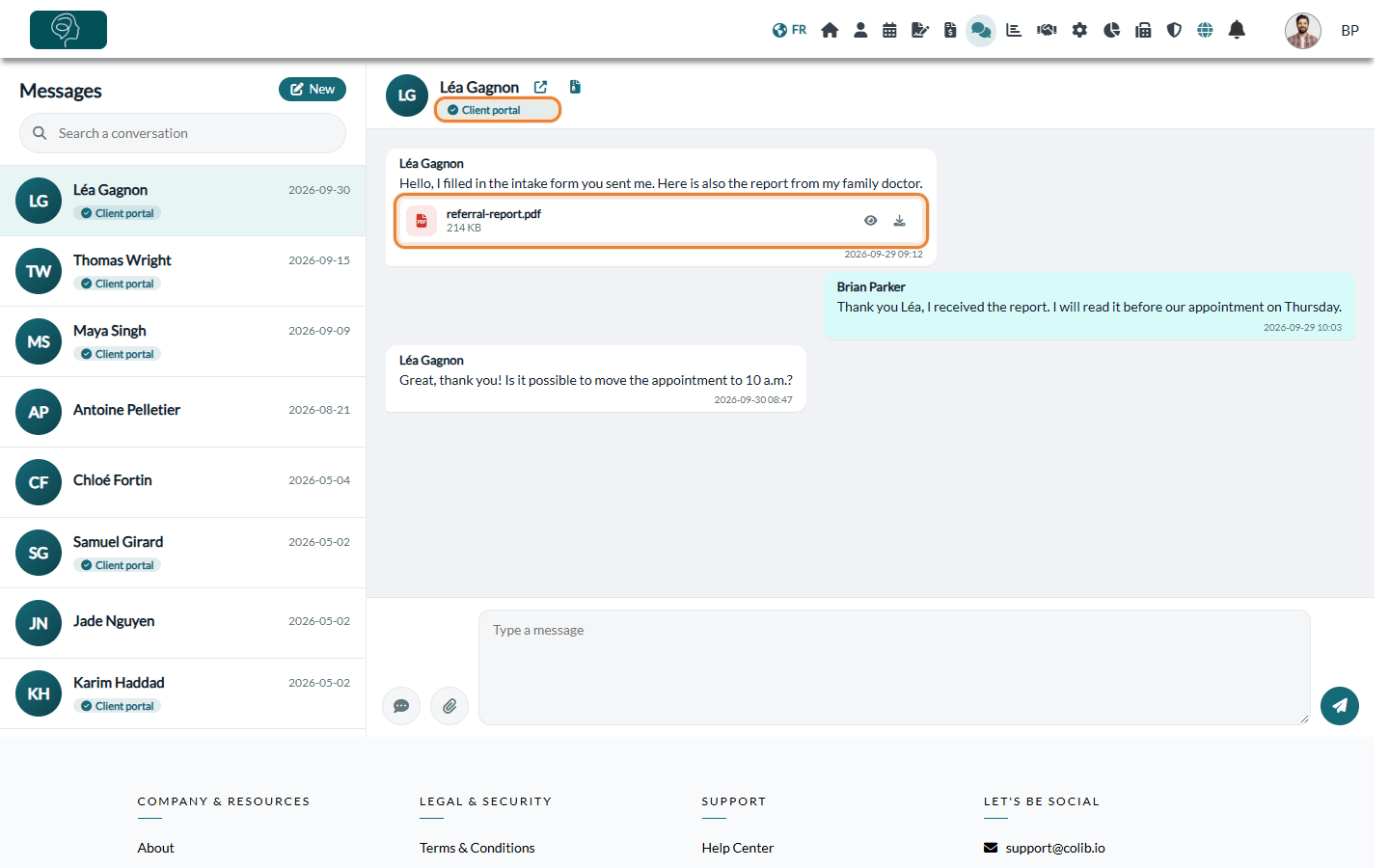
The Client portal badge next to a client's name shows that the client already has a client portal account.
How a client is notified of your messages
- By email — a few minutes after a practitioner writes, the client receives an email from your practice: New messages received, with a View messages button. The email never contains the message: the client must log in to the client portal to read it. If you send several messages in a row, the client receives a single email.
- Only during the day — these emails are only sent between 7 a.m. and 7 p.m. (time zone of the practitioner). A message written in the evening is notified the next morning.
- Reminder — if the client still has not read the message a little while later, they receive a single reminder by email and, when a phone number is in their record, by text message.
- No account yet? — the email invites the client to create their client portal account to read the message. A client who already has an account simply logs in.
Good to know
- Language — the emails are sent in the language of the client record (English or French).
- Clients managed by a responsible person — when the client belongs to a group with a responsible person (for example, a parent), the emails go to the responsible person. The Additional emails for email communications of the record, if any, also receive them.
- Security — you can encourage your clients to turn on two-factor authentication on their client portal account.
- Writing to a client — see How to send a private message to a client.
Still have a question?
Write to us at support@colib.io, we will be happy to help.
Was this article helpful?
That’s Great!
Thank you for your feedback
Sorry! We couldn't be helpful
Thank you for your feedback
Feedback sent
We appreciate your effort and will try to fix the article