When working with child clients, client groups (previously name "Family groups") are an effective way to ensure that communications reach the designated responsible parties (usually parents). This system allows you to group related clients together and assign a group owner (Main Responsible Holder) as well as additional responsible holders if necessary. These holders will receive all communications (emails and SMS) on behalf of the group members.
To create a client group and add a client:
1. Navigate to the client page of the Group owner (parent or guardian / main responsible holder).
2. Click on the following Icon
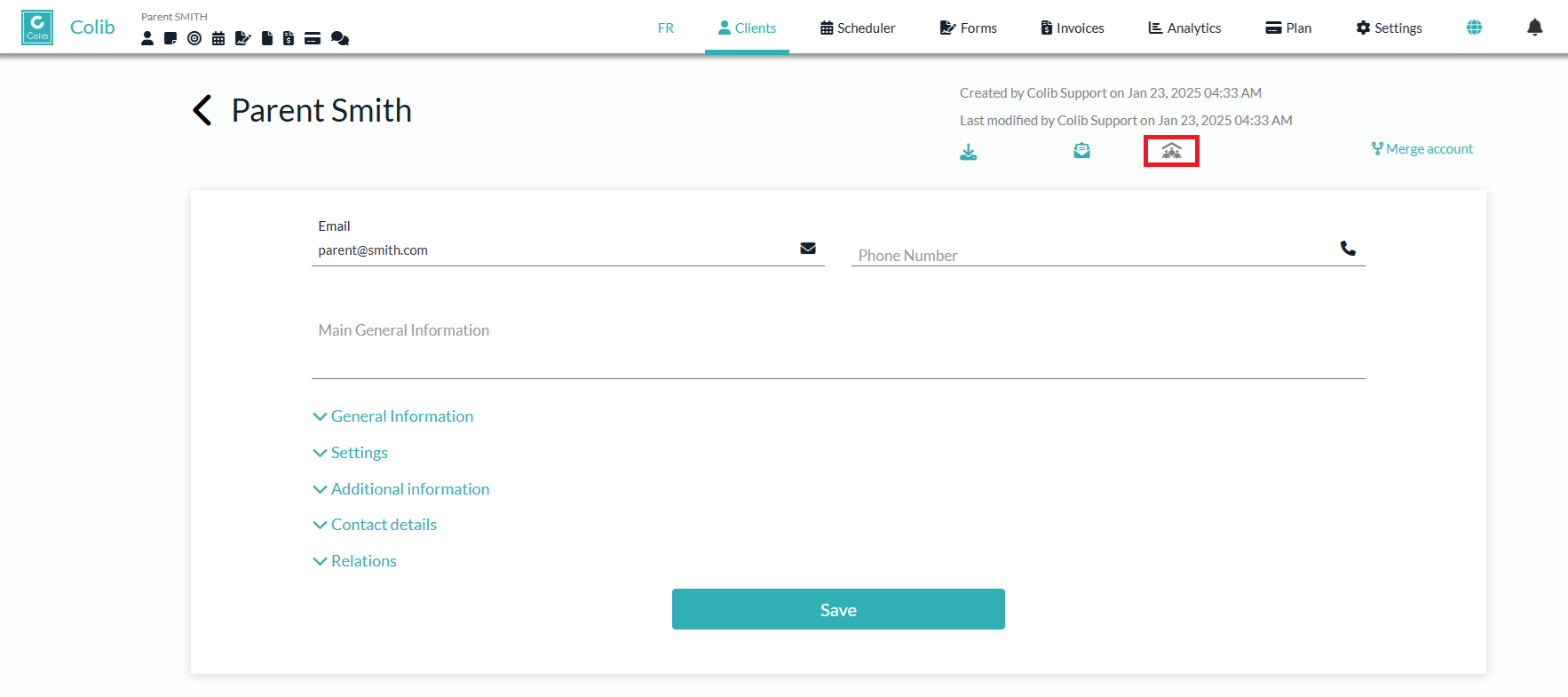
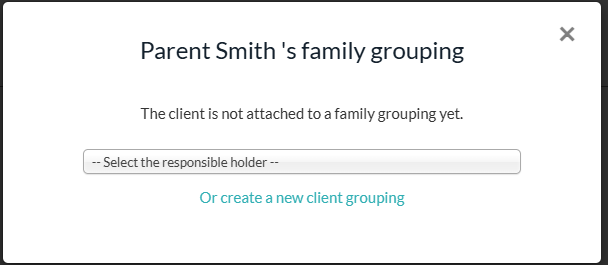
3. In the modal that appears:
- Create a new Client Group by clicking the corresponding button.
- (Optional) Add the client to an existing Client Group by selecting the group owner from the list.
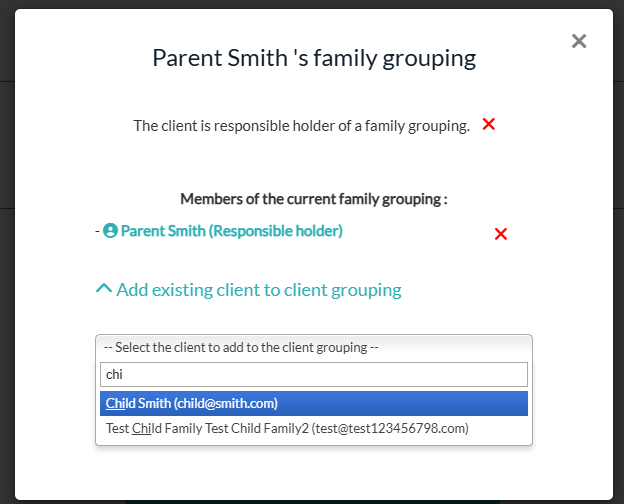
4. Add Clients:
- Use the autocomplete list to add existing clients to the newly created client Group.
- (Optional) Create a new client directly within the modal.
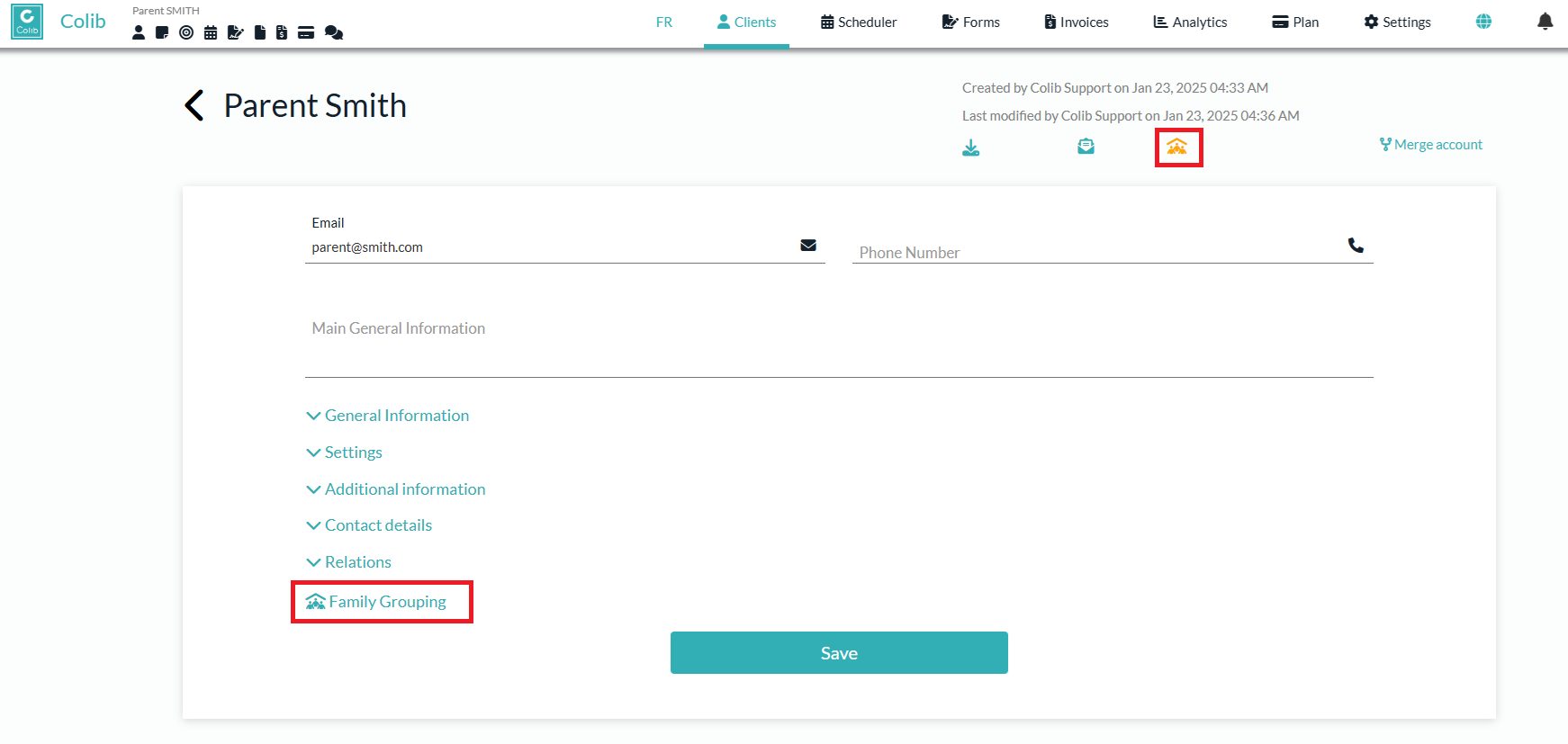
5. Confirmation:
- Upon completing these steps, the Client Group icon on both the Group owner's and the child clients' pages will turn orange.
- A new section will appear on the child clients' pages to indicate their membership in the Client Group.
You can add additional responsible holders to the client group by reopening the modal.
The group owner and the responsible holders of the client group will receive notifications (SMS and email) on behalf of the client group members.
Only the group owner will be able to see the appointments, invoices, notes, and documents of the client group members on the Colib client portal.
Was this article helpful?
That’s Great!
Thank you for your feedback
Sorry! We couldn't be helpful
Thank you for your feedback
Feedback sent
We appreciate your effort and will try to fix the article