Who is this article for?
Busy day? Colib can remind you a few minutes before each of your appointments starts, by email or by SMS. The reminder gives the appointment type, the start time and the initials of the clients, with a link that opens the appointment in your schedule.
This setting is personal: each practitioner turns it on and chooses their own delay and channel. It is included in every plan.
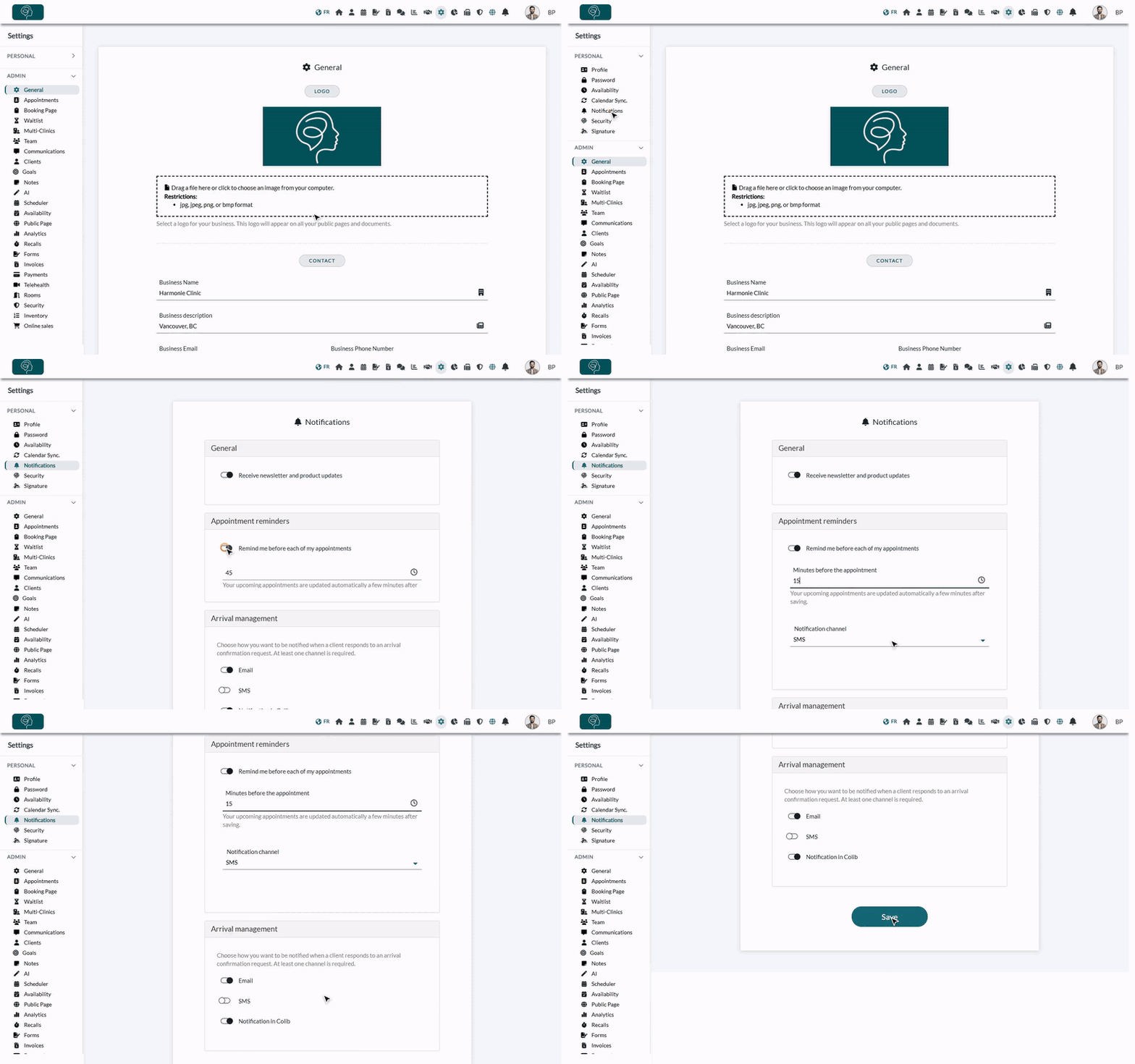
1Turn on the reminder
- Go to www.colib.io/settings?show=personalnotifications. You can also click the Settings icon (gear) in the top bar, open Personal in the menu on the left, then click Notifications.
- In the Appointment reminders section, turn on Remind me before each of my appointments.
- In Minutes before the appointment, enter a delay between 5 and 480 minutes (8 hours). For example, 15 to be notified a quarter of an hour ahead. The default is 60.
- Choose the Notification channel: Email or SMS.
- Click Save at the bottom of the page. The message Preferences updated. confirms the change.
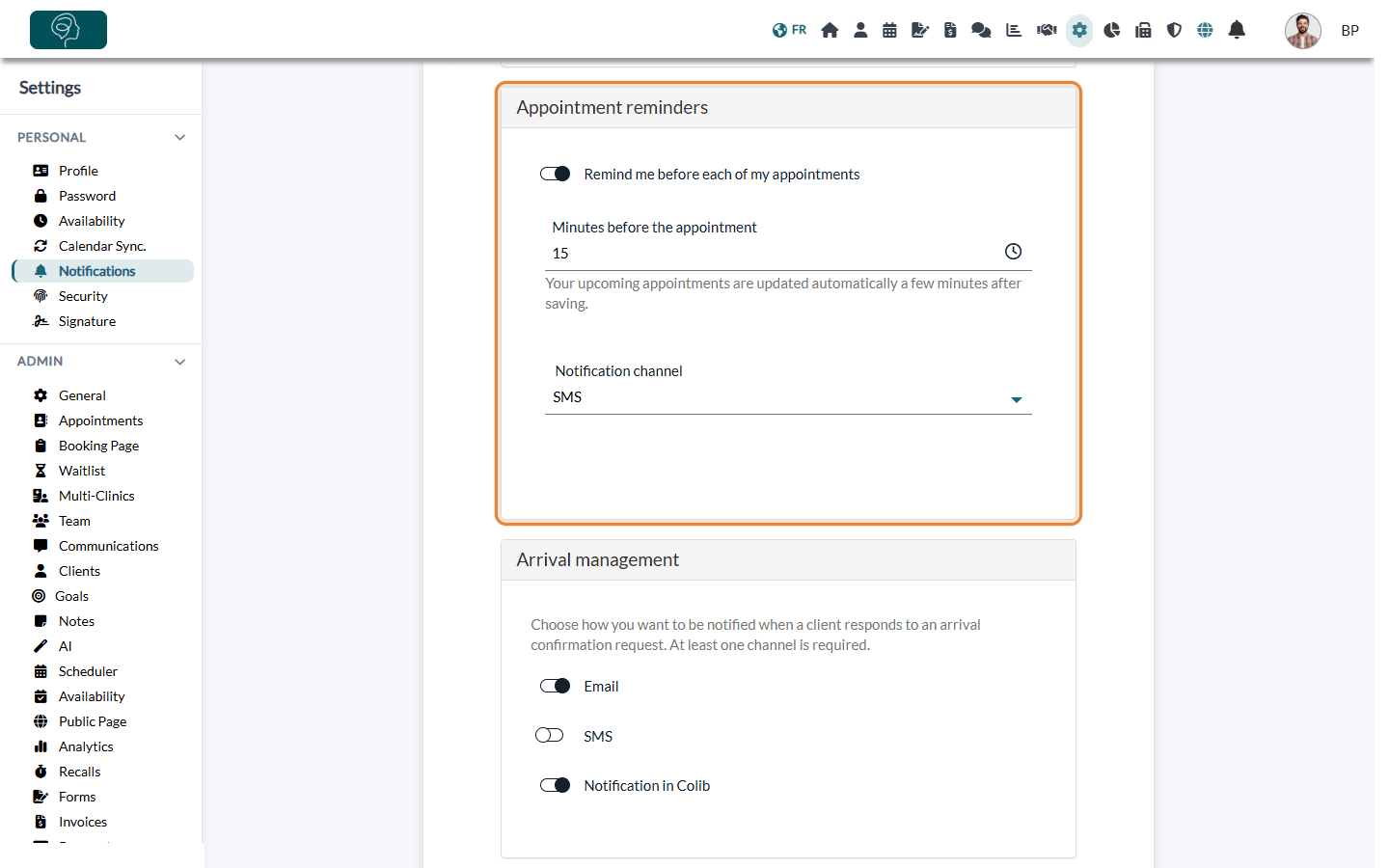
Your appointments already in the schedule are updated automatically a few minutes after you save. You do not need to recreate them.
2Check your cell phone number (SMS only)
- Open your profile: www.colib.io/myprofile (Settings > Personal > Profile).
- Fill in the Cell phone field with a Canadian or US number.
- Click Save.
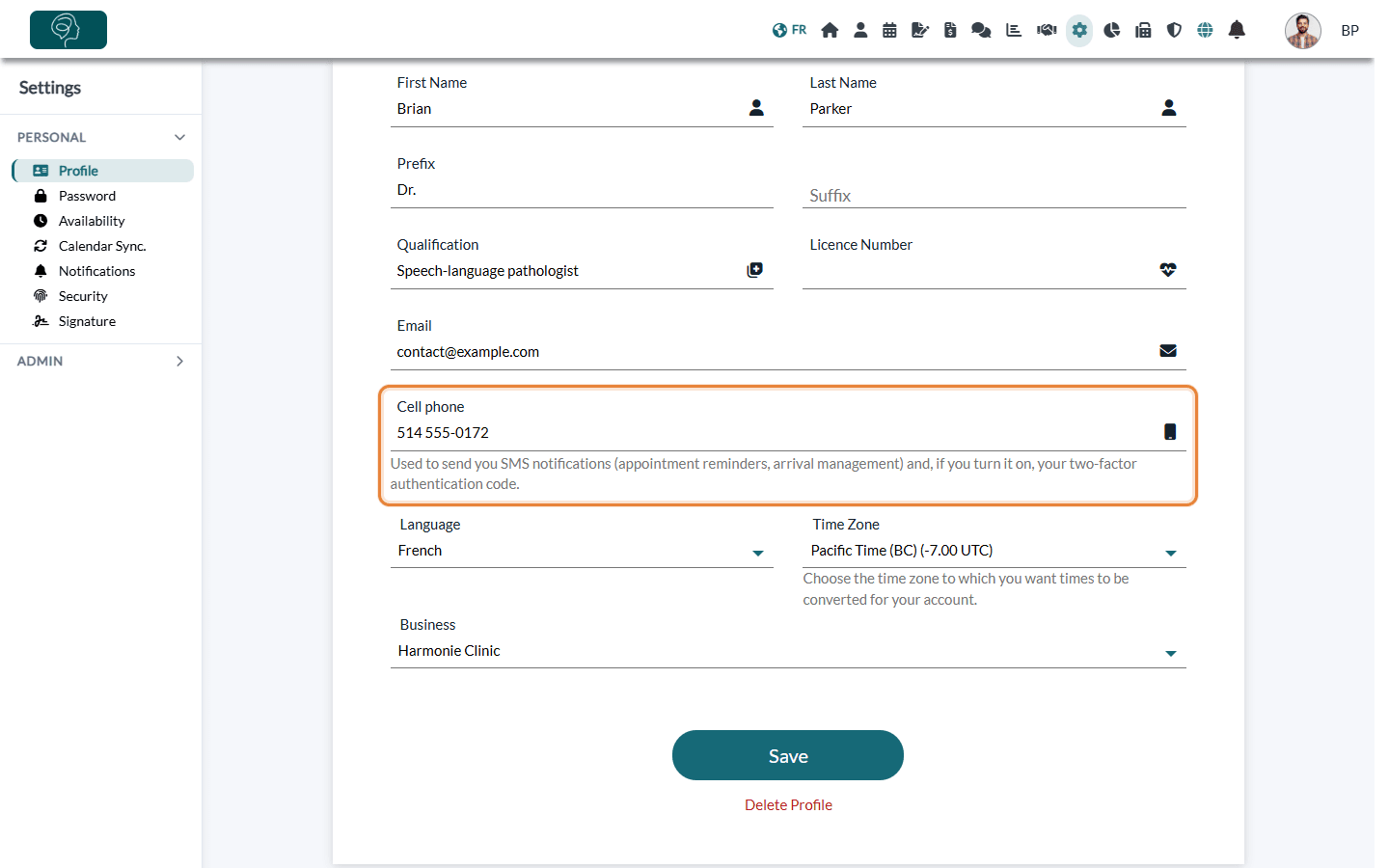
If your profile has no phone number, a warning is shown under the channel when you choose SMS. Without a valid number, the reminder is sent by email instead.
What the reminder contains
- The appointment type and the initials of the clients expected. No full name and no clinical information is sent, including by SMS.
- The start date and time, in the time zone of your profile.
- A link that opens the appointment directly in your schedule.
- By email, the subject starts with your clinic name and your logo is shown at the top if you added one in Settings > General (www.colib.io/settings?show=general). By SMS, the message comes from Colib and cannot be answered.
- The reminder is written in the language of your profile (English or French).
Good to know
- Moved or reassigned appointment — the reminder follows the new time. If the appointment is given to another practitioner, that practitioner receives the reminder according to their own settings.
- No reminder — for an appointment that is cancelled, marked as a no-show, deleted or already started, nor for other events of your schedule (busy time, other). No reminder is sent either if the appointment is booked or moved when the reminder time has already passed.
- Group appointments — you receive one reminder per appointment, with the initials of all the clients.
- SMS not delivered? — if the SMS cannot be sent, Colib sends the reminder by email.
- Your clients' reminders — this reminder is for you only. The reminders sent to your clients are set for each appointment type in Settings > Appointments (www.colib.io/settings?show=appointments), in the Notifications section of the type. See what notifications clients receive after booking.
Still have a question?
Write to us at support@colib.io, we will be happy to help.
Was this article helpful?
That’s Great!
Thank you for your feedback
Sorry! We couldn't be helpful
Thank you for your feedback
Feedback sent
We appreciate your effort and will try to fix the article