Who is this article for?
Your practice is closed on statutory holidays and you do not want clients to book online on those days? One setting removes all statutory holidays from your booking page, without blocking each date by hand.
This article explains how to turn it on, which holidays are blocked, and what it changes for you and your clients.
Before you start: this setting is in Settings > Booking Page (www.colib.io/settings?show=bookingpage), in the Direct Booking section. It only appears when the Client booking type is Online booking by client. You need access to the practice settings to change it.
1Check the province of your practice
Colib blocks the national statutory holidays and those of the province of your practice. The province comes from the business address entered in Settings > General (www.colib.io/settings?show=general), in the Business Address part.
- Go to www.colib.io/settings?show=general.
- In Business Address, check that the Province is correct, then click Save if you changed it.
If no province is entered, only the national statutory holidays are blocked.
2Block the statutory holidays
- Go to www.colib.io/settings?show=bookingpage. You can also click the Settings icon (gear) in the top bar, then Booking Page in the Admin menu on the left.
- Open the Direct Booking section and scroll down to the Availability part.
- Read the list under the switch: Statutory holidays for your practice shows the holidays that apply to you.
- Turn off the Allow bookings during national and provincial statutory holidays switch.
- Click Save at the bottom of the page.
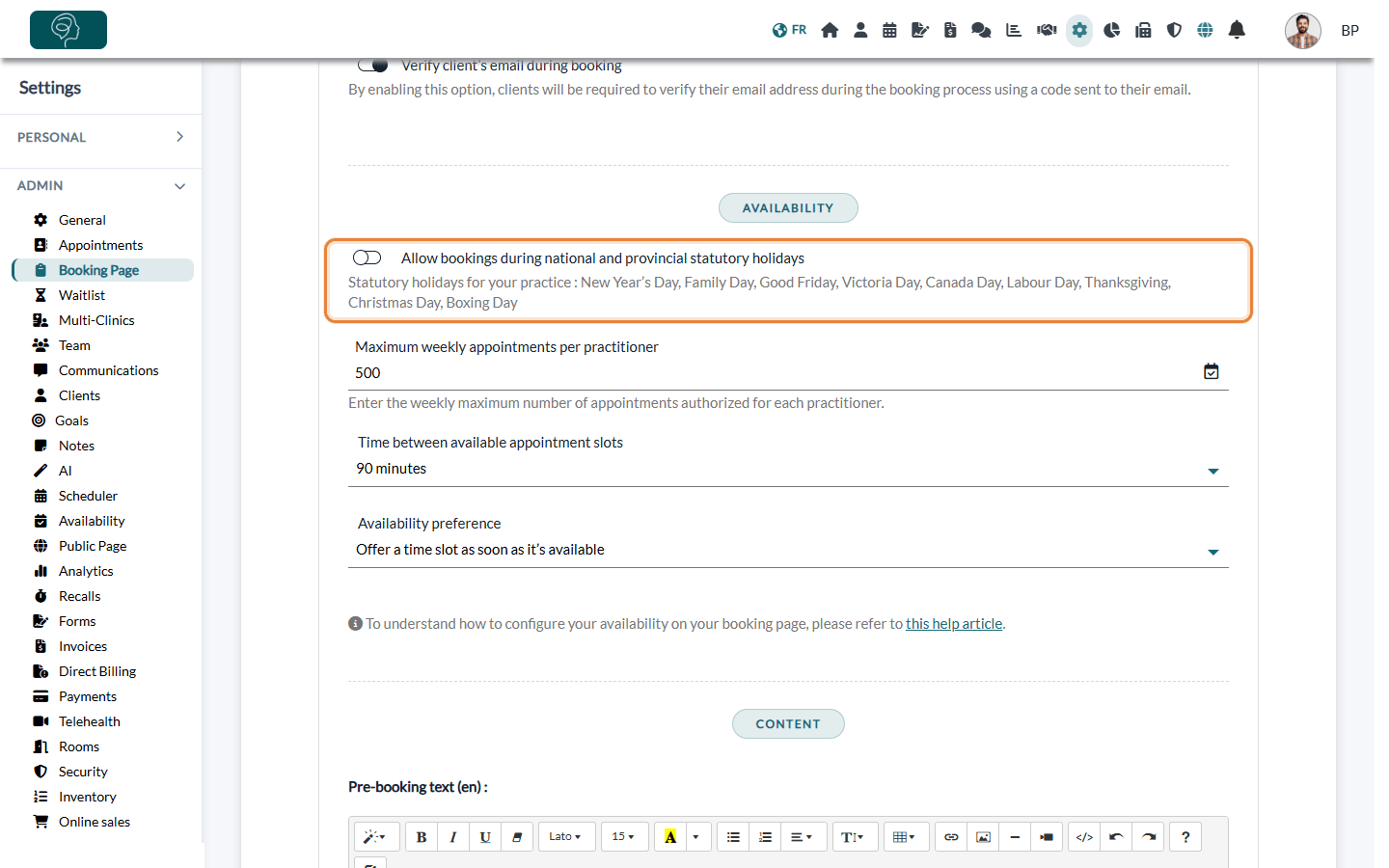
Important: the switch works the other way around: on means clients can book on statutory holidays, off means these days are blocked. For a new practice, the switch is on: statutory holidays are not blocked until you turn it off.
3What changes once it is set
- For your clients — no time slot is offered on your booking page on the statutory holidays of the list, for all practitioners and all appointment types.
- For your team — you can still create appointments yourself on these days from your scheduler: the setting only applies to online booking.
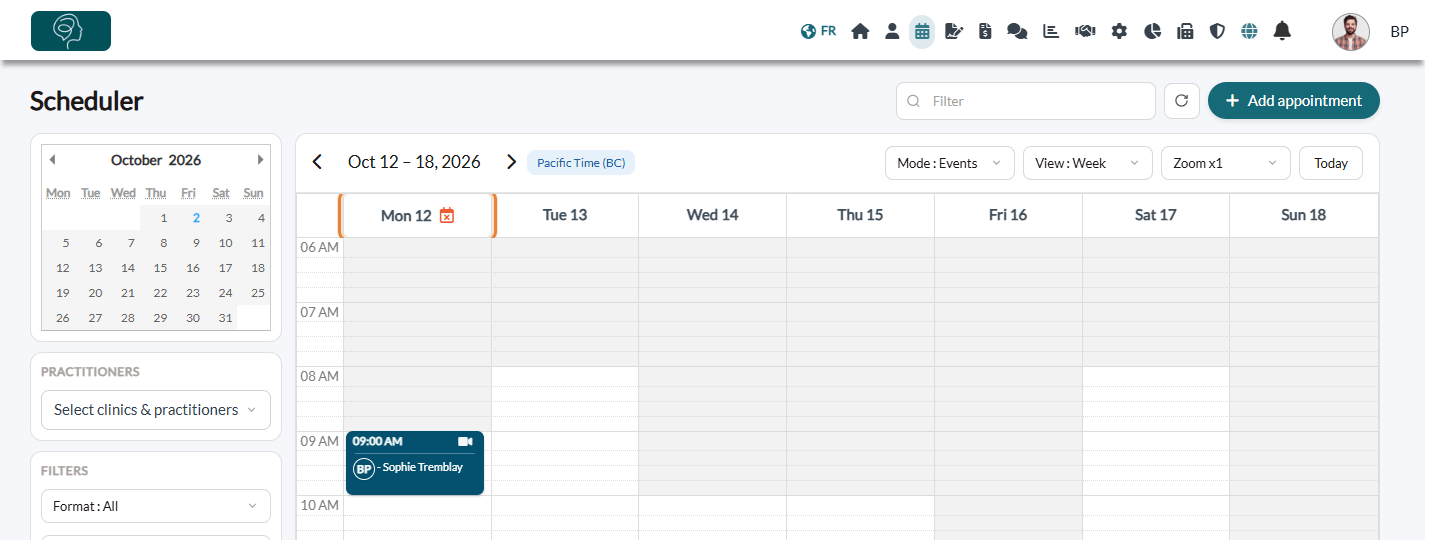
- In your scheduler — statutory holidays are marked with an orange calendar icon next to the date. Hover over the icon to see the name of the holiday.
- Appointments already booked — they are not cancelled. Check your scheduler for appointments already booked on an upcoming holiday and move them if needed.
Good to know
- Other closing days — for a day that is not on the list (vacation, training, a holiday you observe but that is not in your province), add an absence in your schedule: see how to configure pauses and absences.
- Your usual hours — your weekly availability is set separately: see how to update the days and hours you work.
- Open on a holiday? — turn the switch back on and click Save: all statutory holidays become bookable again, according to your usual availability.
- The whole booking page — see how to set up the booking process.
Still have a question?
Write to us at support@colib.io, we will be happy to help.
Was this article helpful?
That’s Great!
Thank you for your feedback
Sorry! We couldn't be helpful
Thank you for your feedback
Feedback sent
We appreciate your effort and will try to fix the article