Who is this article for?
This article is for practice administrators who want to choose a plan at the end of their free trial, move to another plan, or cancel their subscription.
Before you start: only users with the Administrator role see the Plan section (handshake icon in the top bar). Other team members see the message You need to contact your administrator to change your plan on the pricing page. To compare the plans and their prices, see How does payment for Colib plans work?
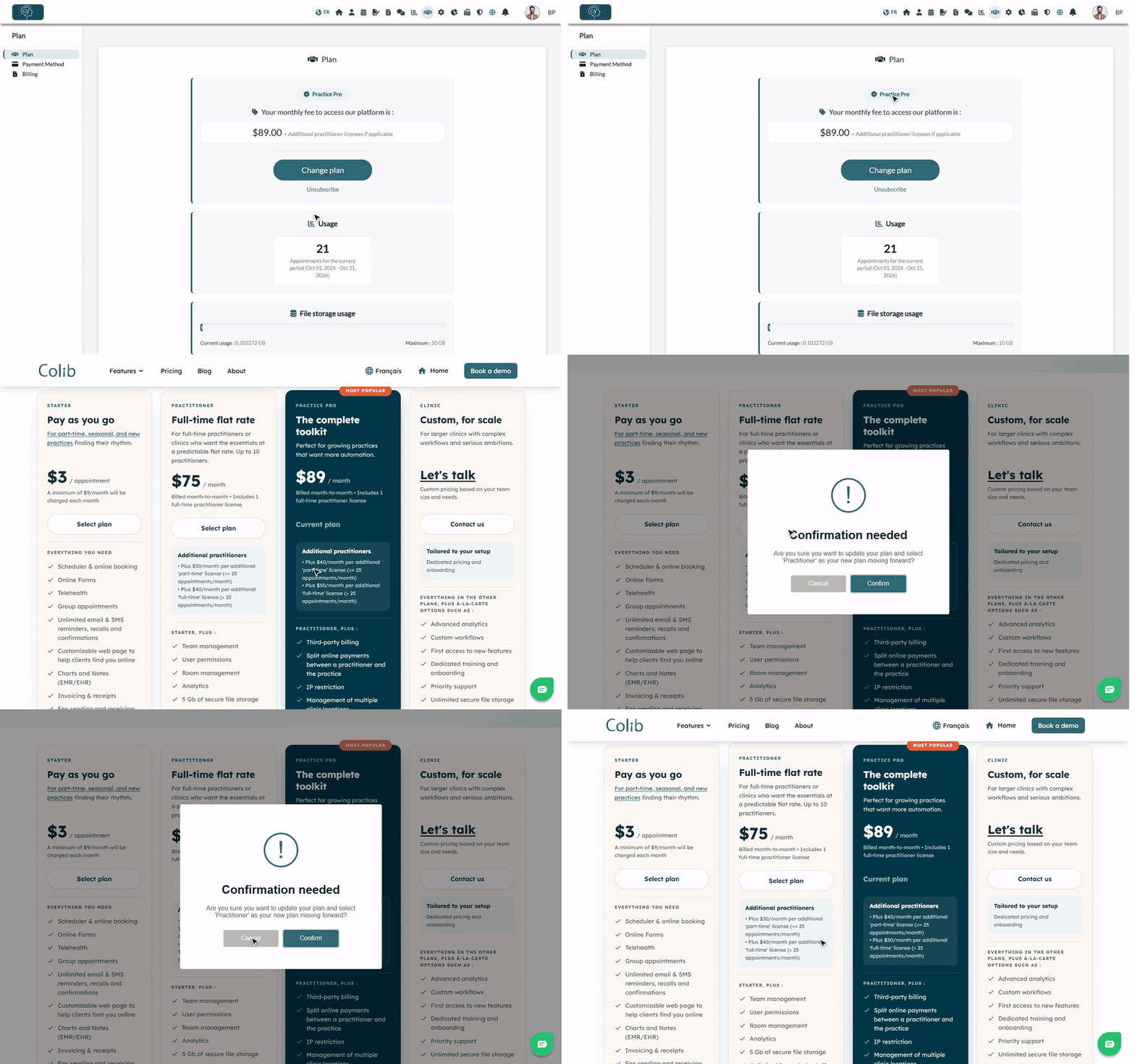
1Check your current plan
- Go to www.colib.io/planandpayments, or click the Plan icon (handshake) in the top bar.
- The Plan tab shows:
- the name of your plan and your monthly fee (taxes not included);
- during the free trial, the Trial badge and the date your trial ends;
- Usage: the number of appointments for the current billing period (and the AI-generated notes, if any), plus your credit or balance when there is one;
- File storage usage: the space used by your files and the maximum included in your plan;
- your Promo Code, if you signed up with one.
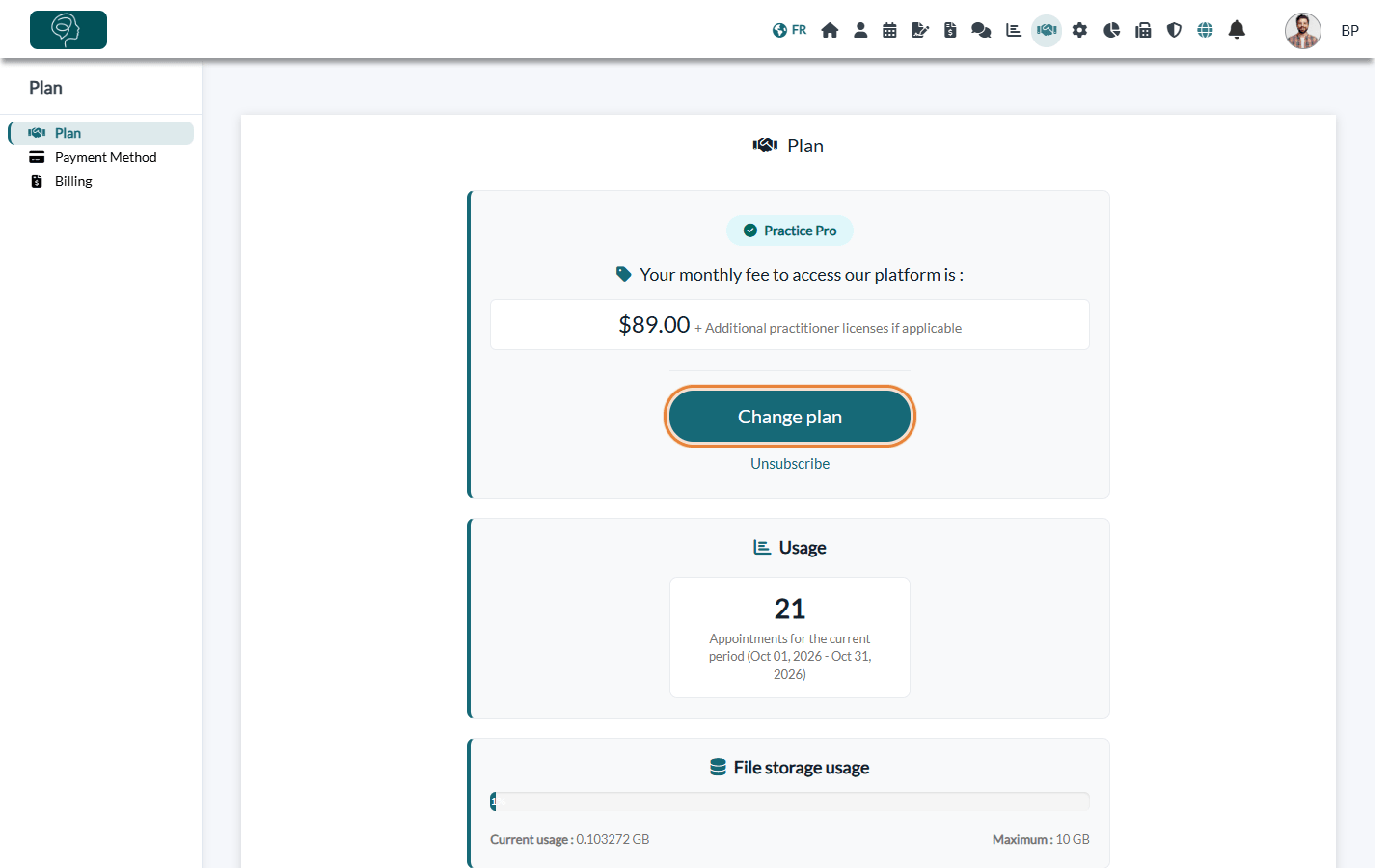
2Choose or change your plan
- In the Plan tab, click Change plan. The pricing page opens.
- Your plan is marked Current plan. Under the plan you want, click Select plan.
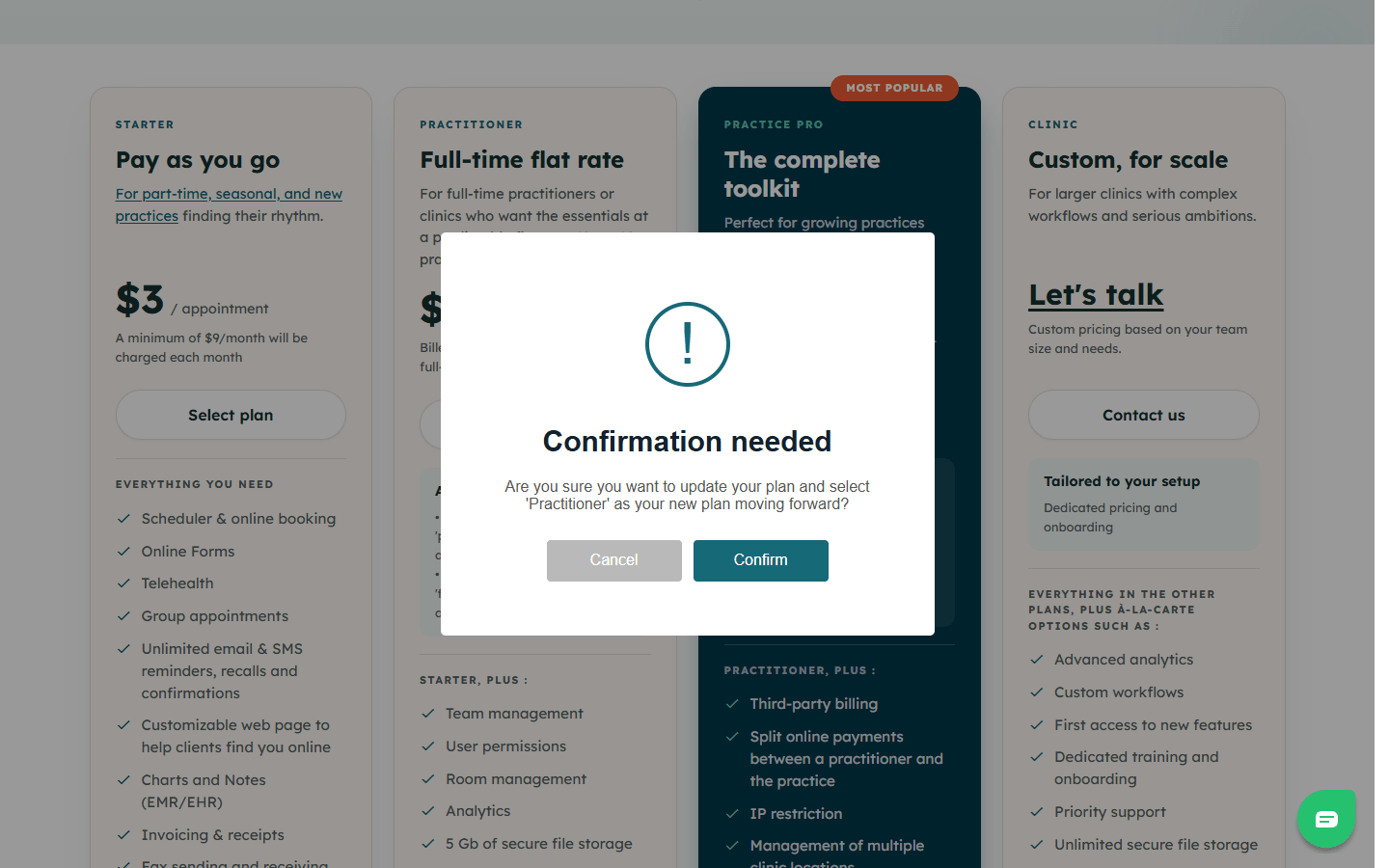
- A window asks you to confirm. Click Confirm to switch, or Cancel to keep your plan.
- You are taken back to the Plan tab, which shows your new plan.
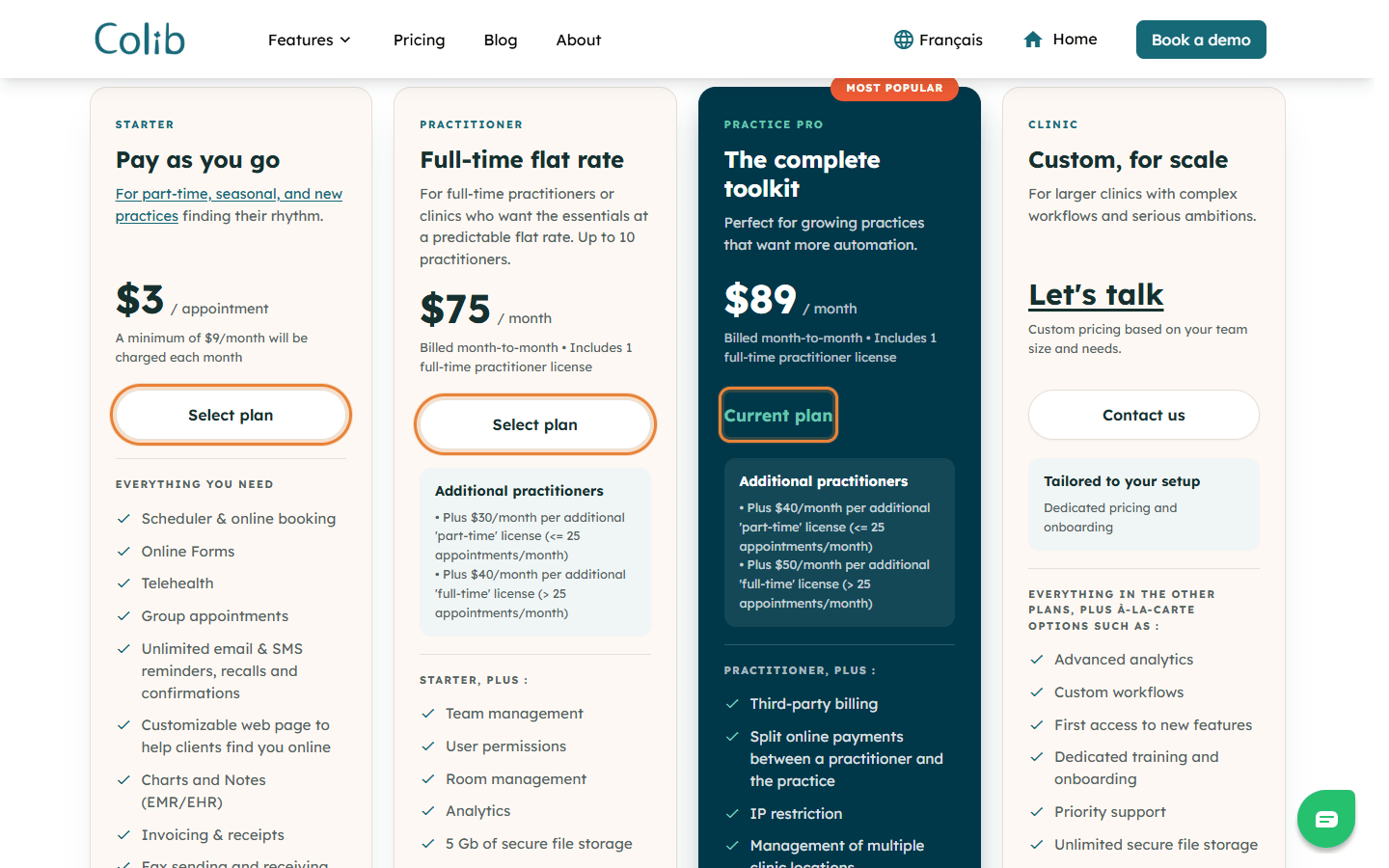
For the Clinic plan, click Contact us: its price is set with our team according to your needs.
Important: the Starter plan is for a single practitioner. You cannot select it if your practice has more than one practitioner, and you cannot add a practitioner to your team while you are on this plan.
3Add a payment method
Once you have a plan, add a credit card in the Payment Method tab (www.colib.io/planandpayments?show=details) so that Colib can charge your subscription every month. As long as no card is saved, the Plan tab shows the message Please provide a payment method to continue using our platform. Once your trial is over, Colib sends you to the Payment Method tab with the message You need to enter a payment method to perform this action until you add a card.
Cancel your subscription
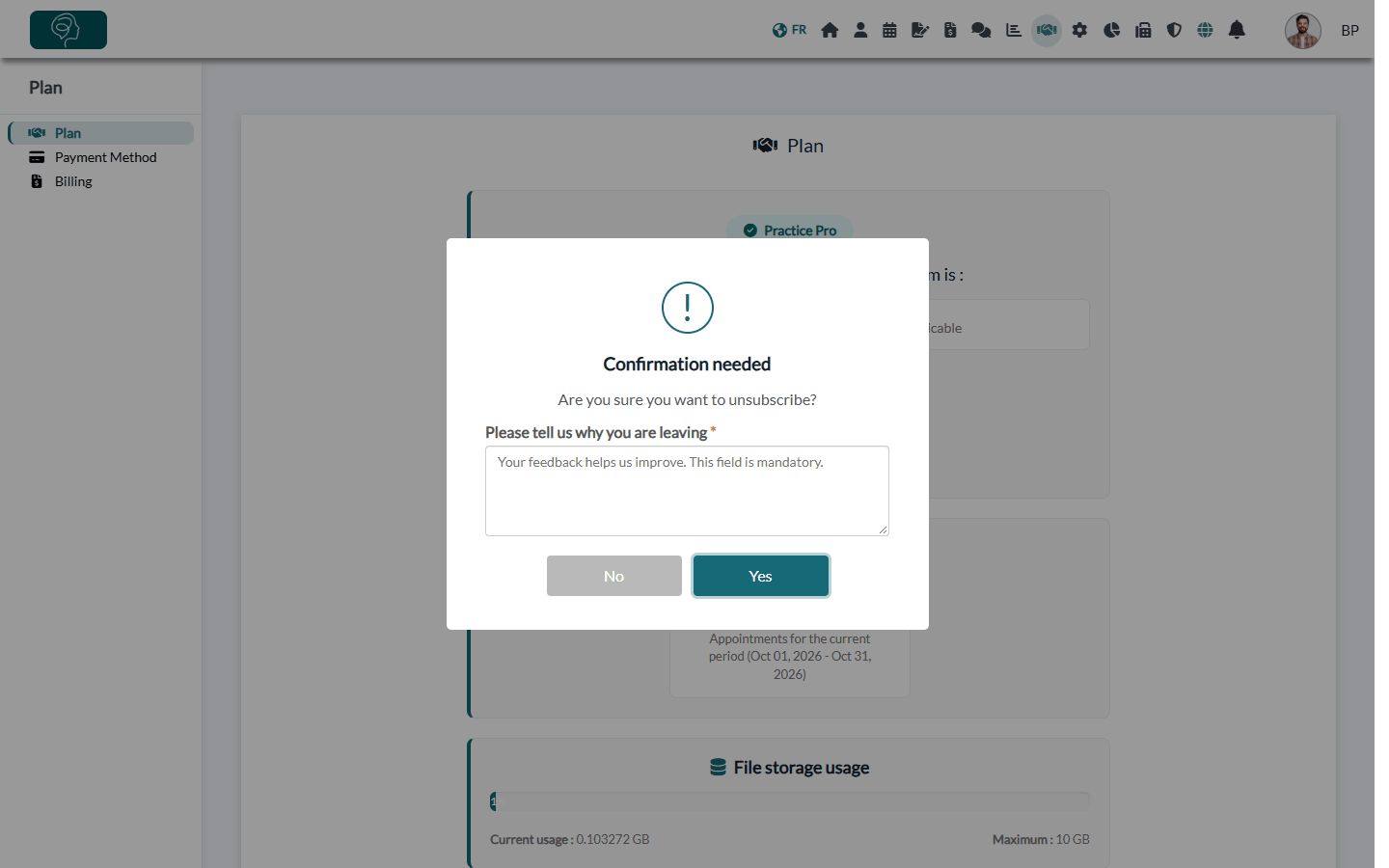
- In the Plan tab, click Unsubscribe under the Change plan button.
- Tell us why you are leaving: this field is mandatory and helps us improve Colib.
- Click Yes to confirm, or No to keep your plan.
- With a monthly flat-rate plan, you keep access to Colib until one month after your last payment. After that, you need to choose a plan again to use the features that require one.
- On the Starter plan, the Unsubscribe link is not shown once you have more than 10 appointments in the current billing period. Write to us if you want to cancel.
Good to know
- No commitment — you can change plans or cancel whenever you want.
- Free trial — you are not charged during your free trial. At the end of the trial, if you have not chosen a plan, Colib shows You need to update your plan to perform this action when you open a section that requires a plan.
- Billing date — when you choose your first plan or move to a more expensive plan, your monthly billing date becomes the day after the change (or the 1st of the month if that day is after the 28th). When you move to a less expensive plan, your billing date does not change.
- Your receipts — every monthly payment is listed in the Billing tab (www.colib.io/planandpayments?show=billing), with a downloadable receipt.
- Referral — see How does the referral code work?
- Non-profit organizations — a 10% discount is available. Write to us to benefit from it.
Still have a question?
Write to us at support@colib.io, we will be happy to help you choose the plan that suits your practice.
Was this article helpful?
That’s Great!
Thank you for your feedback
Sorry! We couldn't be helpful
Thank you for your feedback
Feedback sent
We appreciate your effort and will try to fix the article