Who is this article for?
You want a client to get a document from you: a home exercise program, an assessment report, a letter, a summary of the session... In Colib, any document of the client record can be shared with the client. The client is notified by email and downloads the document from their client portal.
This article explains how to share a new or an existing document, what the client receives, and how to stop sharing.
Before you start: you need access to documents in your user rights. To be notified, the client record must have an email address. To see the document, the client logs in to their client portal (What is the client portal?).
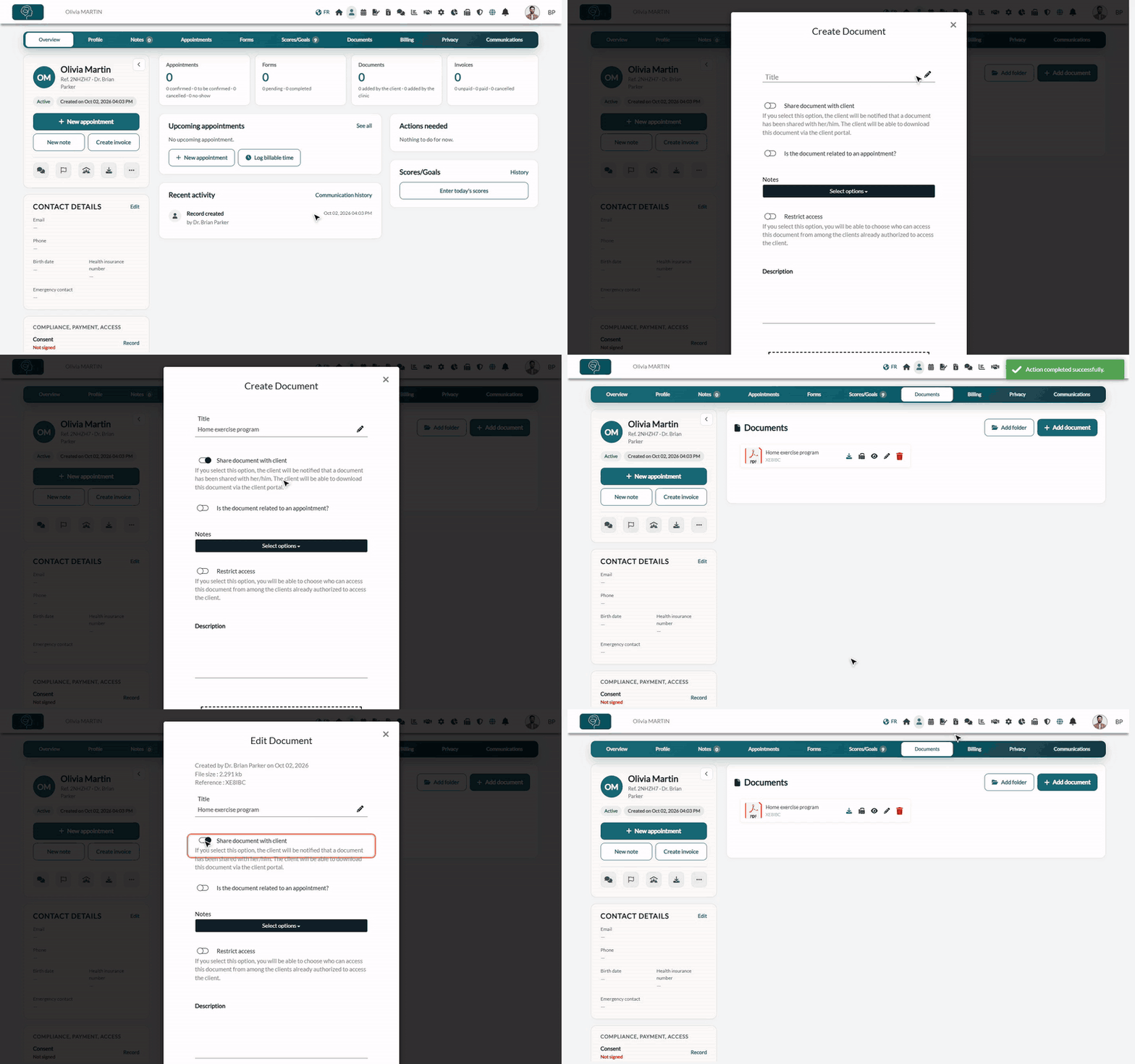
1Open the Documents tab of the client
- Open the client record from your client list (www.colib.io/clients).
- Click the Documents tab at the top of the record.
2Add a document and share it
- Click Add document. The Create Document window opens.
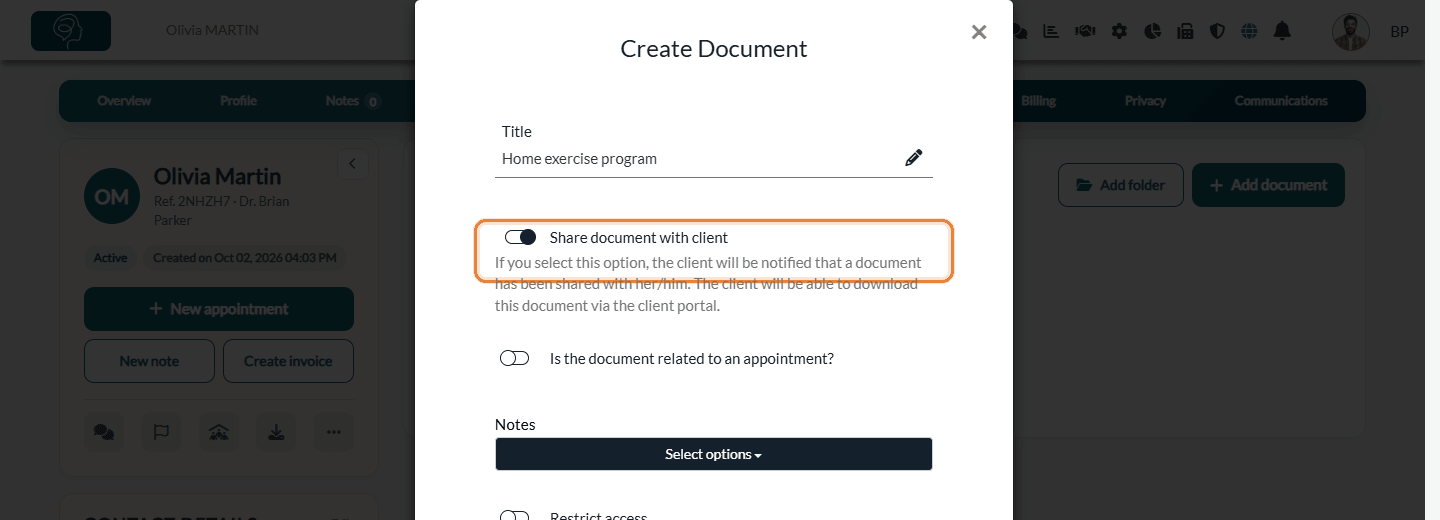
- Enter a Title. The client sees this title in their portal: choose a clear one.
- Turn on Share document with client.
- Drag your file into the dotted area at the bottom of the window, or click it to choose a file on your computer.
- Click Save.
3Share a document that is already in the record
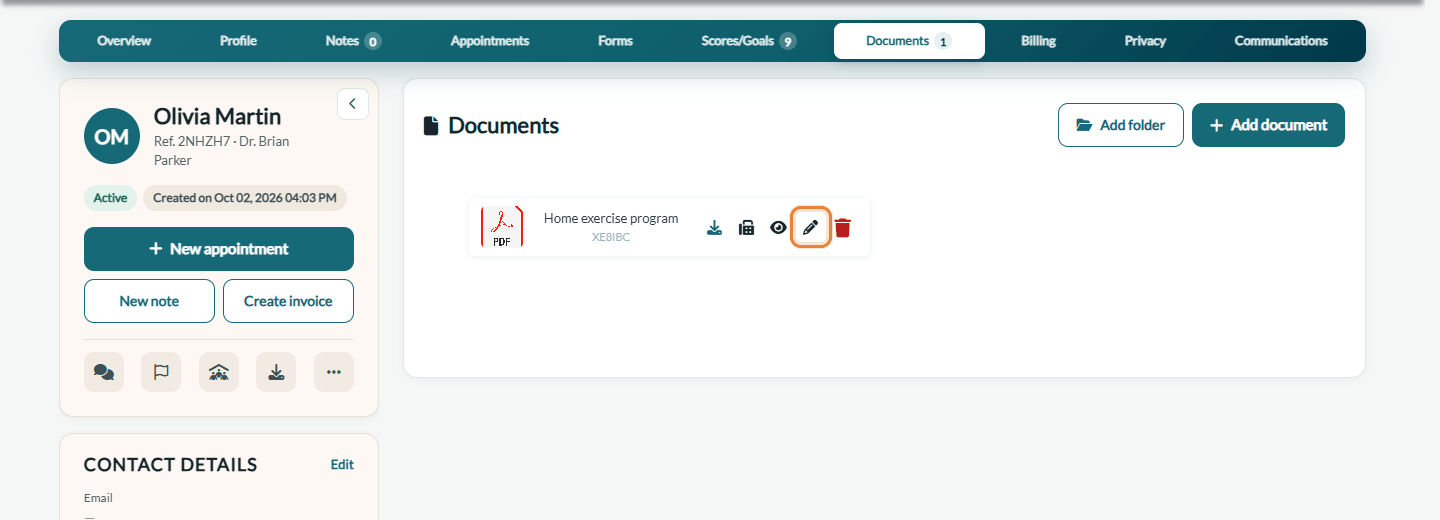
- In the Documents tab, click the pencil icon (Edit) of the document.
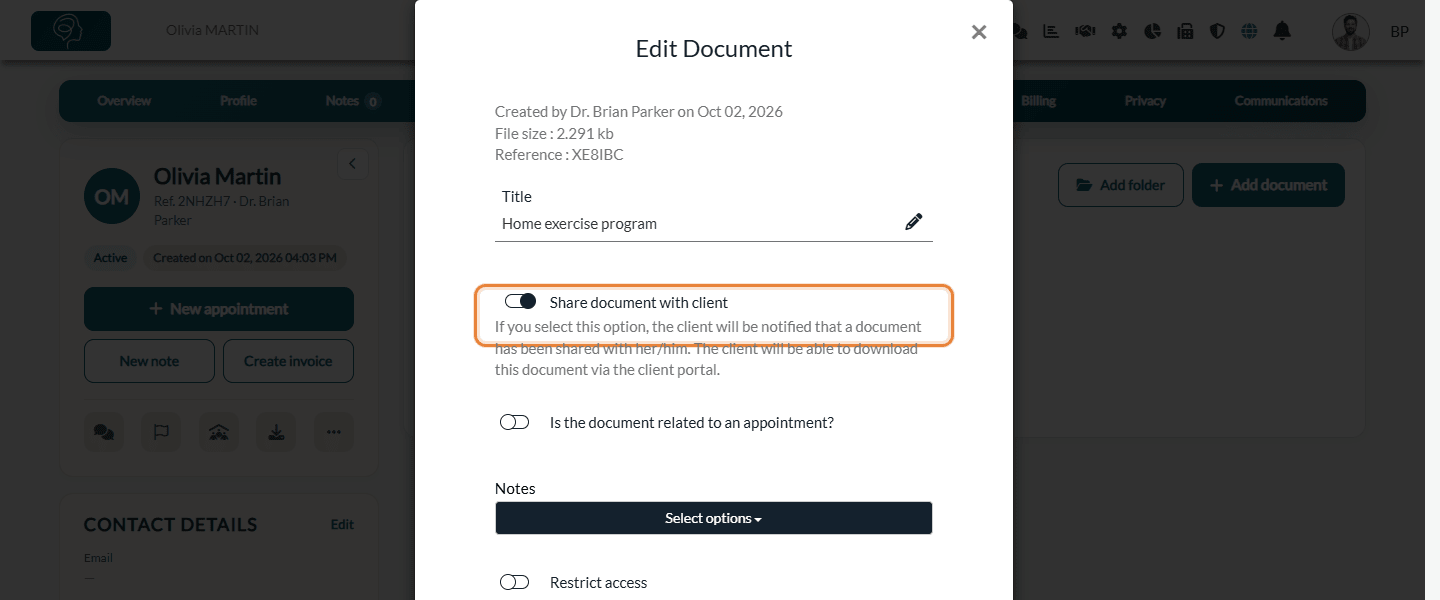
- Turn on Share document with client.
- Click Save.
What the client receives
- An email — a few minutes after you save, the client receives the email New document shared with you, with the reference of the document and a See document button that opens the documents of their client portal. The additional emails of the record are copied. If the client belongs to a client group whose notifications go to the responsible holder, the email is addressed to the responsible holder.
- The document in the client portal — the document appears in the Documents section of the client portal, with its title, its reference and the name of your practice. The client can download it.
- One email per sharing — the email is sent when you turn the option on. Editing a document that is already shared (title, description...) does not send a new email.
Important: the client must have confirmed their email address in the client portal to see their documents. If the client record has no email address, no email is sent.
Stop sharing a document
- Click the pencil icon (Edit) of the document.
- Turn off Share document with client and click Save.
The document no longer appears in the client portal. It stays in the client record. If you turn the option off a few minutes after saving, before the email has left, the email is not sent.
Good to know
- Documents attached to a shared note — when you share a note with the client, the documents attached to the note are shared too; when you stop sharing the note, they are no longer shared. See How can I securely share notes with my clients? and How to attach documents and images to client notes.
- Documents sent by the client — your clients can also send you a document from the Documents section of their client portal (Send document). You receive a notification in Colib and an email, and the document appears in the Documents tab of the record. If the record has folders, it is placed in the Client Shared Files folder.
- Access withheld — if you have temporarily withheld the client's access to their record (Privacy tab > Client access), shared documents are hidden from the client portal until the access is restored.
- Internal documents — leave the option off for documents meant for your team only: the client never sees them.
Still have a question?
Write to us at support@colib.io, we will be happy to help.
Was this article helpful?
That’s Great!
Thank you for your feedback
Sorry! We couldn't be helpful
Thank you for your feedback
Feedback sent
We appreciate your effort and will try to fix the article