Who is this article for?
Every Colib plan includes secure file storage for the documents of your practice. This article explains what counts toward your storage, where to see how much you use, and what it costs if you go over the storage included in your plan.
1See your storage usage
- Go to www.colib.io/planandpayments, or click the Plan icon (handshake) in the top bar.
- In the Plan tab, look at the File storage usage section: the bar shows the percentage used, with your Current usage and the Maximum included in your plan, in gigabytes (GB).
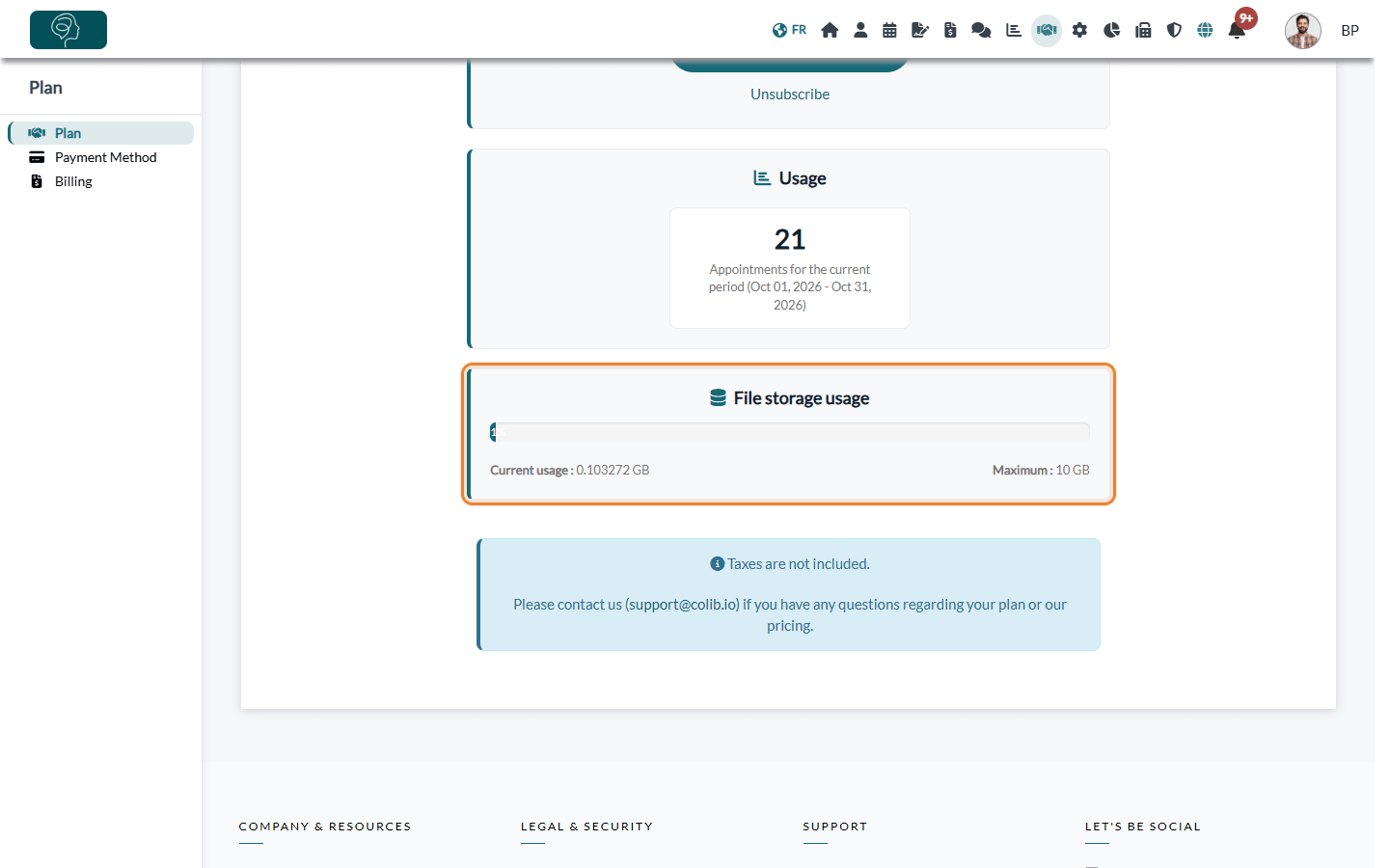
The usage is updated regularly, so a file you have just added or deleted may take a little while to be reflected.
2Storage included in each plan
| Plan | Storage included |
|---|---|
| Starter | 1 GB |
| Practitioner | 5 GB |
| Practice Pro | 10 GB |
| Clinic | Unlimited |
3Price of additional storage
If your usage goes over the storage included in your plan, a monthly fee is added to your Colib bill. The fee depends on your total storage usage:
| Total storage used | Monthly fee |
|---|---|
| Less than 25 GB | $5.00 |
| Between 25 GB and 100 GB | $19.00 |
| Between 100 GB and 500 GB | $79.00 |
| More than 500 GB | $249.00 |
Prices are in Canadian dollars, taxes not included. The fee appears on your monthly invoice, in the Billing tab (www.colib.io/planandpayments?show=billing). On the Starter and Practitioner plans, this price list is also displayed under File storage pricing in the Plan tab.
Good to know: you are never blocked: you can keep adding files when you go over the storage included in your plan.
What counts toward your storage
- the documents saved in your client records;
- the PDF copies of the forms completed by your clients;
- the PDF copies of your invoices and receipts;
- the files exchanged with your clients through the secure messaging.
What does not count: the information you enter directly in Colib (client profiles, appointments, notes written in the editor, forms you create, messages without attachments). Only files take up storage.
How much is 1 GB?
1 GB equals 1,000 MB. Because only files are counted, the number of appointments or client records you can keep does not depend on your storage: an appointment or a typed note uses none of it. What fills your storage is the size of the files themselves, which varies a lot from one file to another: a scanned document, a photo or a long PDF takes much more space than a short text document.
To get an idea for your own practice:
- look at the size of a typical file before you import it into a client record (your computer shows it in the file properties);
- check your Current usage in the Plan tab after a few weeks of normal use, and compare it with the Maximum of your plan.
Good to know: to keep your usage low, prefer PDF files to photos of documents, and scan with a reasonable resolution.
Good to know
- Free up space — deleting the documents you no longer need reduces your usage. Before deleting anything, make sure you respect the record retention period that applies to your profession.
- Keep a copy — you can export your client data at any time: see How to export my client data.
- How the monthly payment works — see How does payment for Colib plans work?.
Still have a question?
Write to us at support@colib.io, we will be happy to help.
Was this article helpful?
That’s Great!
Thank you for your feedback
Sorry! We couldn't be helpful
Thank you for your feedback
Feedback sent
We appreciate your effort and will try to fix the article