Who is this article for?
Before giving care, you or your client want to know how much the insurer will cover. A predetermination (also called pre-authorization or estimate) asks the insurer for this estimate through TELUS Health eClaims, without any payment. Once the care is given, you link the predetermination to the real claim.
Before you start: TELUS Health eClaims must be set up (please see the article titled "How to set up TELUS Health eClaims for practitioners, clients, appointment types and products"). Create the invoice of the planned care: the predetermination is requested from this invoice, and only a claim of the same invoice can be linked to it.
1Request the predetermination
- Open the invoice (not a draft) and click + Create claim in the TELUS Health eClaims - Direct Billing card.
- Choose the Party receiving the funds of the claim, fill in the accident and referral fields if they apply, and check the box of the Terms and Conditions.
- Instead of Continue, click Request a predetermination.
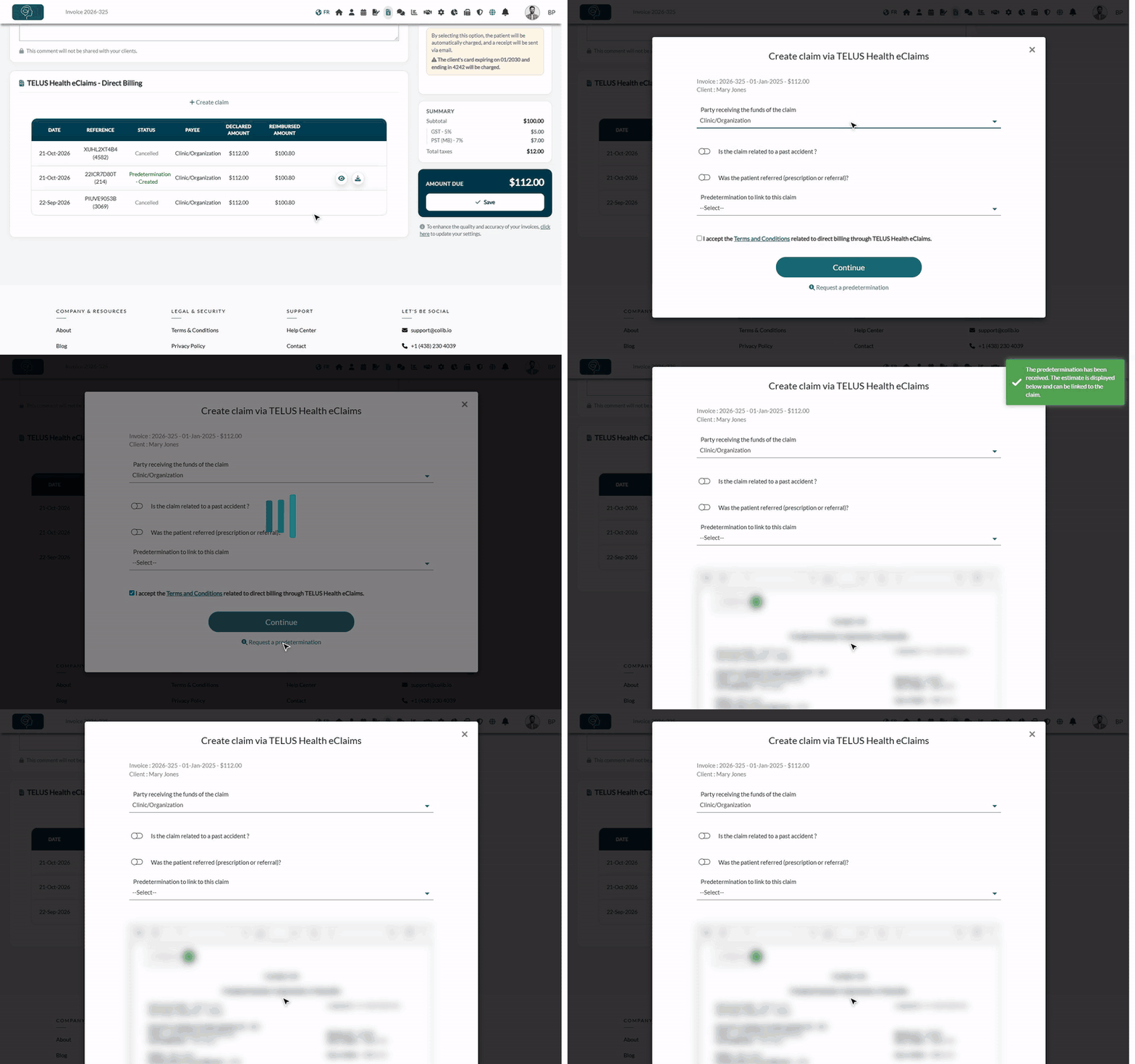
The message The predetermination has been received. The estimate is displayed below and can be linked to the claim. confirms it. The insurer's estimate is shown in the Preview area.
To see the predetermination in the list of the TELUS card, close the window and reopen the invoice. It is shown with the status Predetermination - Created (or Predetermination - Pending if the insurer reviews it by hand), with the estimated amount in Reimbursed amount and the insurer's PDF.
If the insurer cannot process it electronically, the message The insurer cannot process this predetermination electronically. gives the reason, and nothing is saved.
2Turn the predetermination into a claim
Once the care is given:
- Update the invoice if needed (date, appointments, products): the claim uses the invoice as it is when you submit it.
- Click + Create claim on the same invoice.
- In Predetermination to link to this claim, choose the predetermination (reference, date and estimated amount).
- Choose the payee again, fill in the accident and referral fields if they apply, check the Terms and Conditions, then click Continue.
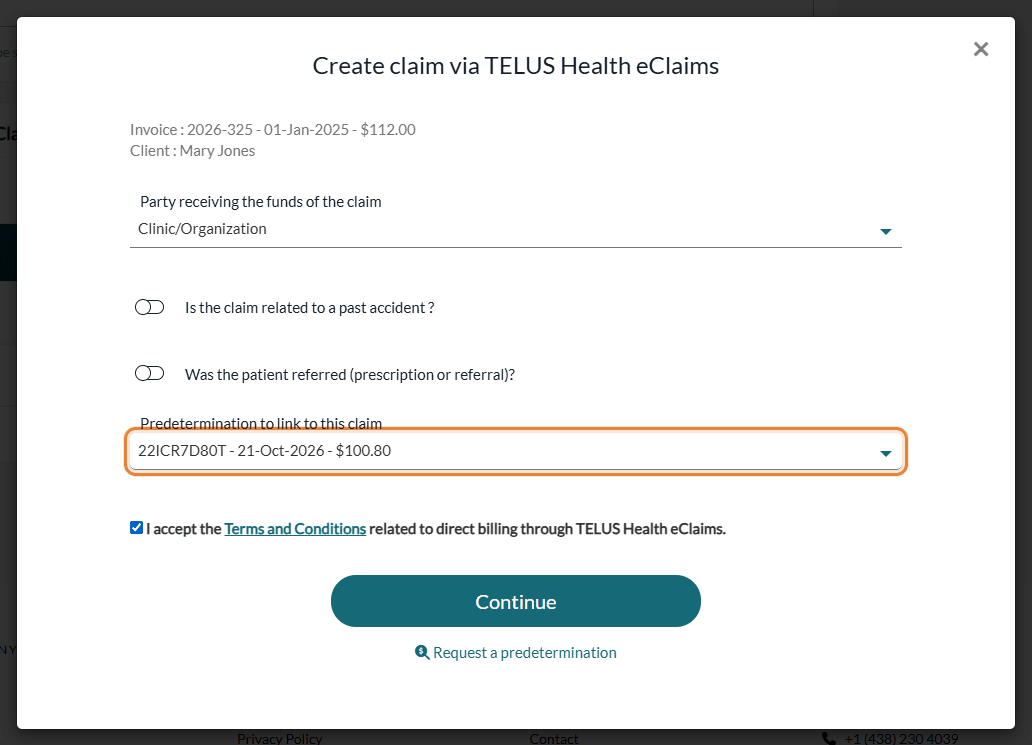
The claim is sent with a reference to the predetermination, and the insurer's answer is shown as for any claim: please see the article titled "How to submit a claim through TELUS Health eClaims".
Good to know
- Nothing is paid — a predetermination is an estimate: it does not block a claim, cannot be cancelled and cannot be added to the invoice as a payment.
- Same rules as a claim — the same checks apply (client, practitioner, services, 31 lines, deadlines of the insurer).
- Only the link is kept — the payee, accident and referral are not copied from the predetermination: fill them in again in the claim.
- Follow-up — all your predeterminations are listed in the Insurance claims dashboard: please see the article titled "How to follow your claims in the Insurance claims dashboard".
Related articles
- Please see the article titled "How to submit a claim through TELUS Health eClaims".
- Please see the article titled "How to follow your claims in the Insurance claims dashboard".
- Please see the article titled "How to set up TELUS Health eClaims for practitioners, clients, appointment types and products".
Still have a question?
Write to us at support@colib.io, we will be happy to help.
Was this article helpful?
That’s Great!
Thank you for your feedback
Sorry! We couldn't be helpful
Thank you for your feedback
Feedback sent
We appreciate your effort and will try to fix the article