Who is this article for?
When you treat a child, the invoices are usually paid by a guardian, generally a parent. Colib can automatically add the guardian's name to every invoice of the child, so that you do not have to edit each invoice by hand.
This article explains how to link the guardian and the child in a client group, how to turn on the option, and what appears on the invoices.
Before you start: the guardian (Client B) and the child (Client A) must both have a client record in Colib. In this article, the guardian is the group owner and the child is a member of the group.
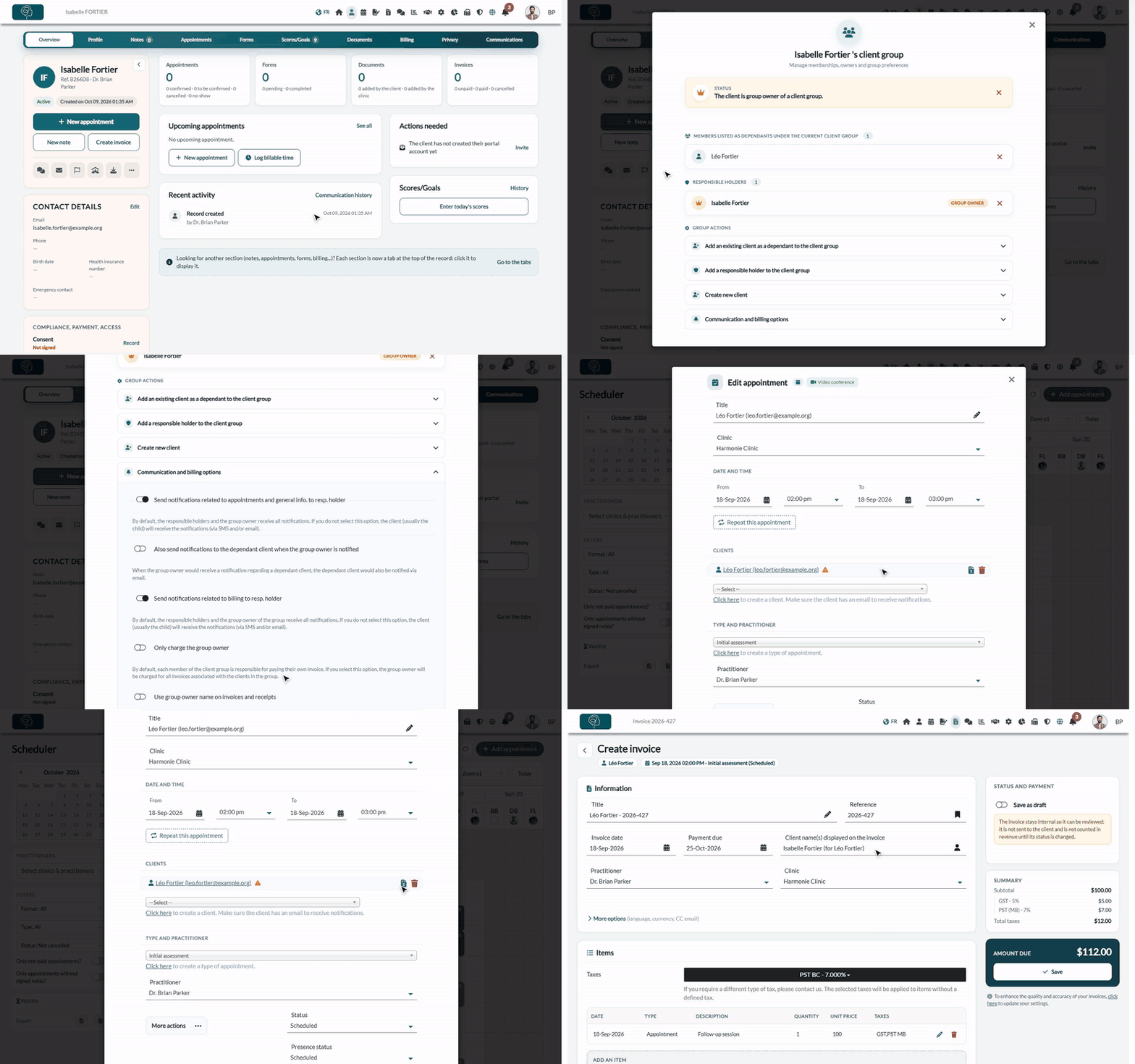
1Create a client group with the guardian as group owner
- Open the guardian's record from your client list (www.colib.io/clients).
- Click the Client group icon in the summary on the left of the record.
- Click create a new client group and confirm. The guardian becomes the group owner.
- Open Add an existing client as a dependant to the client group, select the child and confirm. The child now appears among the members of the group.
For more details on client groups, see How to communicate with child clients using client groups.
2Turn on the option
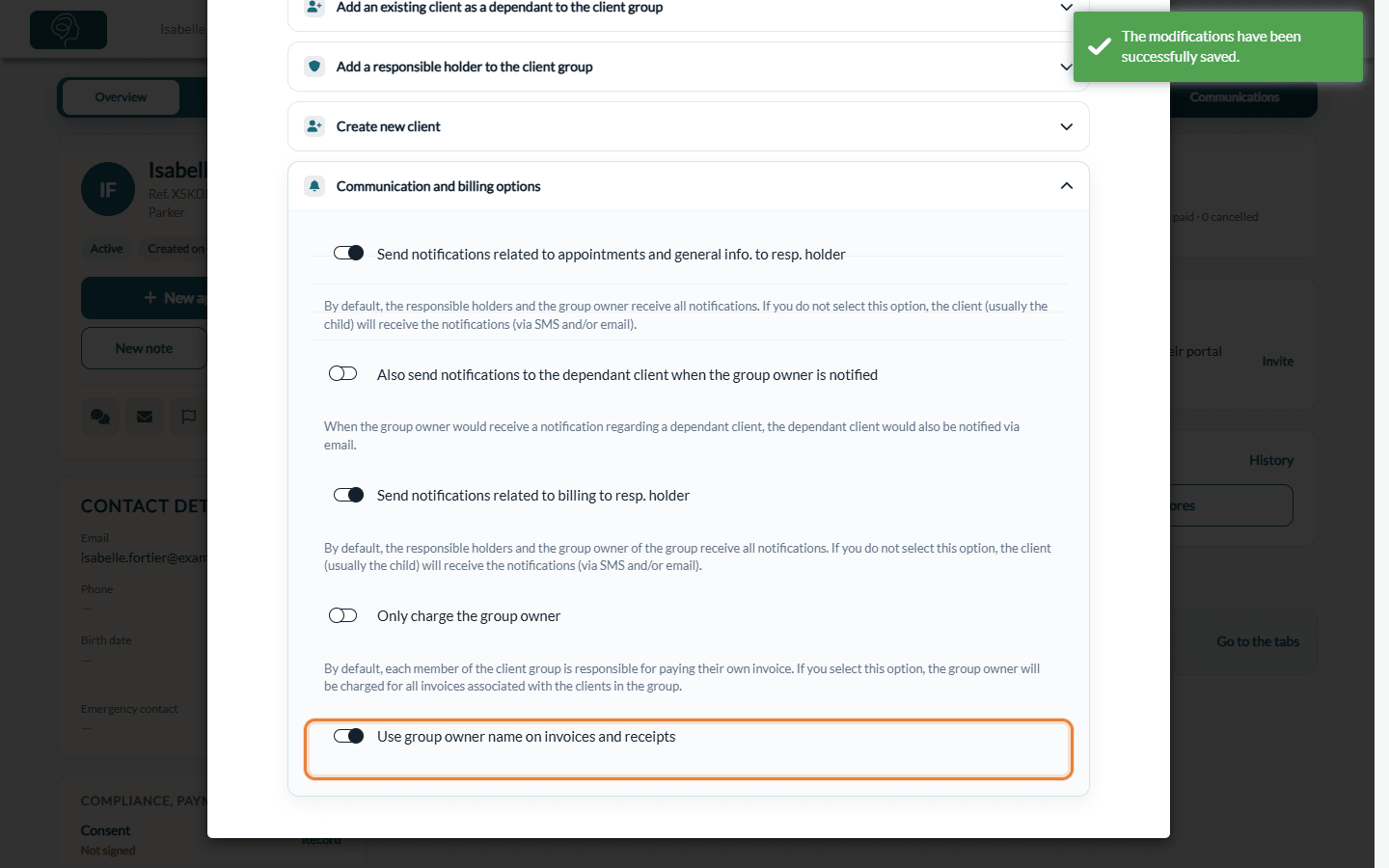
- In the client group window, open Communication and billing options.
- Make sure the option Use group owner name on invoices and receipts is turned on. The change is saved right away.
3Create the child's invoices as usual
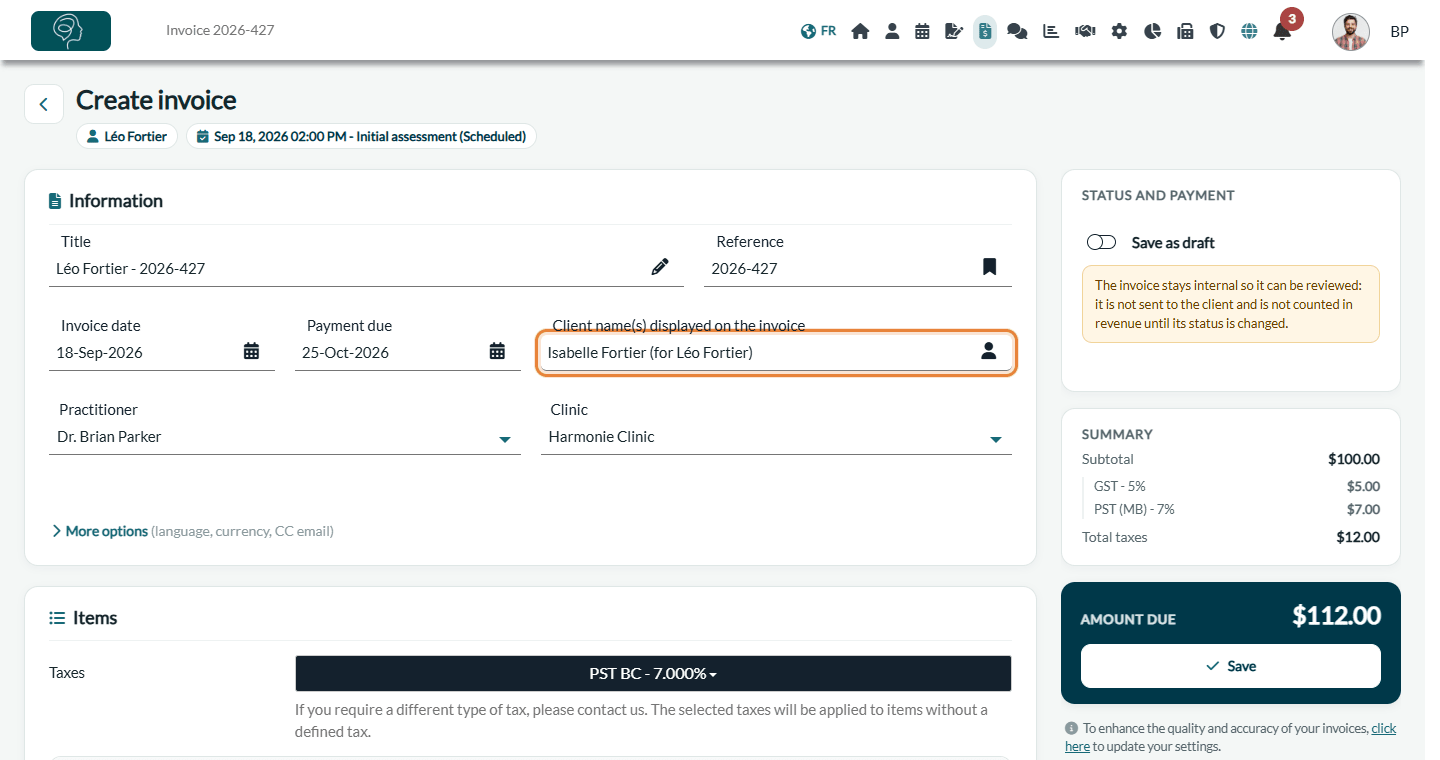
When this option is enabled, the group owner's name (Client B) is automatically added to any invoice created for the group member (Client A). The field Client name(s) displayed on the invoice, in the Information card of the invoice, shows the guardian's name followed by the child's name, for example Isabelle Fortier (for Léo Fortier). On invoices in French, "for" becomes "pour".
This works for every way of creating an invoice: from the appointment, from the client's record or from the list of invoices, and for the invoices created automatically by your invoicing automations.
Good to know
- Typical use case — the guardian is generally the parent of a child, but the option works for any group: a caregiver, a spouse paying for a partner, and so on.
- New invoices only — the name is added when the invoice is created. Invoices that already exist keep their name: edit them by hand if needed (How to edit a receipt (invoice already paid)).
- You can still change it — the name stays editable on each invoice, in Client name(s) displayed on the invoice.
- Invoices of the group owner — the guardian's own invoices are not changed.
- Who pays and who receives the emails — in the same Communication and billing options, Only charge the group owner charges the group owner for all the invoices of the group's clients, and Send notifications related to billing to resp. holder sends the billing emails to the guardian. See How to manage client group notifications.
- From the child's record — the Client group icon is also available on the child's record, and the Profile tab has a Client Group section with a Manage group link.
Still have a question?
Write to us at support@colib.io, we will be happy to help.
Was this article helpful?
That’s Great!
Thank you for your feedback
Sorry! We couldn't be helpful
Thank you for your feedback
Feedback sent
We appreciate your effort and will try to fix the article