If you are using the Colib telehealth system, or if you generate AI session notes for in-person sessions with Colib, it is possible to save the transcript (the dialogue between the practitioner and the client(s) attending the session).
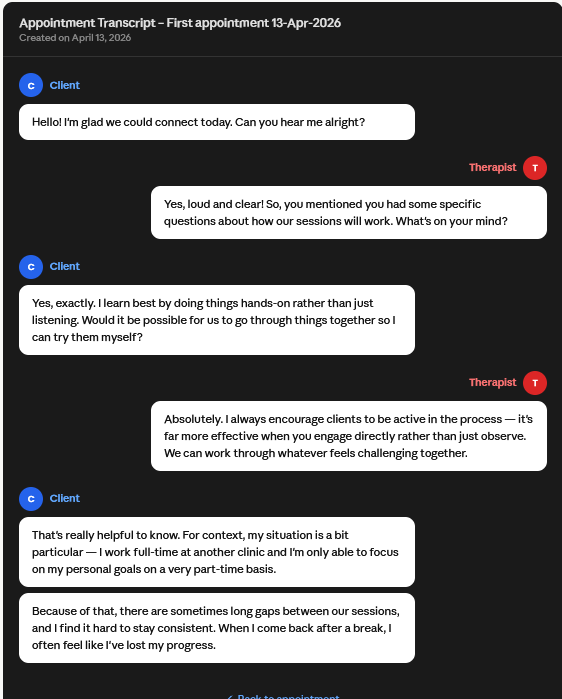
How to enable transcript saving
- Go to: https://www.colib.io/settings?show=video
- Enable the “Save transcript” option.
After enabling this setting, transcripts will be saved for your future sessions, provided the session meets one of the following conditions:
- In-person session with an AI note generated via Colib:
https://help.colib.io/en/support/solutions/articles/153000241020-how-to-generate-ai-powered-session-notes-without-using-colib-s-telehealth-system - Online session using the Colib telehealth system with an AI note generated:
https://help.colib.io/en/support/solutions/articles/153000233225-how-does-the-artificial-intelligence-note-generation-work-
We would like to let you know that our pricing for AI notes was updated in April 2026. We have significantly reduced our prices after successfully lowering the generation costs. You can find more information here: https://help.colib.io/en/support/solutions/articles/153000245908-how-billing-works-for-ai-powered-notes-
Once the transcript has been saved, you will be notified.
Where to view the transcript
The transcript for each appointment can be viewed in two places:
1) From the appointment modal
A. Go to your scheduler: https://www.colib.io/Scheduler
B. Open the appointment modal
C. Click on “More actions”, then click the button to open the transcript
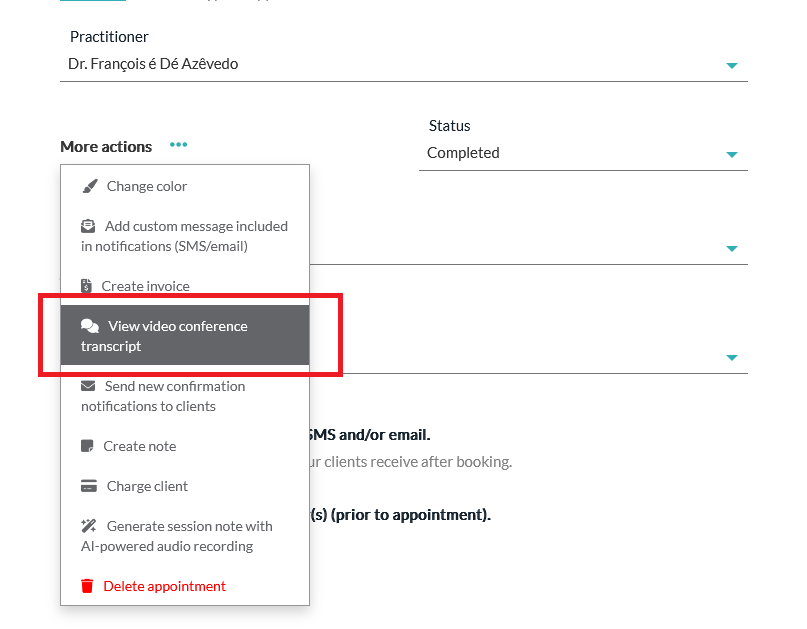
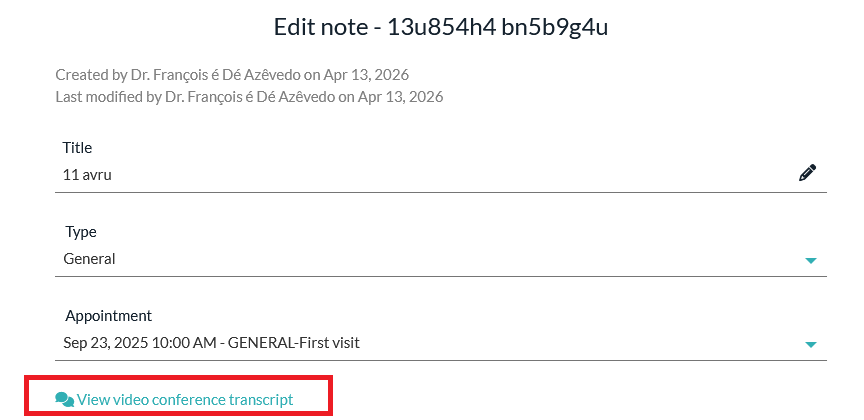
2) From the notes associated with the appointment
A. Go to the client profile(s) associated with the appointment
B. Open a note associated with the appointment
C. Click on the “View video conference transcript” link
Was this article helpful?
That’s Great!
Thank you for your feedback
Sorry! We couldn't be helpful
Thank you for your feedback
Feedback sent
We appreciate your effort and will try to fix the article