Who is this article for?
This article is for clients of a clinic that uses Colib. In your client portal, you can see the main information each clinic holds about you: name, date of birth, contact details, health insurance number and address. If something is wrong or out of date, you can ask the clinic to correct it.
You have the right to have inaccurate information about you corrected. The record belongs to the clinic: you send a request, the clinic reviews it and tells you what it did.
Before you start: you need a client portal account. If you do not have one yet, open the invitation email sent by your clinic, or go to portal.colib.io and click Forgot your password or first-time login?
1See what your clinic holds about you
- Sign in to your client portal and go to portal.colib.io/en/Profile?show=myrecords. You can also click the profile icon (a card) in the top bar, then My information in the menu on the left.
- You see one card per clinic where you have a record, with the date the record was opened and what the clinic holds today: First name, Last name, Date of birth, Email address, Phone number, Health insurance number and Postal address. Not provided means the clinic does not have that information.
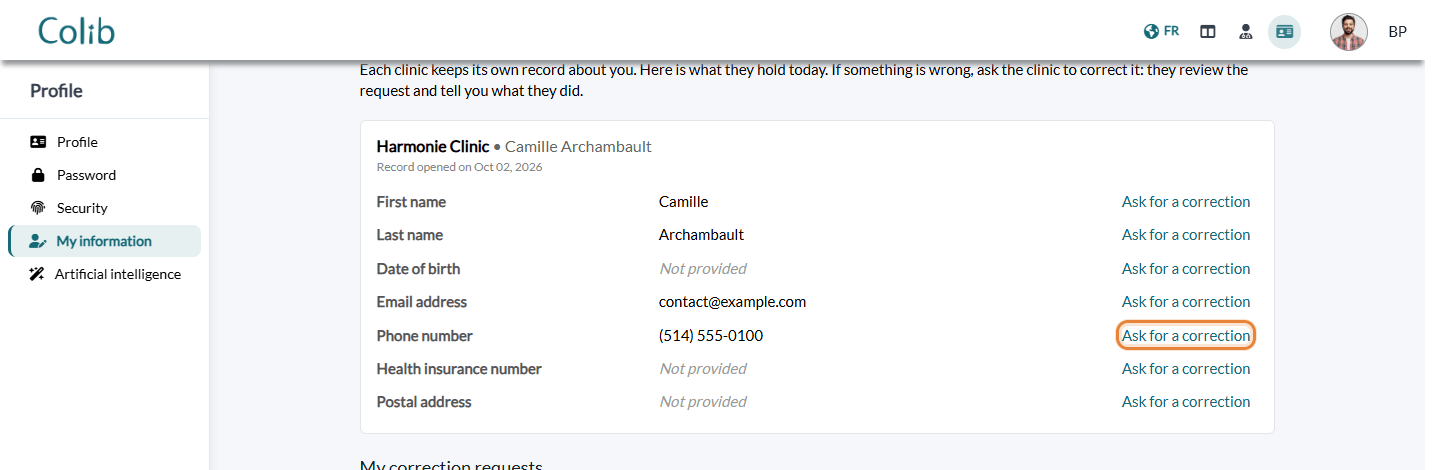
Each clinic keeps its own record. If you are a client of several clinics, check each card: a correction sent to one clinic does not change the record of the others.
2Send a correction request
- On the line to correct, click Ask for a correction.
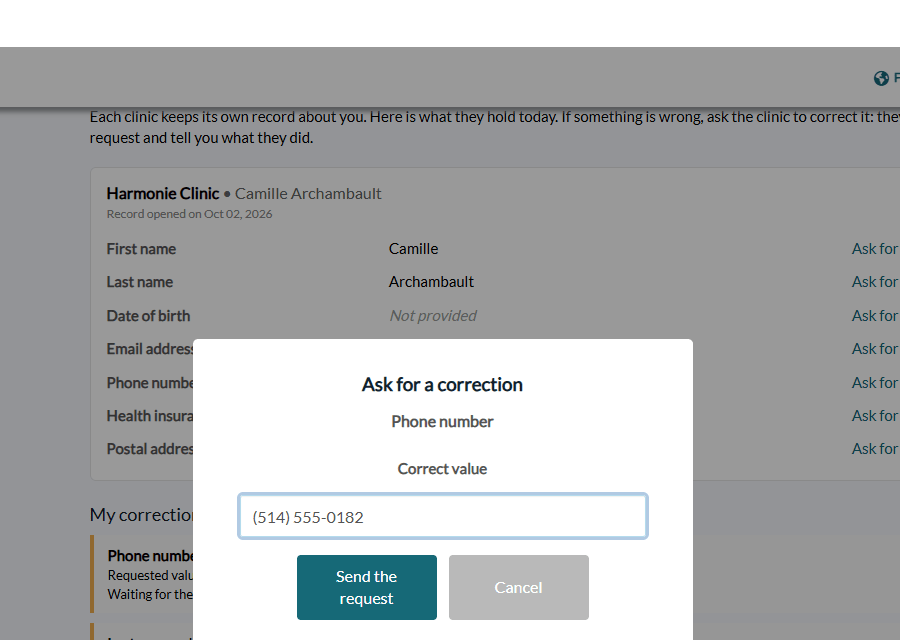
- Type the Correct value. For the date of birth, the field is called Correct date of birth (dd/mm/yyyy): type the date in that format (for example 03/04/1980). A date in the future is not accepted.
- Click Send the request.
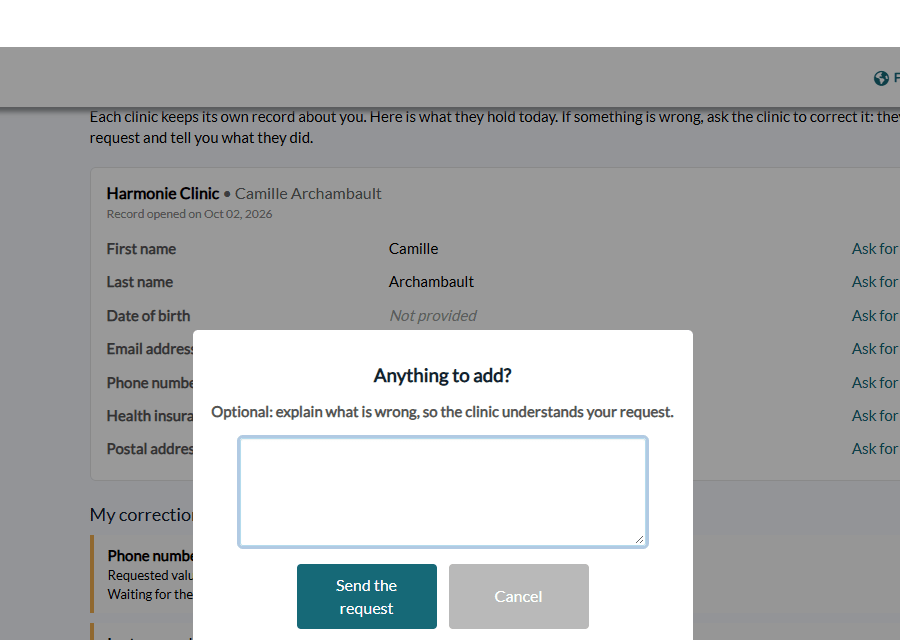
- The window Anything to add? lets you explain what is wrong, so the clinic understands your request (for example, "I moved in September"). This is optional.
- Click Send the request. The message Your request has been sent to the clinic. confirms it.
3Follow your request
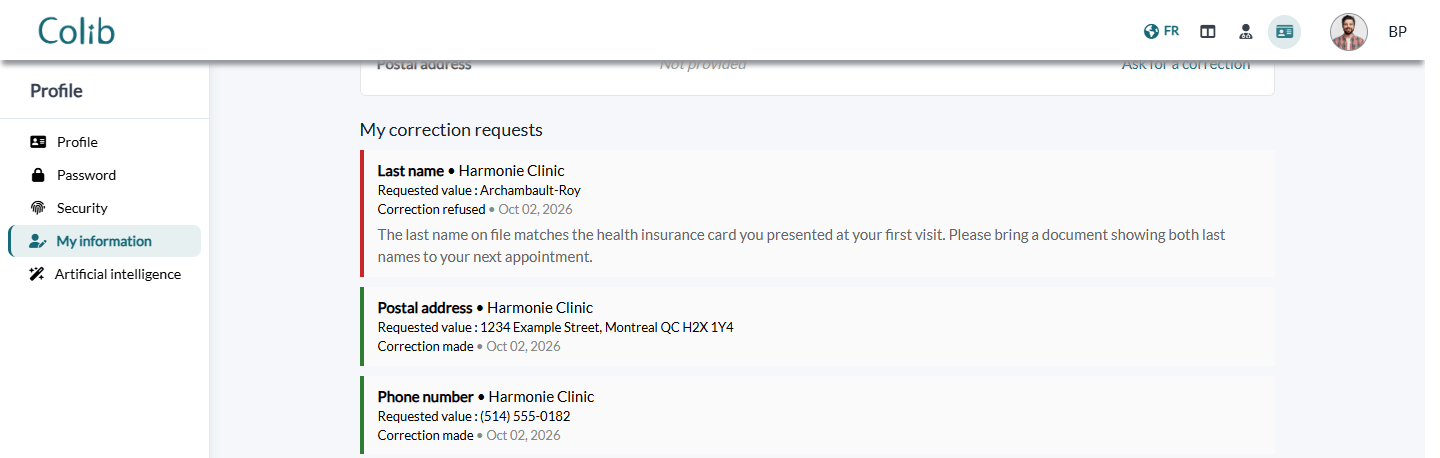
While the clinic has not handled your request, the line shows Waiting for the clinic instead of the link, and the request appears under My correction requests, with the information concerned, the clinic, the Requested value and the date.
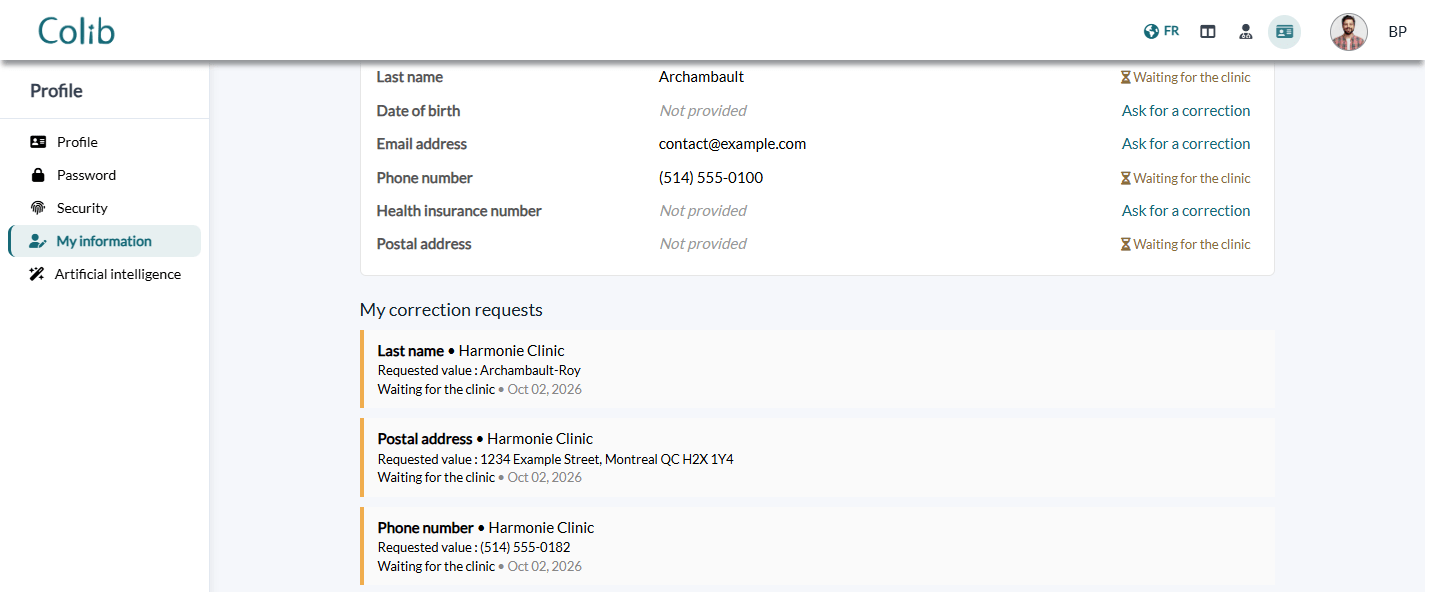
Come back to My information to see the clinic's answer. Each request then shows its result and the date of the decision:
| Status | What it means |
|---|---|
| Waiting for the clinic | The clinic has not handled your request yet. |
| Correction made | The clinic accepted your request. The card shows the new value. For a postal address, the clinic updates its record itself, so the new address can take a little longer to appear on the card. |
| Correction refused | The clinic kept its record as it is. Its explanation is shown under the request. |
| Replaced by a newer request | You sent a more recent request on the same information: only the most recent one is handled by the clinic. |
Good to know
- One request at a time per piece of information — while a request is waiting, you cannot send another one on the same line. Wait for the clinic's answer, or contact the clinic.
- You never edit the record yourself — the clinic decides. It may ask you for a supporting document, for example for a change of name, date of birth or health insurance number.
- Your portal account is separate — the name and cell phone number of your portal account are changed in Profile > Profile. They do not change what your clinics hold: to correct a clinic's record, use Ask for a correction.
- Other information in your file — only the information listed on the card can be corrected from the portal. For anything else in your file, contact your clinic directly.
- Access suspended — if a clinic has temporarily suspended access to the notes and documents of your record, a message on its card says so, with the end date. Your identity information stays visible and you can still ask for a correction.
- Learn more about the portal — see What is the client portal? Clinics can read how they handle these requests in How to handle a client's request to correct their information?
Still have a question?
For a question about your record, contact your clinic. For a question about the portal itself, write to us at support@colib.io, we will be happy to help.
Was this article helpful?
That’s Great!
Thank you for your feedback
Sorry! We couldn't be helpful
Thank you for your feedback
Feedback sent
We appreciate your effort and will try to fix the article