Who is this article for?
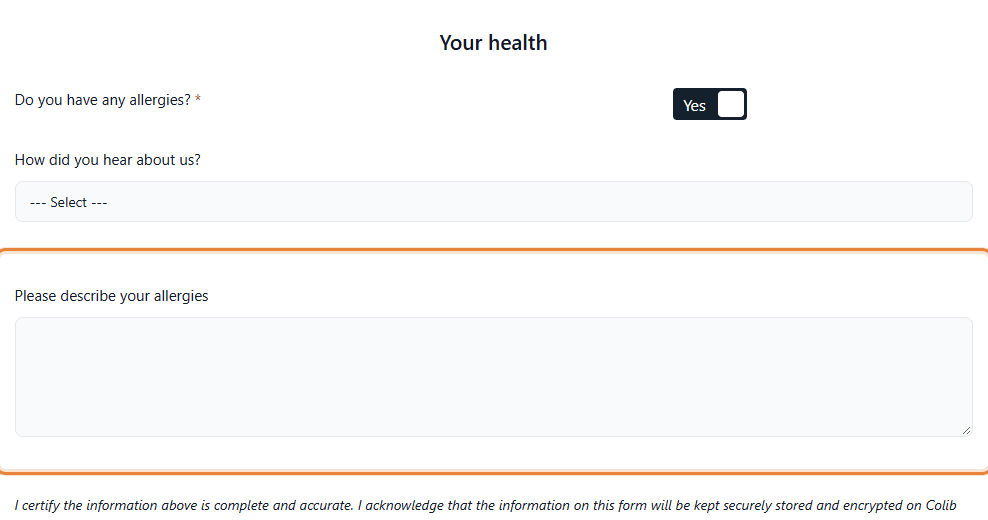
Some questions only make sense for some clients: you only want to ask Please describe your allergies to the clients who answered Yes to Do you have any allergies?, or the name of the referring physician to the clients who were referred by a physician. With a condition, a question stays hidden until the client gives the answer you chose.
This article explains how to set a condition, which questions can trigger it, what your clients see, and what you find in the results and the PDF.
Before you start: the question that triggers the condition must already exist in the form (for example the Yes/No question Do you have any allergies?). Go to www.colib.io/forms, click the pencil icon (Edit) of your form, then Sections & Questions. To create questions, see the article titled "How to add a question to a form".
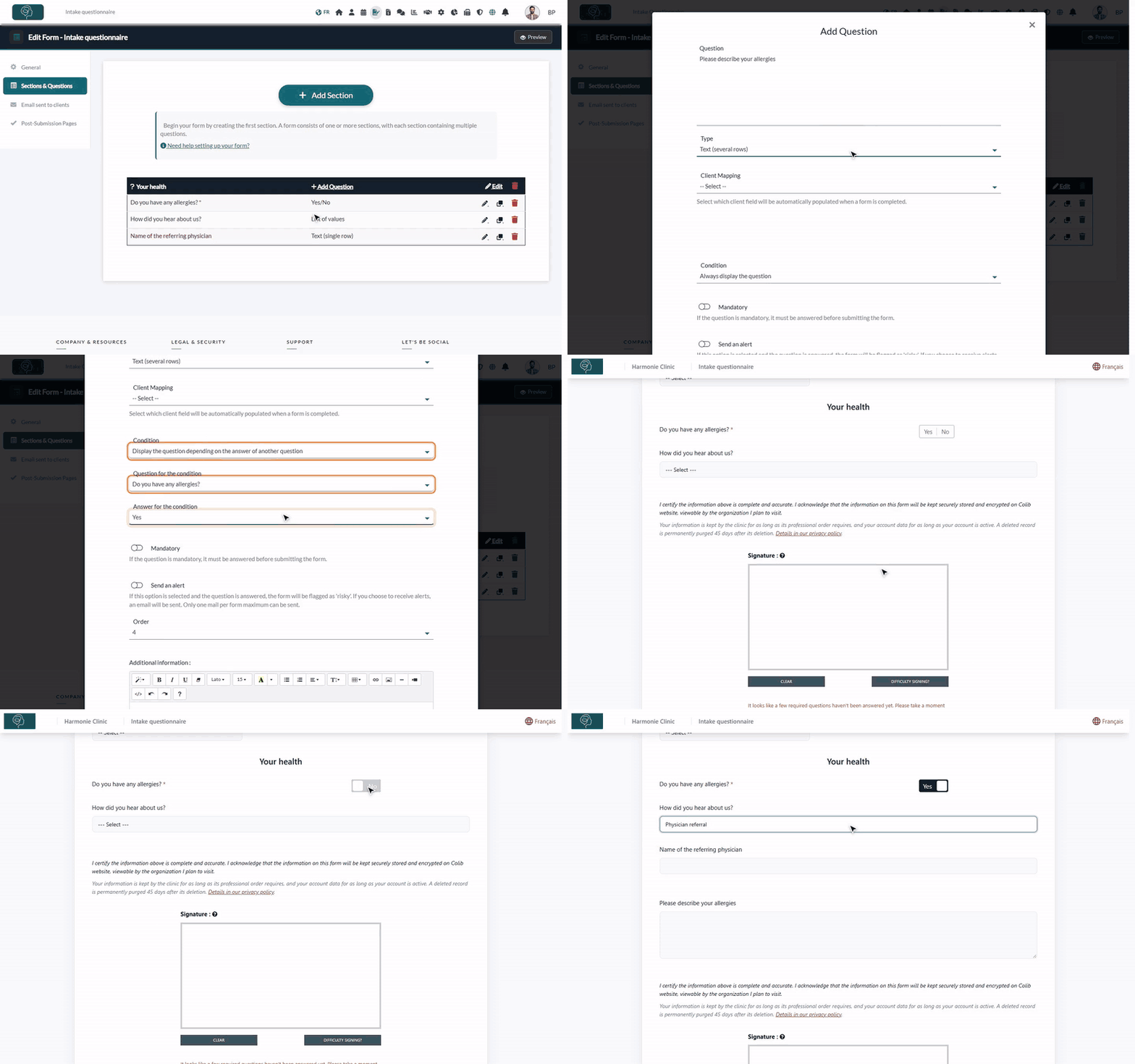
1Set the condition on the question to hide
- Click Add Question in a section to create the question to show only in some cases, or click the pencil icon of an existing question.
- Type the Question and choose its Type, as for any question.
- In Condition, choose Display the question depending on the answer of another question.
- In Question for the condition, choose the question it depends on.
- In Answer for the condition, choose the answer that shows the question: Yes or No for a Yes/No question, or one of the choices of a list.
- Set the other options if needed (Mandatory, Full width...), then click Save.
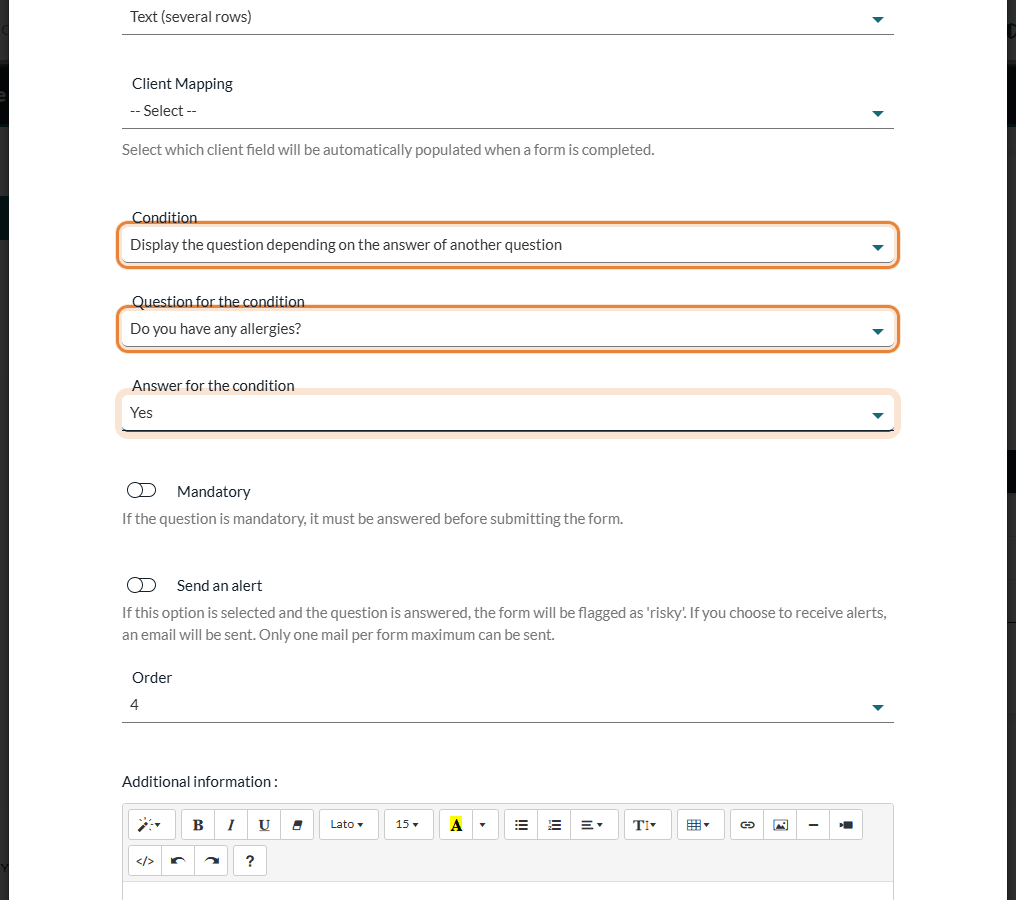
In the list, a question that has a condition is shown in purple.
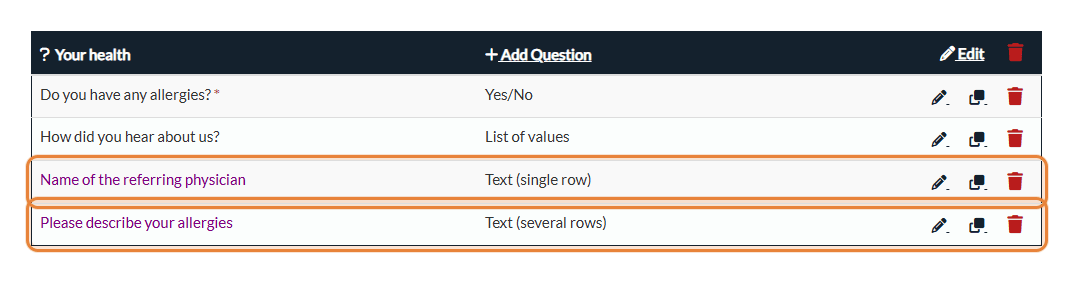
Tip: the conditional question appears at its own place in the form. Put it right after the question it depends on (with Order or by drag and drop), so that your clients see it appear just below their answer.
2Test it with the preview
- Click Preview at the top right of the form editor.
- The conditional question is hidden at first.
- Give the expected answer: the question appears. Change the answer: it disappears again.
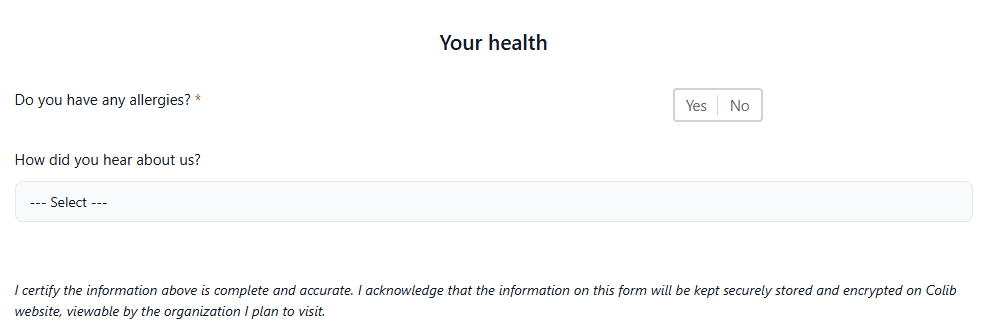
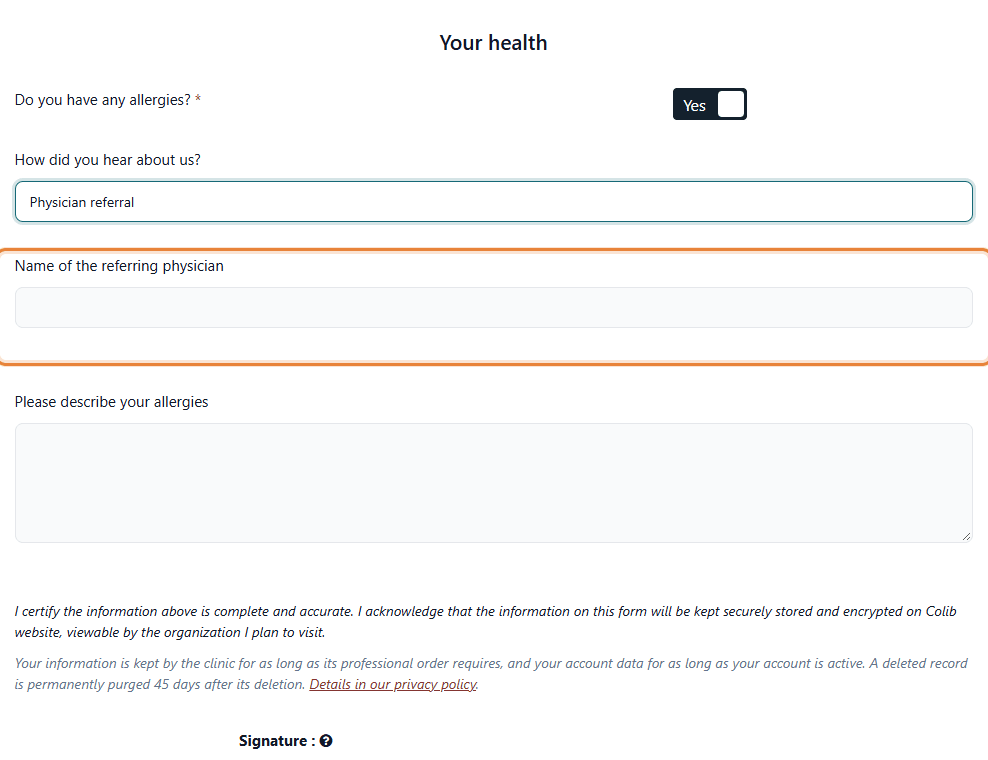
It works the same way with a list: here, the question Name of the referring physician only appears when the client chooses Physician referral.
Which questions can trigger a condition?
| Type of the question chosen in Question for the condition | The conditional question is displayed when... |
|---|---|
| Yes/No | the client answers the chosen answer (Yes or No). |
| List of values | the client selects the chosen choice. |
| Multi selection list | the chosen choice is among the choices ticked by the client (other choices can be ticked too). |
Text, Date and Document questions cannot trigger a condition. A list linked to the client's language, province or practitioner (see How to connect your client fields to your form questions) cannot either, because its choices are filled in by Colib. The question for the condition can be in any section of the form.
Several answers, several conditions, chained questions
- One condition per question — a question depends on one answer of one question. There is no "and / or" between several conditions.
- Show a question for two different answers — create one question for each answer (duplicate the question with the copy icon, then change the Answer for the condition of the copy).
- Several questions for the same answer — give the same condition to each of them.
- Chained questions — a conditional question can itself display other questions. If it is hidden again, the questions that depend on it are hidden too.
- Sections — conditions apply to questions only: a whole section cannot be hidden, and its title stays visible even when all its questions are hidden. See the article titled "How to add a section to a form".
What your clients see, what you see
- For your client — the question appears as soon as the expected answer is given, and disappears if the answer changes. Nothing indicates that hidden questions exist.
- Hidden questions are never required — a Mandatory conditional question is only required when it is displayed.
- Hidden answers are not kept — if the client answers a conditional question and then changes the answer that displayed it, that question is ignored when the form is submitted.
- In the results and the PDF — a question that stayed hidden does not appear in the completed form or its PDF (How do I see forms results?). It does not trigger an alert and is not copied into the client record.
Good to know
- Remove a condition — edit the question and set Condition back to Always display the question.
- Deleting the source — if you delete the question used in a condition, or the list choice it uses, the questions that depended on it are displayed all the time again. Check them after such a change.
- Forms in English and French — each language version has its own questions: set the condition in each version (choose it in the Language list above the sections).
- Related articles — please see the article titled "How to add a question to a form", the article titled "How to add a second signature to a form", How can I build a new form from scratch?, How to edit an existing form.
Still have a question?
Write to us at support@colib.io, we will be happy to help.
Was this article helpful?
That’s Great!
Thank you for your feedback
Sorry! We couldn't be helpful
Thank you for your feedback
Feedback sent
We appreciate your effort and will try to fix the article