Who is this article for?
Tasks are a powerful tool to plan the work you do for your clients outside of appointments: writing a report, billing, a phone follow-up, a case review. You see them directly on your scheduler and in the client record, and you can invoice them.
This article explains how to create the types of tasks of your clinic, how to add a task to your scheduler, and how tasks differ from appointments.
1Create the types of tasks
The types of tasks (for example Billing or Report writing) are shared by the whole clinic. As an administrator of the clinic:
- Go to Settings > Scheduler (www.colib.io/settings?show=scheduler), in the Admin menu on the left.
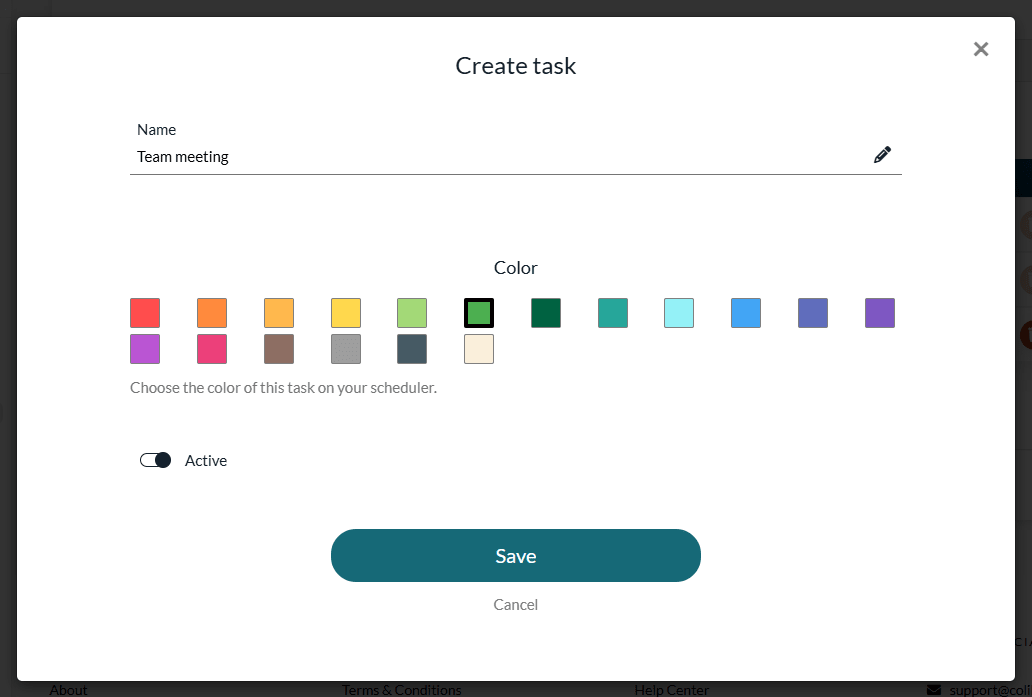
- Scroll down to the Tasks section and click Add task.
- Enter the Name of the task and choose its Color on the scheduler.
- Leave Active on, then click Save.
The list shows your tasks with their color and status. Click the pencil icon to rename a task, change its color or deactivate it.
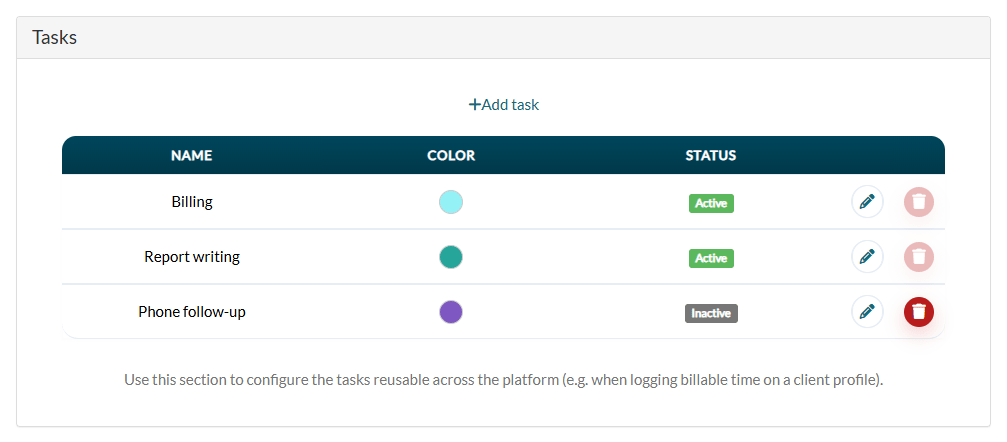
- Inactive — an inactive task can no longer be chosen for a new task on the scheduler. The tasks already planned keep it.
- Delete — click the trash icon. A task already used by billable time entries cannot be deleted (the trash icon is greyed out): deactivate it instead.
2Add a task to your scheduler
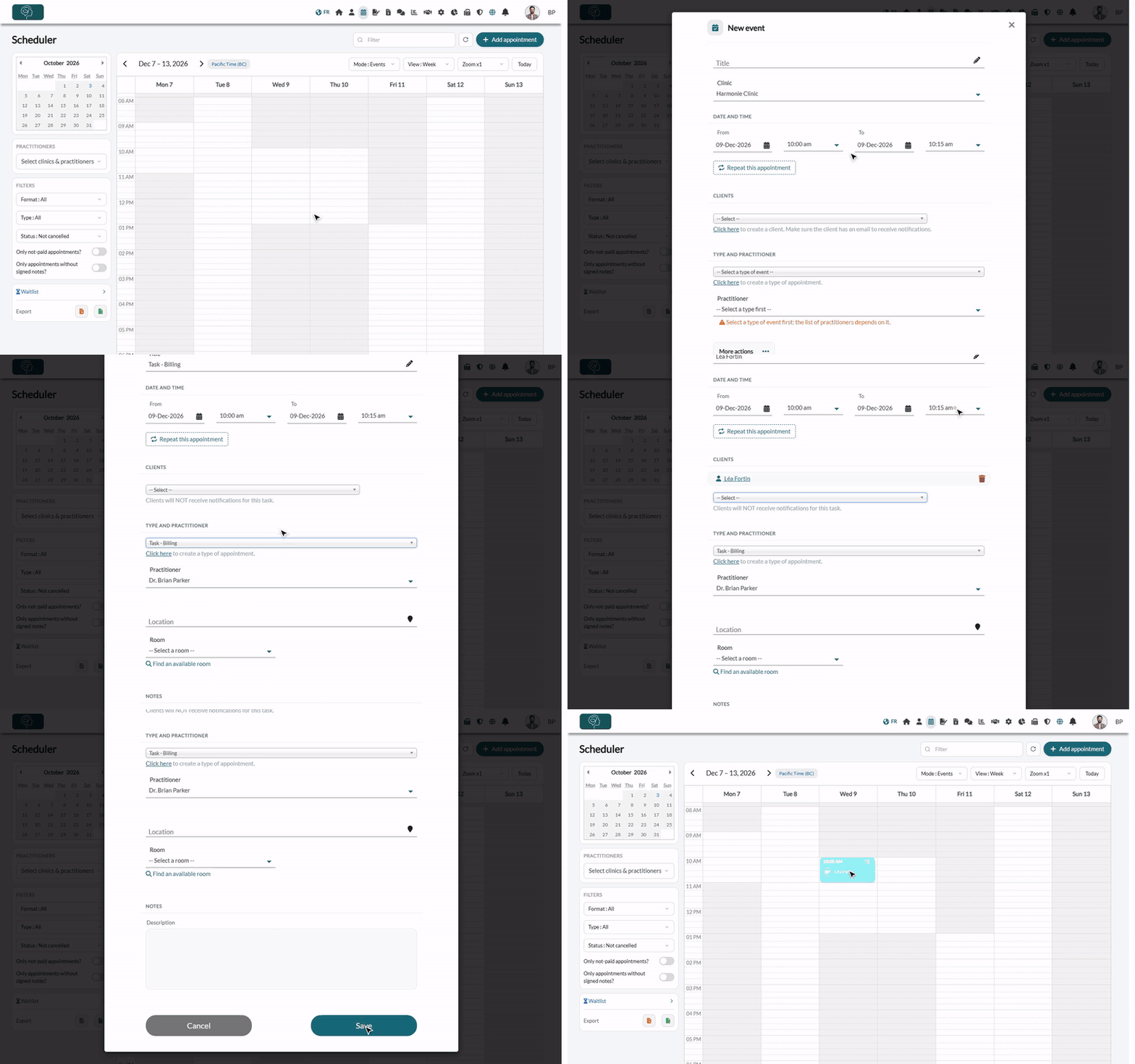
- Go to your Scheduler (www.colib.io/scheduler).
- Click Add appointment, or click a time on the calendar.
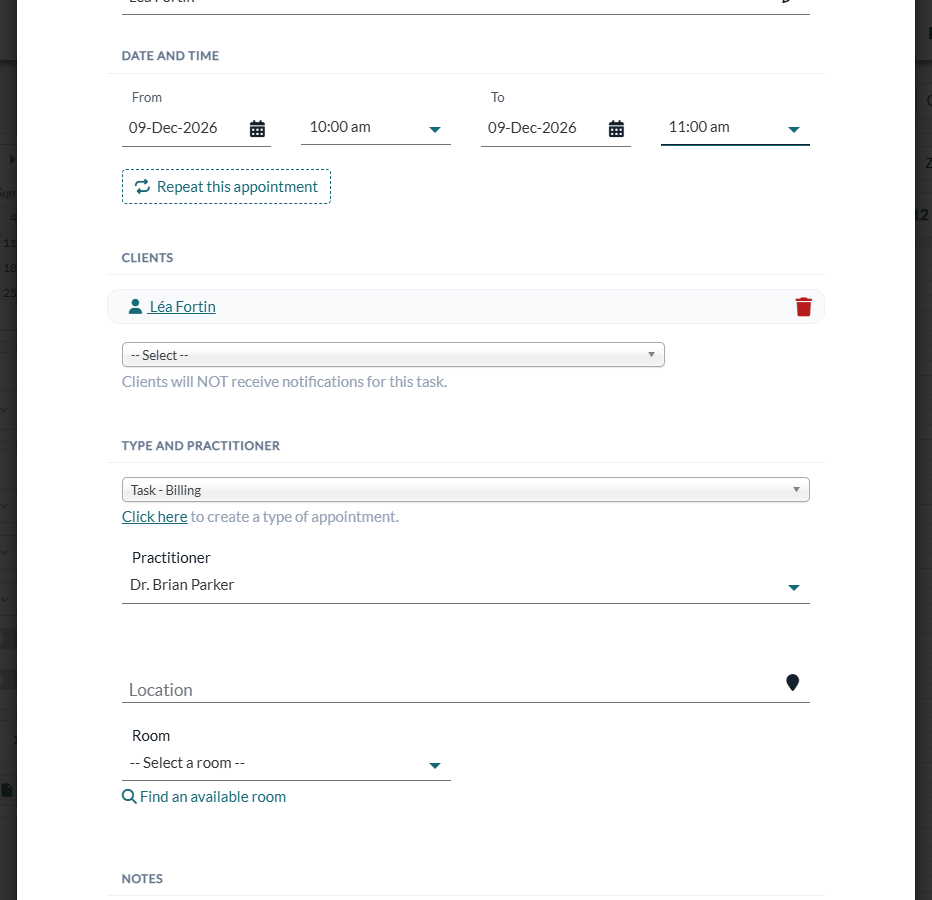
- In the type of event list, choose a task: tasks are listed as Task - followed by their name (for example, Task - Billing).
- Optionally, add the clients related to the task in Clients. The message Clients will NOT receive notifications for this task. reminds you that nothing is sent to them.
- Adjust the date, the start and end times and the Practitioner if needed, then click Save.
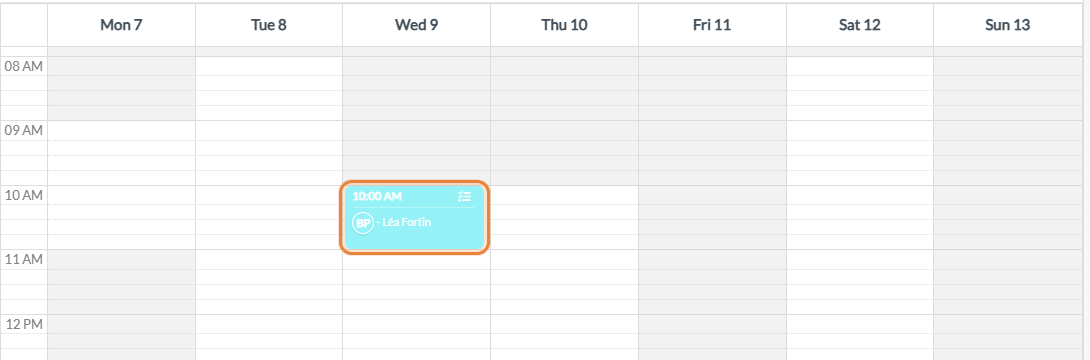
The task shows up on your scheduler, with a task icon in its top right corner.
3Find the task in the client record
When a client is added to a task, the task is also visible in the client record, in the Appointments / Tasks list, with a Task badge. From there, you can open it or click Create invoice.
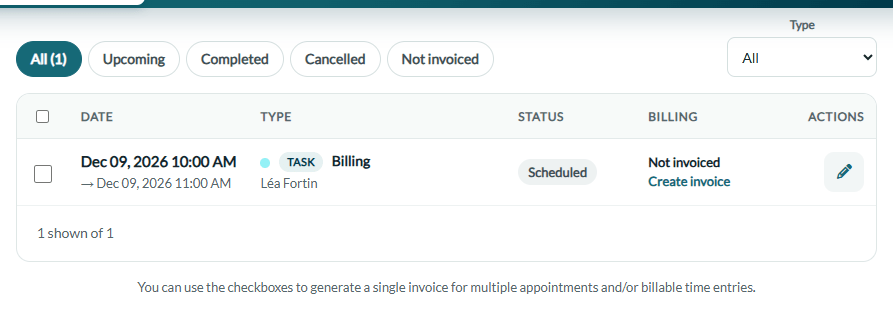
Tasks can be included in the invoices sent to your clients by selecting them in the client record: tick the boxes of several appointments or tasks to create a single invoice. The amount of a task is calculated from its duration and the hourly rate of the practitioner. See Third-Party Billing: how to create an invoice from billable time, tasks or appointments.
Good to know
- No reminders — no notification or reminder is sent to clients for a task.
- No online meeting — you cannot add an online meeting to a task.
- Free — you can create as many tasks as you want. They are not charged, even with the Starter plan.
- Not bookable — like an appointment or a busy event, a task blocks your time: clients cannot book with you during a task.
- Color — the color of the task is used on the scheduler when your clinic displays a color per appointment type; otherwise the color of the practitioner is used. See Can I use the color code for different appointment types?
- Type cannot change — a task cannot be turned into an appointment (or the opposite): create a new event instead.
- Billable time — the same tasks are used to log billable time for a payer outside of appointments. See Third-Party Billing: how to log billable time to a payer outside appointments.
- Delete a task — open it, then More actions > Delete appointment/event. See How to delete an appointment.
Still have a question?
Write to us at support@colib.io, we will be happy to help.
Was this article helpful?
That’s Great!
Thank you for your feedback
Sorry! We couldn't be helpful
Thank you for your feedback
Feedback sent
We appreciate your effort and will try to fix the article