Who is this article for?
You created a client by mistake, or a test record, and you want it gone from Colib. This article explains how to delete a client, what deleting removes, and when you should archive the client instead.
Important: deleting a client removes the whole record: notes, documents, forms, invoices and history. Most professions require you to keep client records for several years. If the client simply no longer comes to your practice, archive the client instead: the record stays complete but no longer appears in your lists.
Before you start: you need the right to edit client information. Users who can only view client records do not see the Delete client option.
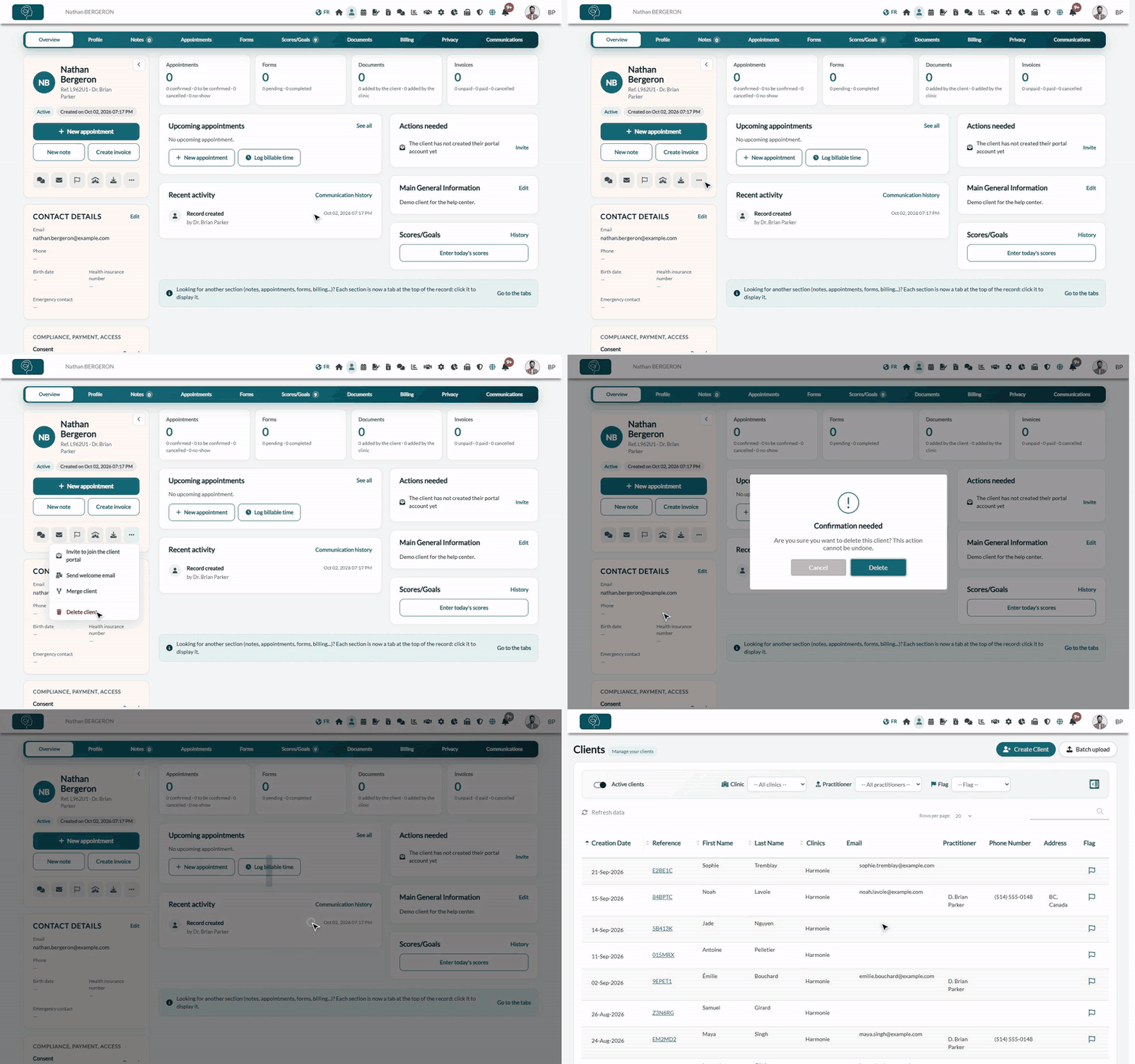
1Open the client's record
- Go to your client list (www.colib.io/clients).
- Find the client with the search field, then click their reference to open the record.
Want to keep a copy first? Click the Download icon (arrow) under the client's name to download their complete record as a zip file. See How to export my client data?
2Delete the client
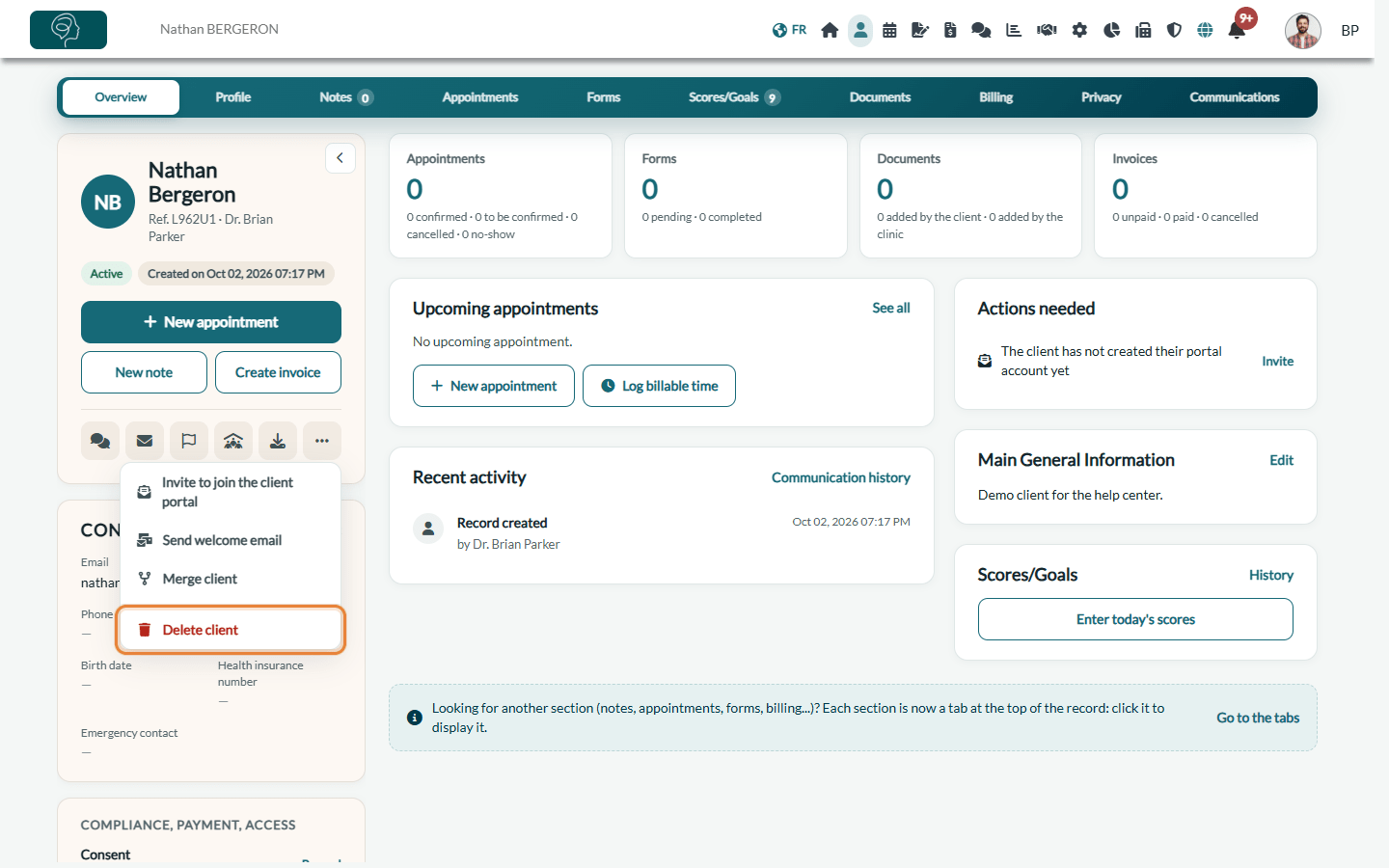
- Under the client's name, click the More actions icon (three dots).
- Click Delete client, at the bottom of the menu.
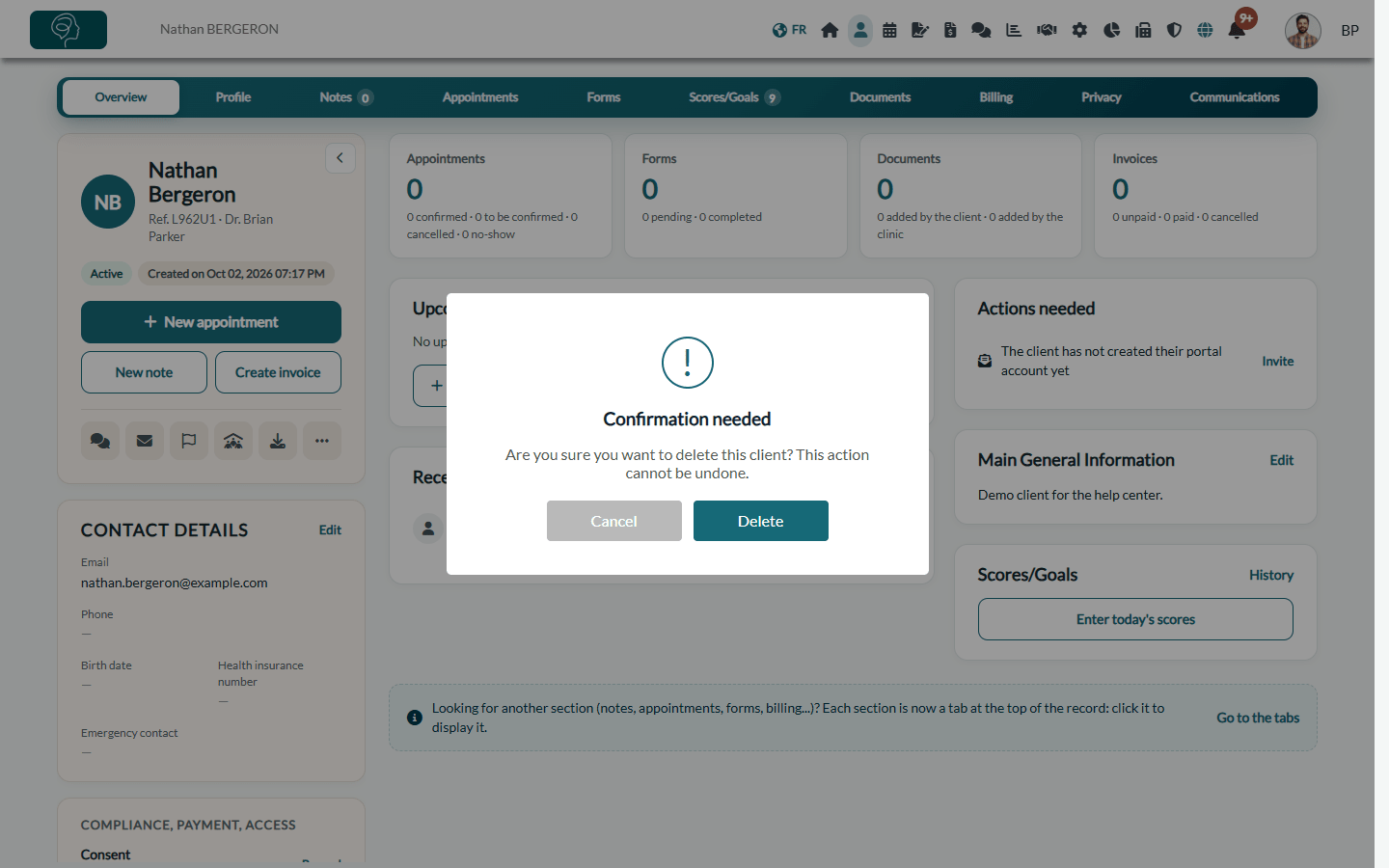
- Colib asks Are you sure you want to delete this client? This action cannot be undone. Click Delete to confirm, or Cancel.
- The message The client has been deleted. appears and you are taken back to your client list.
What happens when you delete a client
- The record disappears right away — the client is no longer in your client list, your searches or the appointment window, even with the Active clients filter turned off.
- Upcoming appointments — the client is removed from their upcoming appointments. The appointments stay in your scheduler without this client, and no cancellation notice is sent. Delete them or reuse the time slots.
- Recurring form sendings — the forms scheduled to be sent automatically to this client are stopped.
- Client groups — the client is removed from their client group. If they were its responsible holder, the group is deleted.
- Permanent erasure after 45 days — 45 days after the deletion, the record and all its content are permanently erased: profile, notes, documents, forms, invoices, appointment history, messages and communications.
- Traceability — the deletion is recorded in your activity log, with the user and the date. See How to access the activity log?
When a client cannot be deleted
To protect your accounting, Colib refuses to delete a client in these cases:
- Online payments — the client paid one of their invoices online through Colib. The message The client cannot be deleted because some payments are attached to his/her profile. appears.
- Recent card payment — a payment was made with one of the client's cards less than 15 days ago (the period during which a payment can still be refunded or disputed). The message This client cannot be deleted: a card payment was made less than 15 days ago. appears.
In both cases, archive the client: the record leaves your lists and keeps its payment history.
Good to know
- A duplicate? — rather than deleting one of the two records, merge them: the information of both is kept in one record. See Can I merge two client accounts?
- A request from the client — before deleting a record at a client's request, check the record-keeping rules of your profession and of your province.
- No undo — Colib has no recycle bin for clients: download the record first if you may need it later.
Still have a question?
Write to us at support@colib.io, we will be happy to help.
Was this article helpful?
That’s Great!
Thank you for your feedback
Sorry! We couldn't be helpful
Thank you for your feedback
Feedback sent
We appreciate your effort and will try to fix the article