Who is this article for?
You want your clients to make appointments without calling you? Colib offers two ways for clients to book by themselves: online booking, where they choose a free time slot and the appointment is created right away, and the appointment request form, where they send their preferences and your team schedules the appointment. This article compares the two options and lists all the places where your clients can reach them.
The booking types
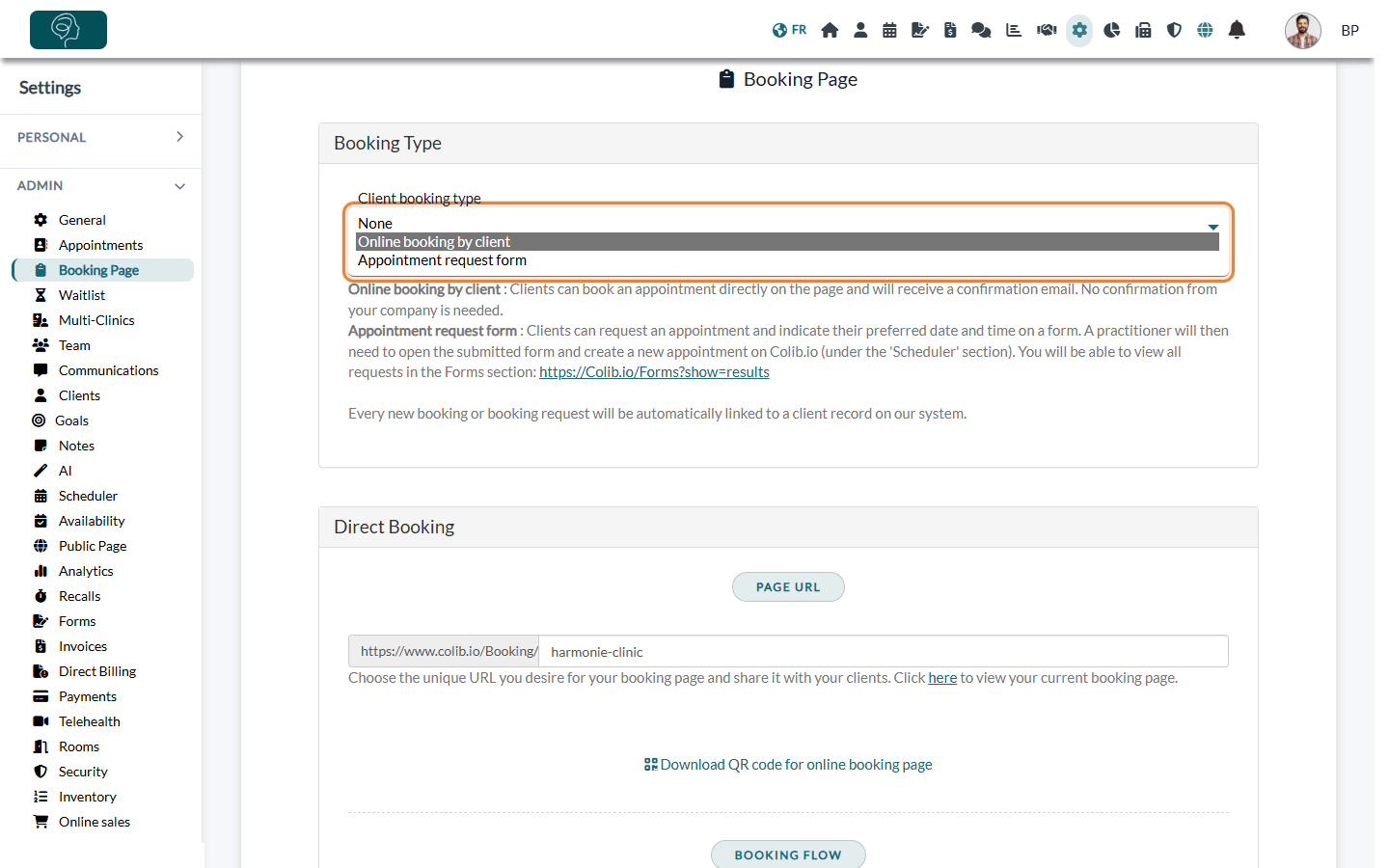
The booking type is chosen in Settings > Booking Page (www.colib.io/settings?show=bookingpage), in the Client booking type list of the Booking Type section.
| Booking type | How it works | Best for |
|---|---|---|
| Online booking by client | Clients see your real availability, choose an appointment type, a practitioner and a time slot, and the appointment is created in your scheduler immediately. They receive a confirmation email; no confirmation from your team is needed. | Practices that want to save time on scheduling and offer 24/7 booking. |
| Appointment request form | Clients fill in a form with their preferred dates and times. You find the requests in the Forms section (www.colib.io/forms?show=results), then a practitioner creates the appointment in the scheduler. | Practices that need to review each request first (assessment before a first visit, complex scheduling). |
| None | Clients cannot book or request appointments online. Your team creates all appointments from the scheduler. | Practices that schedule everything themselves. |
To set up the option you chose, follow how to set up the booking process.
What clients see
With online booking, your booking page guides clients step by step: their contact details, the appointment type, the date and time, then the confirmation. Depending on your settings, steps for payment information or for email verification are added.
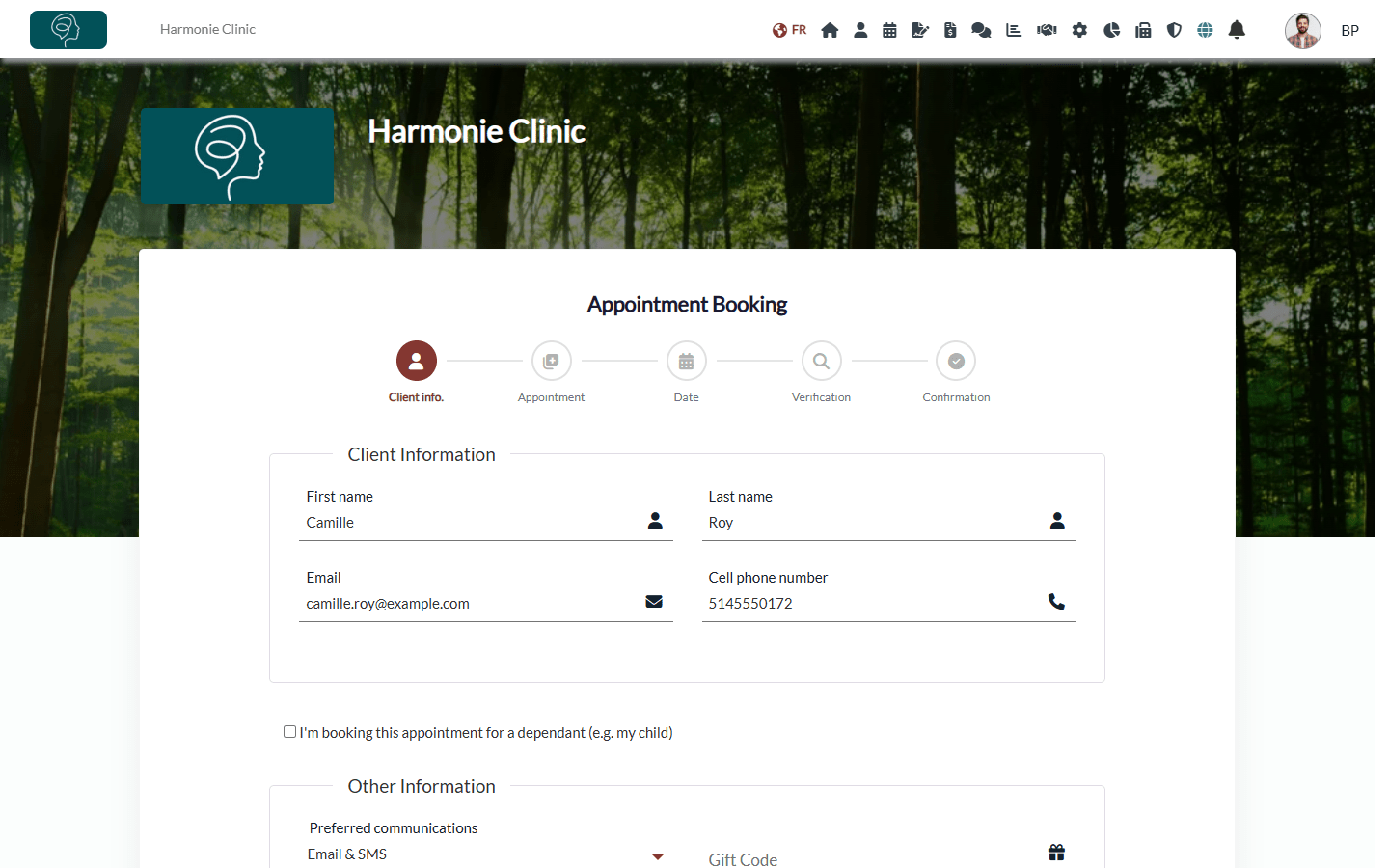
Clients do not need an account to book: see do my clients need to create a Colib account before booking?.
Where clients can book
- Your booking page link — its address is shown in Settings > Booking Page > Page URL (https://www.colib.io/Booking/ followed by the name you choose). Share it by email, on social media or in your email signature.
- A QR code — click Download QR code for online booking page under the page address, and print it for your waiting room or business cards.
- Your website — add a booking window to your own website: see how to embed your booking page on your website.
- Your public page — your Colib public page shows a Book Appointment or Request Appointment button, depending on your booking type: see how to configure the public profile page of the practice.
- A link for one practitioner — send clients straight to the schedule of a given practitioner: see how to create a direct link to a specific practitioner schedule.
- One page per clinic — with several locations, each clinic can have its own booking page: see how to have a different booking page for each clinic.
- The client portal — clients who have an account find a Book appointment button in their appointments.
- The waitlist — when no time slot suits them, clients can ask to be told about new openings: see how to activate the waitlist.
Good to know
- Client records are created for you — with both options, each booking or request is linked to a client record. Colib looks for an active client of your practice with the same email address and updates that record; if there is none, a new client record is created.
- Your team can always book — whatever the booking type, you can create appointments yourself from your scheduler: see how to schedule an appointment.
- Control what can be booked — choose which appointment types are offered online, when, and how far in advance: see availability groups and how to control how far in advance clients can book.
Still have a question?
Write to us at support@colib.io, we will be happy to help.
Was this article helpful?
That’s Great!
Thank you for your feedback
Sorry! We couldn't be helpful
Thank you for your feedback
Feedback sent
We appreciate your effort and will try to fix the article