Who is this article for?
When Colib drafts a note with artificial intelligence (AI), it follows a note template such as SOAP, DAP or BIRP. You choose a default template for the whole practice, and you can choose a different one for each type of appointment: for example DAP for follow-ups and an initial assessment template for first visits.
This article explains how to set the default template, then the template of an appointment type.
Before you start: AI notes must be turned on for your practice (see How does the Artificial Intelligence note generation work?). You need access to the practice settings.
1Choose the default template
The default template applies to every AI note, unless the appointment type has its own template (step 2).
- Go to Settings > Notes (www.colib.io/settings?show=notes).
- In the Content and writing style of AI-generated notes section, turn on Use templates.
- Choose the Template in the list.
- Click Save at the bottom of the section.
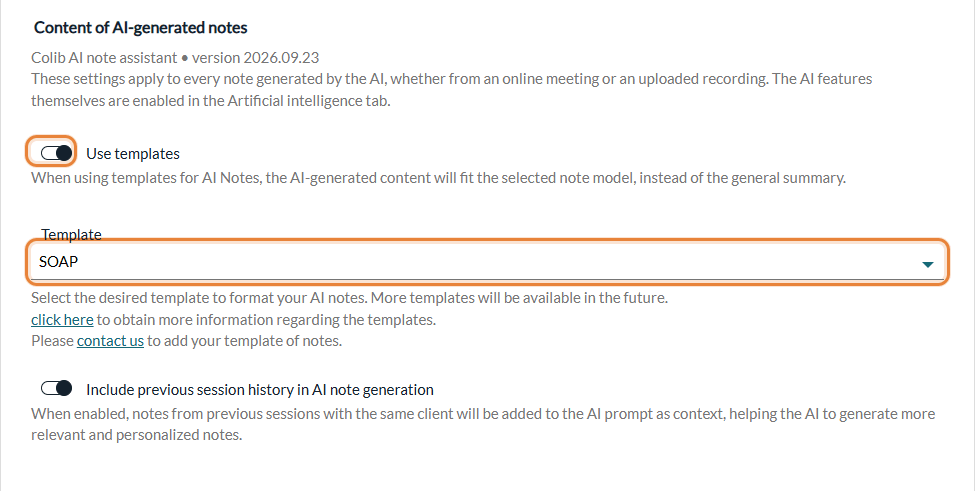
If Use templates is off, the AI writes a general summary of the session instead of following a template (except for the appointment types that have their own template).
2Choose a template for an appointment type
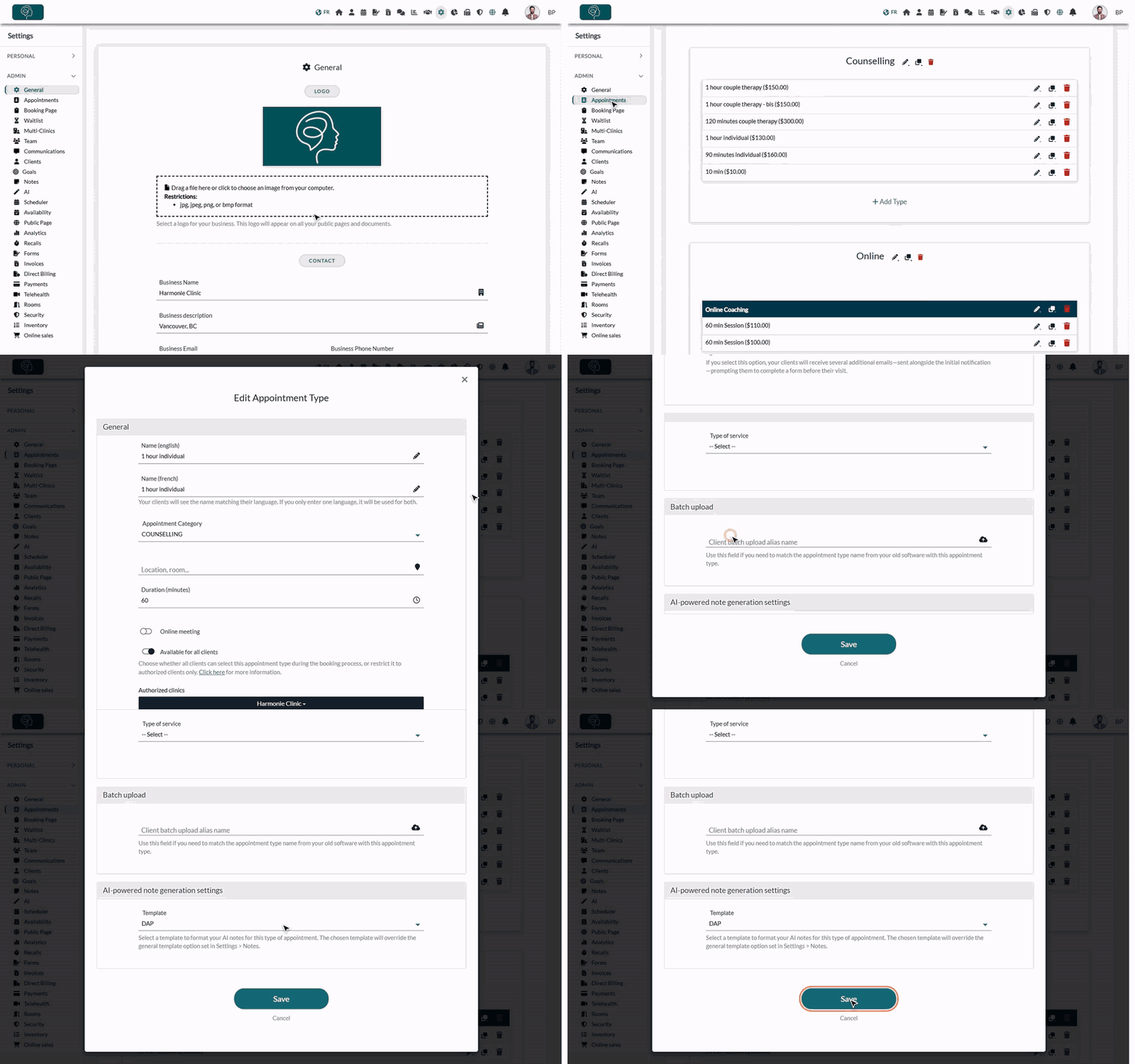
- Go to Settings > Appointments (www.colib.io/settings?show=appointments).
- Click the pencil icon of the appointment type. The Edit Appointment Type window opens.
- Scroll down and open the AI-powered note generation settings section.
- Choose the Template for this appointment type.
- Click Save.
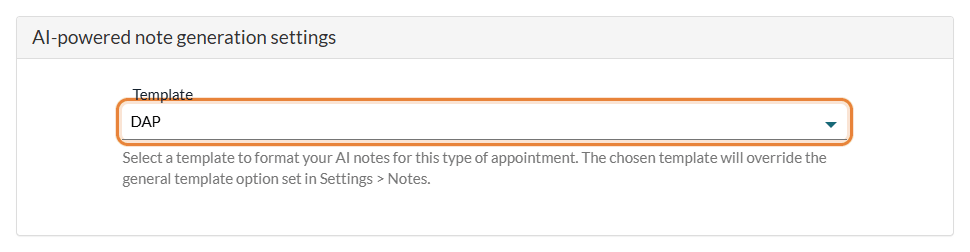
The template chosen for an appointment type overrides the default template set in Settings > Notes. Leave -- Select -- to use the default template for this type. Repeat for each appointment type that needs a different template.
Which template is used?
| Template of the appointment type | Use templates (Settings > Notes) | The AI note follows |
|---|---|---|
| Chosen | On or off | The template of the appointment type |
| -- Select -- | On | The default template |
| -- Select -- | Off | No template: a general summary of the session |
Good to know
- A fixed list of AI templates — the AI uses the templates of the list (SOAP, GIRP, BIRP, DAP, RIFT, EMDR session note, initial assessment and others). The note templates you create yourself in Settings > Notes > Templates are used to write notes by hand, not by the AI (see How can I use template of notes to create new notes?).
- Need another template? — contact us to have your own note template added to the AI list. See also How to personalize AI-generated notes in Colib?
- For the next notes — a change applies to the AI notes generated afterwards; existing notes are not changed.
- Writing style — the point of view, tone, format and level of detail set in Settings > Notes apply in addition to the template.
- Always review — the AI note is a draft: read it, correct it and sign it.
Still have a question?
Write to us at support@colib.io, we will be happy to help.
Was this article helpful?
That’s Great!
Thank you for your feedback
Sorry! We couldn't be helpful
Thank you for your feedback
Feedback sent
We appreciate your effort and will try to fix the article