Who is this article for?
Some of your clients know each other: a parent and their child, two spouses followed in couple therapy, siblings, a relative who pays for the care. With relations, you record these links between two client records, and you go from one record to the other in one click.
This article explains how to add, change and delete a relation, and how relations differ from client groups.
Before you start: both people must already have a client record in Colib (see your client list: www.colib.io/clients). You need the right to edit client information.
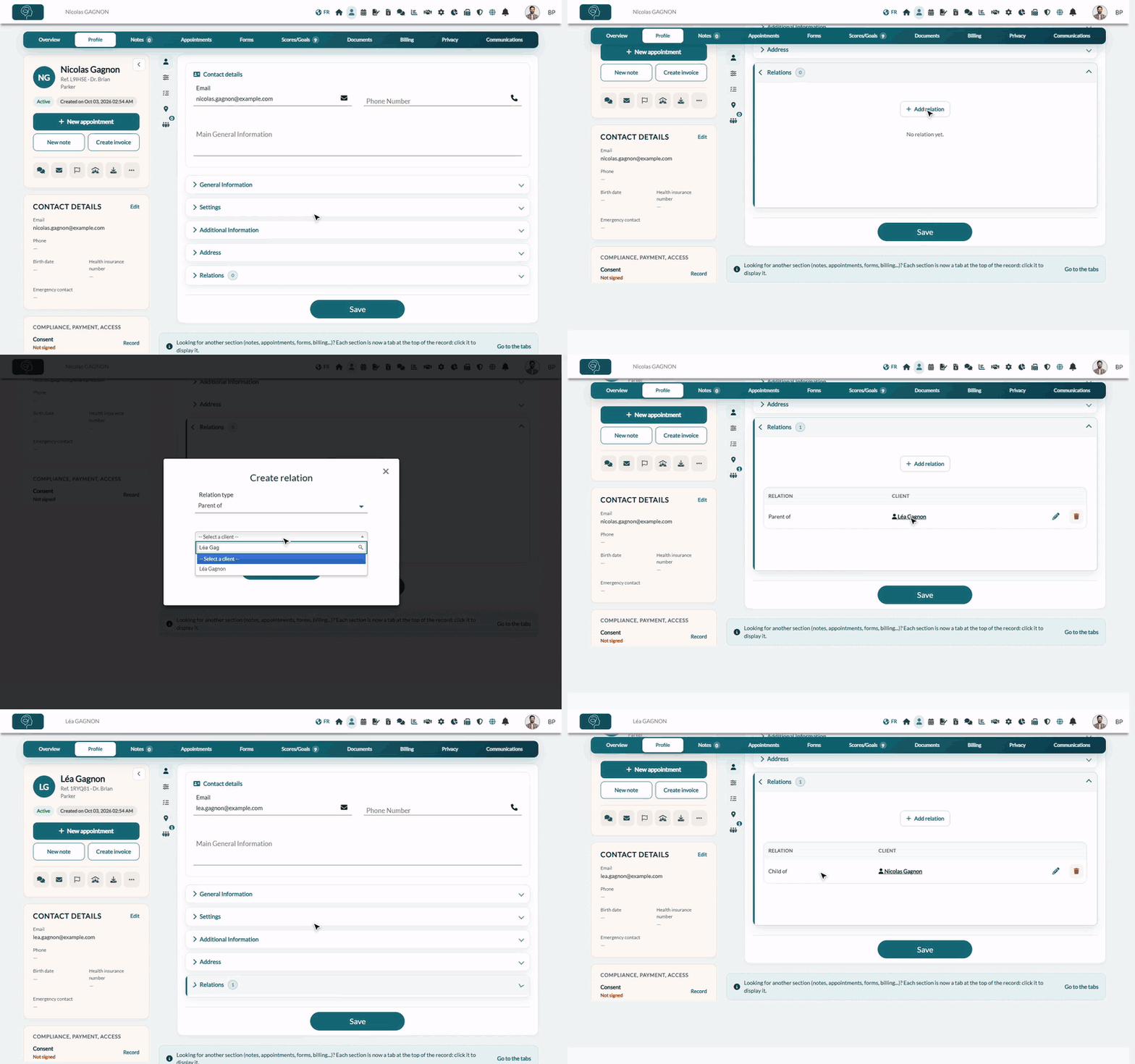
1Add a relation
- Open the record of one of the two clients from your client list (www.colib.io/clients), then click the Profile tab.
- Open the Relations section. The number next to its title is the number of relations of the client.
- Click Add relation. The Create relation window opens.
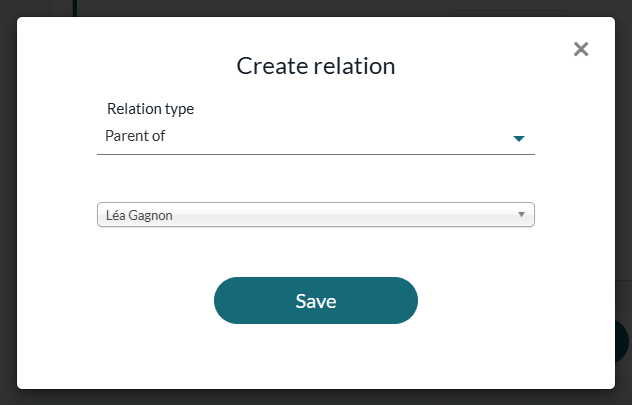
- Choose the Relation type, read as a sentence starting with the client whose record is open: for example, Nicolas Gagnon is Parent of…
- In the list below (-- Select a client --), choose the other client. Type a few letters of the name to find them faster.
- Click Save.
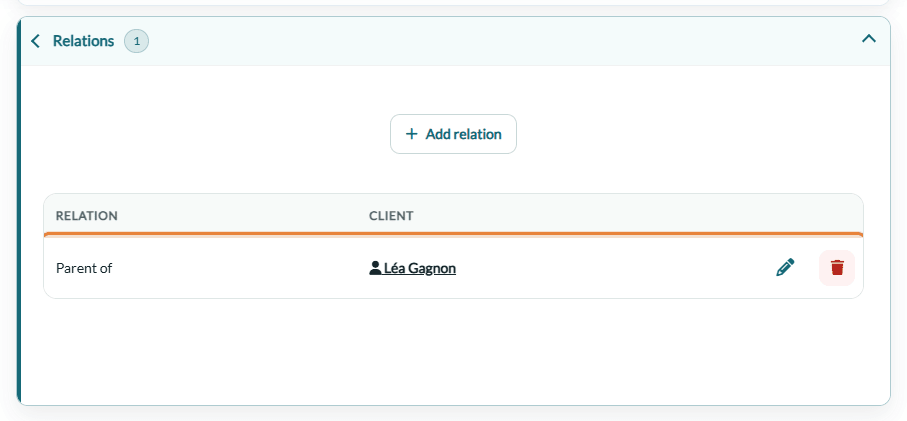
The relation appears in the Relations section, with its type and the name of the other client. Click the name to open their record.
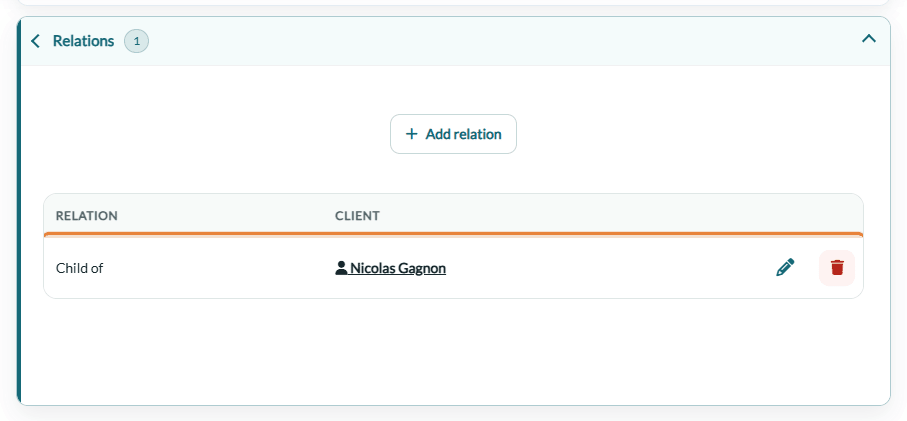
2See the relation from the other record
You only add a relation once: it automatically appears in the other client's record too, worded from their side. For example, when Nicolas is Parent of Léa, Léa's record shows Child of Nicolas.
| Relation type | Shown in the other record |
|---|---|
| Parent of | Child of |
| Child of | Parent of |
| Is the third-party payer for (the client who pays for the other client's services, for example a relative) | Is covered (third-party payer) by |
| Married with, In a relationship with, Was in a relationship with, Sister/brother, Family member, Friend with, Is in the same group as | The same type |
There is no specific "guardian" type: for a tutor or a legal guardian, choose the closest type (Parent of or Family member).
3Change or delete a relation
- Change — click the pencil icon on the relation's row: the Edit relation window lets you change the type or the other client. Click Save.
- Delete — click the trash icon on the row and confirm. The relation disappears from both records; the two client records themselves are not changed.
Good to know
- A relation is for information — it does not change who receives the emails, the reminders or the invoices, and it gives no access to the other client's file in the client portal.
- To send the communications of a child to a parent — use client groups instead: see How to effectively communicate with child clients using client groups.
- Bookings made by a parent — to let a parent book online for a child, see How to allow clients to book appointments on behalf of a dependant.
- Which clients are offered — the list of the window only shows active clients that you are allowed to see.
- Two records for the same person? — do not link them: merge them. See Can I merge two client accounts?
- Traceability — adding, changing and deleting a relation are recorded in your practice's audit log.
Still have a question?
Write to us at support@colib.io, we will be happy to help.
Was this article helpful?
That’s Great!
Thank you for your feedback
Sorry! We couldn't be helpful
Thank you for your feedback
Feedback sent
We appreciate your effort and will try to fix the article